1kx Music Player & Visualizer 1kx.org
An interactive audio player and real-time cosmic astrophotography engine featuring the musical archives of Caseyland, Uphill Driver, Creme Puffs, and Orange Cricket Project. Designed and built by Casey Cichowicz using Google Antigravity; all music copyright the respective artists.
Quick Start Guide
The 1kx homepage is a living deep-space visualizer where music tracks drift through space as interactive floating album squares. Tracks are continuously preloaded, analyzed, and synthesized into real-time harmonic visual effects.
Click or tap any floating album square to launch audio playback. In Continuous Mode, a single click moves on to the next track, while a double click or double tap closes that square and halts playback completely.
Press Q or click the ? button in the bottom-left to toggle the About modal. Click any band logo to filter active tracks.
Press X (or hold the top-left screen corner for 550ms) to slide out the Control Panel and customize 17 real-time physics parameters.
Cycle between deep-space Cosmos view, orbital Earth Observatory view, and the abstract Fractal Observatory by pressing O or clicking the mode button in the upper-left corner, which shows the icon of the view you are in. Cycle through Continuous Play, standard play, and distraction-free Zen Mode Z.
Press V or click Remix Console in the Control Panel to open the 4-stem mixer desk. Blend AI-isolated stems, route studio FX, program the 1KX-808 drum machine, download custom mixes, or turn on Autopilot Mix Shift+D for real-time generated remixes.
Press 1–9 to launch historic spacecraft, or press L (or click Create Spacecraft in the Control Panel) to build a custom ship and enter 360° Flight Mode using the arrow keys, WASD, or on-screen touch joystick.
Featured Music Collective Lineup


Master Keyboard Shortcuts
Keyboard shortcuts are organized below by view and operating mode—including universal global controls, deep-space visualizer triggers, live Remix Console performance modifiers, and interactive spacecraft flight controls.
Global & Core Navigation (Universal Controls)
These primary shortcuts operate across all visualizer views, modals, and playback modes:
11 SHORTCUTS
Global & Core Navigation Shortcuts
| Key | Action | Category | Description |
|---|---|---|---|
| Space | Play / Pause | Playback | Toggles playback on the active audio track across the visualizer and within the Remix Console without resetting track position. |
| Z | Zen Mode | Playback | Hides floating squares and HUDs for distraction-free listening; grants square invulnerability. |
| X | Control Panel | Navigation | Toggles the Control Panel and parameter customization drawer. (Also 1kx or xxx). |
| E | Toggle Adjust Parameters | Navigation | Quickly opens or collapses the "Adjust Parameters" slider accordion within the Control Panel dashboard. |
| Q | About 1kx Modal | Navigation | Opens the artist roster, band history, and interactive logo filter controls. |
| A | Apps Navigation Menu | Navigation | Opens the 1kx monorepo multi-app switcher dropdown menu. |
| V | Remix Console Desk | Navigation | Toggles the 4-stem channel strip mixer desk, rotary dials, and real-time DSP performance rack. |
| D | Status & Debugger | Diagnostics & Telemetry | Toggles the live audio analysis, GPU frame-time, LOD tier, and particle diagnostics HUD. |
| K | Visualizer Snapshot Tool | Capture & Share | Captures a pristine, high-resolution visualizer snapshot with optional algorithmic telemetry watermark, native sharing, clipboard copy, and PNG download. |
| . | Retro Pixelation Mode | Visual FX | Cycles through 5 retro resolution downsampling tiers (Off, 3x/360p, 4x/240p 16-Bit, 6x/160p 8-Bit, 12x/80p) with nearest-neighbor upscaling and CRT raster grid overlay. |
| ` / ~ | Ionospheric Signals Anomaly | Atmospheric FX | Triggers an ~10s atmospheric soundscape showcase featuring procedural Eckersley whistler sweeps, NASA Apollo Quindar telemetry beeps, lightning sferics, chime motifs, and hauntological 1kx song ghost fragments, accompanied by persistent full-sequence blue/white CRT subpixel static noise and two synchronized, staggered 1/5th-of-screen CRT tracking visual glitch tears. |
Deep Space Cosmos Visualizer (Starfield View)
Shortcuts active in the ambient cosmic starfield view for spawning celestial phenomena and historic spacecraft:
20 SHORTCUTS
Deep Space Cosmos Visualizer Shortcuts
| Key | Action | Category | Description |
|---|---|---|---|
| R | Redraw Visualizer | Cosmic Engine | Regenerates all stars, dust rifts, and ambient gas nebulae with a fresh random seed. |
| W | Toggle Constellations | Cosmic Engine | Simultaneously connects and illuminates all 11 astronomical real-sky constellations. |
| C | Spawn Comet | Cosmic Engine | Launches a fast-moving comet with a Type-I multi-spectral ionized gas tail (allows 2 concurrent). |
| M | Meteor Shower | Cosmic Engine | Triggers a radiant meteor shower with multi-angle entry trajectories and stardust embers. |
| G | Spawn Galaxy | Cosmic Engine | Spawns a high-fidelity Spiral Galaxy, Barred Spiral, or Active Galactic Nucleus (AGN). |
| F | Shock Filament | Cosmic Engine | Spawns a braided supersonic supernova remnant ionization filament (Veil Nebula archetype). |
| J | Herbig-Haro Jet | Cosmic Engine | Dispatches a protostellar bipolar plasma jet with supersonic bow shocks. |
| P | Spawn Pulsar | Cosmic Engine | Spawns a spinning relativistic neutron star with synchrotron radiation lighthouse beams. |
| I | Space Invader | Arcade Combat | Spawns a classic 8-bit Space Invader that marches downward, clears excess squares, and eats floating astronauts upon physical contact from strictly above (while avoiding lateral collisions). Does not fire lasers at astronauts. |
| H | Hunter Space Invader Strike | Arcade Combat | Spawns an aggressive Hunter Space Invader (or immediately upgrades an existing Invader into a Hunter) that dynamically targets unplayed squares, historic spacecraft, and floating astronauts with tracking neon lasers and 8-bit arcade explosion debris. |
| S | Random Spacecraft | Historic Fleet | Launches a random historic spacecraft from the 9-ship fleet across the screen. |
| 1 | Voyager 1 & 2 | Historic Fleet | Voyager probe flyby featuring the Golden Record, scan platform, and magnetometer boom. |
| 2 | JWST | Historic Fleet | James Webb Space Telescope with 18 beryllium-gold hexagonal mirrors and 5-layer sunshield. |
| 3 | Skylab | Historic Fleet | First US space station with Apollo telescope mount and gold Mylar parasol blanket. |
| 4 | Discovery One | Historic Fleet | 2001: A Space Odyssey spacecraft featuring the illuminated red HAL 9000 eye. |
| 5 | Space Shuttle | Historic Fleet | NASA Space Shuttle Orbiter with heat tiles, delta wings, and opening payload bay. |
| 6 | ISS | Historic Fleet | International Space Station with articulated photovoltaic arrays and pressurized modules. |
| 7 | Sputnik 1 | Historic Fleet | First artificial satellite: polished metallic sphere with 4 angled whip antennas. |
| 8 | Hubble Space Telescope | Historic Fleet | HST with opening aperture hood, optical mirror flash, and solar arrays. |
| 9 | Cassini-Huygens | Historic Fleet | Saturn orbiter with 4m HGA dish, gold Kapton body, and detachable Huygens Titan probe. |
Earth Observatory (Orbital Recon) O
Shortcuts active in Earth Observatory view for orbital reconnaissance, sensor bands, and aircraft flybys:
12 SHORTCUTS
Earth Observatory (Orbital Recon) Shortcuts
| Key | Action | Category | Description |
|---|---|---|---|
| O | Toggle Visualizer Mode | Orbital Recon | Cycles the visualizer through Deep Space Cosmos, Earth Observatory orbital reconnaissance, and the Fractal Observatory. |
| H | Toggle Recon HUD | Orbital Recon | Toggles the orbital telemetry HUD, LAT/LON coordinates, altitude readout, optical reticles, and bottom sensor selector bar. |
| P | Launch Plane Flyby | Orbital Recon | Dispatches a procedural aircraft from the SimPlane fleet across the satellite view with livery and contrails. |
| R | Redraw Earth Terrain | Orbital Recon | Re-seeds and regenerates procedural elevation contours, river meander scrolls, and urban landforms. |
| K | Visualizer Snapshot Tool | Orbital Recon | Captures a pristine high-resolution snapshot of active orbital imagery without UI elements. |
| . | Retro Pixelation Mode | Orbital Recon | Cycles through 5 retro resolution downsampling tiers (Off, 3x, 4x, 6x, 12x) with CRT raster styling. |
| Z | Zen Mode | Orbital Recon | Hides floating album squares and HUD overlays for distraction-free ambient Earth observation. |
| 1 | Band 1: SimPlane | Sensor Bands | Shows SimPlane's own 3D world seen straight down from a random place on its map, sometimes over the airport, as a still frame. It follows today's season and, on Auto, local day and night. The Altitude slider sets its height; time and season are set in the Control Panel. |
| 2 | Band 2: Thermal Night | Sensor Bands | Switches to nighttime nocturnal radiance corridor displaying glowing city lights and metropolitan road networks. |
| 3 | Band 3: LiDAR DEM | Sensor Bands | Switches to LiDAR Digital Elevation Model with hypsometric river meander scrolls and elevation contours. |
| 4 | Band 4: CIR Infrared | Sensor Bands | Switches to Color Infrared false-color vegetation imagery highlighting biomass health and canopy density. |
| 5 | Band 5: Agriculture & Cityscape | Sensor Bands | Switches to center-pivot circular irrigation fields and rich procedural sim terrain with city fabrics and roads. |
| 0 | Shuffle Auto-Cycle | Sensor Bands | Engages automatic ambient cycling that smoothly cross-fades between randomized sensor bands every ~90 seconds. |
Fractal Observatory O
Shortcuts active in the Fractal Observatory view:
3 SHORTCUTS
Fractal Observatory Shortcuts
| Key | Action | Category | Description |
|---|---|---|---|
| O | Cycle Visualizer View | Fractal | Cycles Cosmos → Earth Observatory → Fractal Observatory. The mode button in the upper-left corner shows a small Mandelbrot while you are here. |
| M | Minibrot Discovery | Fractal | Summons the Fractal Observatory's visitor: a slow landing on a tiny complete copy of the Mandelbrot set, with a callout naming the island. One at a time; the Minibrot button in the Control Panel toolbar does the same. |
| F | Next Fractal Family | Fractal | Steps to the next of the seven fractal families, always in the same order (Mandelbrot, Julia, Burning Ship, Tricorn, Phoenix, Multibrot, Newton basins), so seven presses visit every one. A small label at the top of the screen names the family, for example BURNING SHIP; Zen Mode hides it. The Family button in the Control Panel toolbar does the same. |
| T | Orbit-Trap Style | Fractal | Steps the scene on screen through the orbit-trap styles: none → Stalks → Rings → Petals → none, so you can compare one view under each. The label names the style, for example JULIA SET · STALKS. Newton basins have no trap styles. The Trap button in the Control Panel toolbar does the same. |
| R | New Expedition | Fractal | Dissolves into a newly rolled scene: fractal, location, framing and colour harmony. Each of the seven families is equally likely, and R never lands on a minibrot (press M for that). |
Remix Console & Studio Mixer Desk V
Shortcuts active when the live Remix Console HUD is open for real-time buffer slicing, beat drops, and drum sequencing:
21 SHORTCUTS
Remix Console & Studio Mixer Desk Shortcuts
| Key | Action | Category | Description |
|---|---|---|---|
| Space | Play / Pause Track | Deck Transport | Starts or pauses track playback directly within the Remix Console without closing the mixer window. |
| 1 – 4 | Glitch Stutter Rolls | Glitch Rolls | Triggers real-time synchronized 1/4, 1/8, 1/16, or 1/32 beat roll buffer slicing. |
| 5 | Pitch Dive (Laser Drop) | Glitch Rolls | Beat-synchronized varispeed downward frequency glide (1.45× → 0.32×) with resonant lowpass laser filter sweep and stem ducking. |
| 6 | Reverse Roll | Glitch Rolls | Engages rapid syncopated 1/8-beat reverse roll chops across active stem busses. |
| 7 | Accelerating Riser | Glitch Rolls | Exponentially accelerating stutter roll riser build-up, increasing repeat slicing frequency. |
| 8 | Turntable Tape Stop | Glitch Rolls | Simulates an authentic analog turntable motor power brake, ramping playback pitch and tempo down to a complete stop. |
| Shift+1 | Ghost Percussive Glitch | Beat Modifiers | Fires a momentary 350–550ms percussive ghost glitch (telemetry beeps, radio grit, sonar ping) from 1kx track buffers. |
| Shift+2 | Ghost Ambient Swell | Beat Modifiers | Injects a lush 3.5–5.5s atmospheric ambient ghost swell (spectral shimmer, drone, granular cloud). |
| Shift+3 | Ghost Reverse Swell | Beat Modifiers | Triggers a 2.0s time-reversed song ghost fragment swell building into the mix with spectral decay. |
| Shift+4 | Ghost Formant Vocoder | Beat Modifiers | Morphs a 2.8s vocal formant vocoder filter, analog tape flange, or beacon orbit across song buffers. |
| Shift+5 | Reverse Audio Drop | Beat Modifiers | Triggers an instant reverse audio playback burst and build-up drop with +6dB boost. |
| Shift+6 | Dub Silence Cut | Beat Modifiers | Cuts master audio for 1 measure of silence with cavernous dub reverb wash and tape echo. |
| Shift+7 | Ramen Break (1x Classic) | Beat Modifiers | Triggers a 1-bar 1x classic acoustic Amen break fill with Alt+Shift+7 for continuous latch. |
| Shift+8 | Ramen Break (2x Jungle DnB) | Beat Modifiers | Triggers a 1-bar 2x Jungle / Drum & Bass tempo-doubled fill with Alt+Shift+8 for continuous latch. |
| 8 | 1KX-808 Drum Machine | Drum Machine | Starts or stops the 8-voice 1KX-808 rhythm composer and 16-step sequencer. |
| [ / ] | Downbeat Shift: Left [ / Right ] BETA | Drum Machine | Shifts 1KX-808 downbeat earlier with Left [ or later with Right ] by ±1 whole beat against detected track downbeats (beat mapping is in beta and may not align correctly on all tracks). |
| Shift+[ / Shift+] | Fine Beat Nudge: Shift+[ / Shift+] | Drum Machine | Micro-nudges downbeat by ±0.25 beat (one 1/16th note) earlier with Shift+[ or later with Shift+] for surgical pocket alignment (also via Shift+Click on buttons). |
| Shift+D | Autopilot Mix | Master FX | Starts or stops automated generative glitch slicing, filter morphs, and break drops. Automatically sleeps during song pause. |
| B | Master Clean Bypass | Master FX | Instantly bypasses all active FX sends and returns for direct 100% dry audio comparison. |
Spacecraft Workshop & Pilot Flight Mode L
Shortcuts active in the modular Spacecraft Builder workshop and during manual Pilot Mode flight:
11 SHORTCUTS
Spacecraft Workshop & Pilot Flight Mode Shortcuts
| Key | Action | Category | Description |
|---|---|---|---|
| L | Spacecraft Builder / Pilot Flight | Flight Launcher | Opens the modular Spacecraft Builder workshop or launches your custom craft into interactive Pilot Mode flight. |
| 1 – 3 | Slot Focus | Workshop Mode | (In Workshop) Directly switches focus to Cockpit 1, Core 2, or Thruster 3 slot. |
| ← / → / ↑ / ↓ | Part Navigation | Workshop Mode | (In Workshop) Arrow keys navigate between part slots and cycle through the 10 part models per section. |
| Enter | Launch Spacecraft | Workshop Mode | (In Workshop) Finalizes the custom craft assembly and launches into deep space or Pilot Mode. |
| ← / → | Rotational Steering | Pilot Flight | (In Pilot Mode) Rotates your spacecraft smoothly through full 360-degree heading vectors. |
| ↑ | Forward Thrusters | Pilot Flight | (In Pilot Mode) Applies forward propulsion along your ship's current angular heading vector. |
| ↓ | Active Retro-Braking | Pilot Flight | (In Pilot Mode) Applies active retro-thrusters and aerodynamic space drag to decelerate. |
| Space | Hyperdrive Warp Boost | Hyperdrive | (In Pilot Mode) Engages relativistic warp speed multiplier and dual-tone acoustic acoustic hum. |
| Esc / L | Exit Flight Mode | Flight Exit | (In Pilot Mode) Disengages manual flight and returns control back to the ambient cosmic visualizer. |
3 Easter Eggs
Secret Easter Egg Shortcuts (Spoiler Warning)
| Key | Action | Category | Description |
|---|---|---|---|
| 0 | Floating Astronaut | Easter Egg | Spawns a tiny zero-G EVA astronaut with trailing umbilical tether. Once spawned, the spaceman encounters a random fate (50% peaceful spacewalk drift, 20% Flying Saucer abduction, 15% Space Invader collision, 15% Hunter Invader laser attack) after a 2.0s staging delay. |
| U | UFO Abduction & Atmospheric Anomaly | Easter Egg | Triggers atmospheric CRT interference anomalies and ghost radio chatter followed by a vintage Flying Saucer flyby, volumetric tractor beam abduction of an album square or active floating astronaut, analog tape speed-up DSP, and hypersonic relativistic warp exit. |
Mouse, Touch & Mobile Gestures
Drag and flick any floating album square to launch a 10-second kinetic glide that bounces off viewport boundaries with needle tap transients. Flicking Up/Right launches a fast-forward surge; flicking Down/Left triggers a DJ vinyl backspin slip and track rewind.
Drag an active song Up/Right to slow down or fast-forward up to 2.40x; drag Down/Left to rewind the track in real-time with reverse needle friction. Wiggling back and forth in quick, jerky motions triggers authentic turntablism baby scratch chirps.
Swipe quickly across any open area of the cosmic canvas to launch a high-velocity meteor or comet. Comets follow curved gravitational trajectories with glowing ion tails and trail sparkles.
Touch or click near background stars and drag between them to draw luminous constellation lines. Linking stars snaps to real astronomical patterns and spawns custom constellation waypoint badges.
Click/touch and hold anywhere on the open background to open an active Gravitational Singularity. Nearby stars, dust, and spacecraft are pulled toward the singularity with gravitational lensing, and releasing the hold unleashes an acoustic shockwave burst.
Touch or click and hold the top-left 120px / 15% corner of the screen for 550 milliseconds to open the Control Panel without using the keyboard.
Double-tap within the top-center margin of the screen to instantly summon an 8-bit Space Invader. Triggers a 20-sparkle burst on mobile devices.
Tap with two fingers simultaneously within the top-center margin of the screen to launch an aggressive Hunter Space Invader Strike. Triggers a 28-sparkle burst on mobile devices.
Physically shake your phone or tablet. The multi-axis accelerometer and gyroscope engine detects the physical shake and summons the celestial Astronaut Easter Egg.
Control Panel
The Control Panel X provides detailed manual triggering of visualizer effects, featuring status indicators, multi-tier performance switches, dynamic action toolbars for the Cosmos, Earth Observatory and Fractal Observatory views, and an expandable parameter customization drawer with automatic localStorage persistence.
Loaded Squares Badge: Displays active floating album squares in real time.
Quality Switcher: One control cycling Auto (FPS adaptive), Full Quality (Tier 0), Balanced (Tier 1), Eco Mode (Tier 2), or Minimal (Tier 3), with 5-minute safety timeout reversion to Auto.
Eco Mode is Tier 2 on that same scale — it flattens the animated background to a single layer and caps canvas DPR. It is no longer a separate switch.
Quick Links: Fast access to Debugger HUD D, Help Hub, and instant Close X.
One-click buttons to instantly trigger celestial phenomena and modes without using keyboard shortcuts: Zen Mode Z, Comets C, Meteors M, Spacecraft S, Space Invaders I, Hunter Invaders H, Galaxies G, Filaments F, HH Jets J, Pulsars P, Constellations W, Pixelation ., Ionospheric Signals ` / ~, Visualizer Snapshot Tool K, and Redraw R.
Captures pristine, high-resolution snapshots of the cosmic starfield by pressing K or clicking the camera toolbar icon. Automatically suppresses all DOM UI elements, track cards, and debugger panels. Includes native OS file sharing, direct clipboard copying, PNG downloads, camera shutter bloom animation, and an optional algorithmic telemetry watermark card detailing active parameters and seed hash.
The Control Panel dynamically adapts its toolbar and parameter drawer to match the active visualizer mode. Universal tools—including Zen Mode Z, Pixelation ., Remix Console V, Visualizer Snapshot Tool K, and Redraw R—remain active across all three views. In Cosmos View, the toolbar features celestial triggers (comets, meteors, spacecraft, galaxies, pulsars, filaments, jets, constellations). In Earth Observatory View, the toolbar swaps to orbital recon buttons: Cycle Spectral Sensor Band 1–5 (0 Shuffle), Toggle Recon Telemetry HUD H, and Plane Flyby P (launching SimPlane aircraft), while the parameter drawer exposes Altitude (formerly Fractal Zoom) and Sensor Band controls. In the Fractal Observatory, the toolbar carries the Minibrot Discovery button M the Next Fractal Family button F and the Orbit-Trap Style button T, and the parameter drawer shows the five fractal sliders (see Fractal Observatory).
Collapsible Parameter Drawer — Adjust Parameters E
18 PARAMETERS
All 18 Customization Parameters (Range, Default & Behavior)
| Parameter | Range & Default | Physical Impact & Visual Simulation Behavior |
|---|---|---|
| Max Squares | 1–43 (Def: 13) | Controls maximum concurrent floating album squares drifting through deep space. |
| Square Speed | 1–100 (Def: 50 / 1.0x) | Modulates natural drift velocity and low-drag inertial momentum of floating squares. |
| Nebula Gas | 0–12 (Def: 12 / 8 Intel) | Adjusts number of vibrant volumetric interstellar gas cloud veils. |
| Star Density | 0–250 (Def: 150) | Adjusts background starfield density scaled dynamically to screen resolution and DPR. |
| Star Speed | 1–100 (Def: 50 / 1.0x) | Modulates cosmic parallax drift velocity of background stars across 3 depth planes. |
| Star Color | 1–100 (Def: 60 / 1.2x) | Adjusts spectral color saturation and chromatic temperature balance of starfield stars. |
| Dark Dust | 0–12 (Def: 12 / 6 Intel) | Sets the number of cold absorption dust clouds and foreground silhouette rifts. |
| Dust Opacity | 1–100% (Def: 55%) | Controls master opacity and optical extinction density of cosmic dust clouds. |
| Wispiness | 1–100 (Def: 50 / 1.0x) | Adjusts edge turbulence, filamentation, and fractal irregularity of drifting clouds. |
| Space Darkness | 1–100 (Def: 50) | Controls baseline darkness of the deep cosmic background (midnight space black level). |
| Cloud Opacity | 1–100 (Def: 65 / 1.3x) | Sets master opacity of drifting background CSS gradient nebulae. |
| Aurora Glow | 1–100 (Def: 65 / 1.3x) | Modulates atmospheric glow intensity of the harmonic audio aurora ribbon. |
| Dust Contrast | 1–100 (Def: 50 / 1.0x) | Adjusts extinction depth and silhouette edge contrast of dark dust lanes. |
| Edge Filaments | 1–50 (Def: 12) | Configures supersonic ionization shockfront rims on nebula cloud boundaries. |
| Filament Clouds | 0–100% (Def: 30%) | Sets the percentage of nebula clouds that receive edge shockfront ionization rims. |
| Pixelation | Off, 3x, 4x, 6x, 12x (Def: Off) | Downscales the visualizer rendering buffer across 5 tiers (Off, 3x/360p, 4x/240p 16-Bit, 6x/160p 8-Bit, 12x/80p) for authentic retro aesthetics. |
| Ionospheric Signals | 0–100% (Def: 50% / 1.28x) | Controls master volume for ambient VLF whistler dispersion sweeps, Apollo Quindar tones, lightning sferics, chime motifs, and hauntological 1kx song ghost fragments. Dragging to 0% completely mutes and bypasses all sound synthesis. |
| Sound Effects (SFX) Volume | 0–100% (Def: 50% / 1.0x) | Controls master volume for all synthesized procedural sound effects including thruster hums, hyperdrive roar, astronaut rescue chimes, Space Invader laser bolts, CRT static glitch bursts, and Spacecraft Builder workshop audio stings. Dragging to 0% completely mutes procedural SFX. |
Historic Spacecraft Fleet & Invaders
Nine historic and sci-fi spacecraft traverse the sky on smooth diagonal trajectories with authentic vector geometry. Spacecraft automatically interact with gravitational bodies via slingshot acceleration.
Features the 10-sided bus, Golden Record etched disc, scientific scan platform, high-gain antenna, and magnetometer boom.
Modeled with 18 hexagonal gold beryllium mirror segments and the 5-layer silver/purple Kapton sunshield.
Equipped with the Apollo Telescope Mount (ATM), single deployed solar array wing, and gold Mylar parasol sunshade.
Spherical command module with an illuminated red HAL 9000 eye, AE-35 dish antenna, and animated EVA pod bay doors.
Dorsal view with thermal protection tiles, flight deck, Canadarm robotic arm, and opening payload bay.
Full integrated truss structure, dual photovoltaic solar array wings, cupola module, and pressurized laboratory modules.
Polished metallic sphere with four 35-degree angled whip antennas and radio transmission ripple pulses.
Opening forward aperture hood, primary mirror reflective flash, dual solar wings, and high-gain antenna dishes.
4m high-gain dish, gold MLI insulation body, detachable Huygens Titan atmospheric lander, and RPWS antennas.
Space Invaders & Square Destruction Engine
Press I, double-tap the top of the screen on touch devices, or wait for an automatic assault wave to spawn an authentic 8-bit retro Space Invader. Invaders feature 16 procedural arcade archetypes (Squid, Crab, Octopus, Beetle, Mantis, UFO, Ghost, Cyclops, Sentinel, Wasp, Drone, Titan, Viper, Phantom, Stalker, Overlord) with guaranteed vivid neon glowing eyes, 2-frame walking animations, pixel trail emissions, and intelligent combat pathfinding:
- Hunter Mode: In addition to ambient flybys, triggering Hunter Mode via H or Shift+I dispatches an aggressive Hunter Invader (or immediately upgrades an active Invader into a Hunter) that actively seeks out and disintegrates lingering unplayed album squares, historic spacecraft, and floating astronauts with high-speed lateral strafe-firing runs, stationary hover barrages, and 8-bit arcade explosion debris particles.
- Periodic "Seek & Destroy" Capacity Engine: Once the maximum square limit is reached (or when the Max Squares slider is lowered), cleanup assault waves are launched by either a single Space Invader (60% chance) or a coordinated 4-invader squadron (40% chance). Flying in tight synchronized formation with leadership handovers, Invaders scan member columns for unplayed squares, sidestep directly over targets, and obliterate surplus squares with downward laser blasts and contact explosions into pixel debris.
- Obstacle Evasion AI: When descending across the canvas, Invaders detect active album squares in their path and execute orthogonal sidestepping maneuvers to bypass obstacles without colliding.
- Retro Laser Cannons: When trapped between obstacles or actively clearing surplus squares, Invaders fire rapid downward laser bolts with cannon recoil and screen-wide sparkle bursts.
- Zen Mode Protection: Floating squares are 100% immune from Space Invader targeting and laser destruction while in Zen Mode Z.
Modular Spacecraft Builder & Pilot Mode
Design, build, and pilot your own custom spacecraft directly inside the Cosmic Visualizer. Access the builder workshop anytime by pressing L, clicking Create Your Spacecraft in the Control Panel, or clicking on any drifting astronaut.
- 8,000 Modular Combinations & Fleet Persistence: Choose from 20 Top nose modules, 20 Mid command modules (including the animated Mid Part 9 Reactor Core with transparent observation containment window and rotating magnetic plasma rings), and 20 Bottom propulsion engines with live 3D-perspective rotating previews, performance attribute ratings (Thrust, Agility, Hull, Warp), and automatic
localStoragefleet saving. - Arrow-Exclusive Keyboard Workshop Navigation: Navigate module rows and the Launch button using ↑ / ↓; cycle previous/next part components with ← / →; jump directly to any section using number shortcuts 1 (Top), 2 (Mid), 3 (Bottom); press Enter or Space to launch; and press Escape to dismiss the modal.
- 360° Rotational Flight Steering: Steer your custom craft across deep space with authentic rotational physics: ← / → rotate heading angle with rotational inertia, ↑ fires forward main propulsion thrusters, ↓ engages active retro-thruster braking, and the on-screen analog touch joystick flies the same way, relative to the craft: push left/right to turn, up to thrust forward, down to brake.
- Mid-Flight Spacecraft Collisions & Elastic Deflections: Physical collision engine detects impacts between your craft and all 9 historic fleet vessels, Flying Saucers, and Space Invaders. Computes collision normal vectors, applies elastic bounce impulses (5.8px cruise / 8.5px hyperdrive), deflects target fleet craft with velocity offsets, and applies angular heading jolts with 240ms debounce protection.
- Retro 8-Bit Pixel Disintegration & Sub-Bass Collision Audio: Colliding with Space Invaders detonates them into 20–35 chunky 8-bit square pixel debris particles, while UFO collisions release brilliant 4-point diamond glint stardust bursts. All physical impacts trigger a synthesized sub-bass crash boom (95Hz➔28Hz sweep) with metallic plate resonance and 2.6s reverb tail.
- Hyperdrive Boost Afterburners: Press Space or tap the on-screen Hyperdrive button to engage lightspeed boost with multi-stage warp star-streaks, ion particle exhaust trails, screen vibration, and low-end dual-tone audio roar (65Hz/220Hz + 7.5Hz LFO flutter).
- Astronaut Search & Rescue Gameplay: Intercept drifting astronauts across deep space to trigger ascending pentatonic chime arpeggios, stardust particle bursts, and increment your live rescue counter in the Pilot HUD. Rescued astronauts receive full immunity from UFOs and Invaders.
- Continuous Replenishment & 10-Minute Idle Auto-Exit: If an active astronaut drifts off-screen or is abducted, the visualizer automatically queues the next astronaut on a 25–55s cadence. If 10 minutes elapse without a rescue, Pilot Mode automatically executes a graceful warp exit to restore ambient playback.
- Procedural Audio Suite & Quindar Tones: Real-time synthesized continuous thruster rumble, dual-frequency hyperdrive sub-bass roar, builder workshop audio stings, and authentic 2.5kHz Apollo Quindar radio tones preceding every launch.
Astrophotography & Visualizer Physics
The visualizer simulates genuine astronomical mechanics using custom canvas rendering pipelines, offscreen sprite texture caches, and mathematical models:
Grand design logarithmic spiral arms, central stellar bars, ring galaxies, Active Galactic Nuclei (AGN), and orbiting Magellanic satellite dwarf companions with Keplerian orbital rotation lag and tidal trail shearing.
Astronomically accurate star maps for Orion, Ursa Major (Big Dipper), Ursa Minor (Little Dipper), Cassiopeia, Cygnus, Leo, Scorpius, Taurus, Pegasus, Canis Major, and Triangulum with interactive star linking, 1st-magnitude hero star diffraction spikes, and proximity hierarchy damping.
Stellar cores render Airy disk wave rings, Hubble 4-point diffraction spikes, optical ghost reflection halos, RGB chromatic aberration, interstellar extinction dust reddening, and Einstein gravitational micro-lensing arcs around dense galactic cores.
Braided Veil Nebula supernova remnant ionization ribbons and Herbig-Haro protostellar bipolar plasma jets across 6 authentic astronomical morphologies (collimated needle, cocoon pillar, bubble hourglass, swept arc, butterfly cavern, turbulent clumpy) with orbital molecular cloud tethering.
Spinning relativistic neutron stars with dual synchrotron radiation lighthouse beams, 3D sky inclination tilt, and sin6(θ) rotational strobe power curves. Spawns spontaneously or on demand via P.
Fast-moving comets with dual-tail rendering (white-hot nucleus, neutral dust tail, and curved Type-I ionized gas streamer), radiant meteor showers with multi-angle atmospheric entry vectors, and kinetic flick gestures.
Deep Space Astrophysics & Particle Simulation Subsystems
Beyond static backgrounds, the visualizer runs continuous mathematical solvers that govern starfield kinetics, relativistic optics, and hydrodynamic shock propagation:
- 6 Herbig-Haro Protostellar Jet Archetypes: Protostellar outflows are modeled on real astrophysical classifications: Collimated Needle (ultra-narrow Mach shock), Cocoon Pillar (dense Bok Globule dust cocoon with extinction lanes), Bubble Hourglass (rounded balloon cavities with concentric ripples), Bent Swept Arc (crosswind-sheared C-curved bow shock), Butterfly Cavern (asymmetric biconical lobes inspired by HH 46/47), and Turbulent Clumpy (chaotic starburst gas puffs with corkscrewing streamers). Jets dynamically tether to and orbit their parent host dust nebula.
- Interstellar Dust Extinction & Stellar Reddening: Background stars traversing dense cosmic dust lanes undergo real-time Rayleigh scattering, wavelength-dependent absorption, and luminosity extinction, naturally shifting stellar color spectrums toward deep amber and infrared tones.
- Gravitational Singularities & Acoustic Shockwaves (Pointer Hold): Pressing and holding anywhere on the cosmic background activates an Einstein-Rosen gravitational singularity. Nearby stars, gas particles, and historic spacecraft are gravitationally accelerated toward the singularity with optical lensing distortion. Releasing the hold unleashes a supersonic acoustic shockwave burst that disperses surrounding matter outward.
- Comets, Radiant Meteor Showers & CCD Cosmic Rays: Fast-moving comets calculate dual-tail dynamics (a white-hot nucleus with both a neutral dust tail and a curved Type-I ionized gas streamer). Meteor showers generate randomized radiants across multiple atmospheric entry vectors. Ultra-rare CCD cosmic ray sensor strikes occasionally deposit sharp ionization needle tracks across the viewport, simulating genuine deep-space telescope exposures.
Performance Engine, Adaptive LOD & Diagnostic Telemetry
1kx is engineered for sustained 60 FPS performance across mobile phones, laptops, and 4K displays through an adaptive Level-of-Detail (LOD) engine and zero-allocation object pooling.
Quality is a single four-step ladder. Full Quality and Eco Mode are simply the names of steps on it — not separate switches. The engine walks up and down the ladder on its own, and you can pin any step manually.
| Quality Tier | Entered when… | Rendering Adjustments & Optimizations |
|---|---|---|
| Tier 0: Full Quality | Default · frames comfortably inside budget | All 9 full-screen background shaders active, full starfield density, up to 12 gas and 12 dark nebula clouds, high-resolution micro-galaxy swarms, and maximum bloom effects. |
| Tier 1: Balanced | Average frame > 20.8 ms (≈1 frame in 4 dropped) |
Window transparency and backdrop blur removed for opaque panels; nebula clouds capped to 8 gas / 8 dark; sonic palette and FFT sampling throttled; cached morphology blits and proportional particle limits. |
| Tier 2: Eco Mode | Average frame > 25 ms (≈half the frames dropped) |
Flattens heavy CSS background gradients into a single composite fill, clamps canvas DPR to 1.0×, caps clouds to 6 gas / 5 dark, and freezes the background entirely while a remix is playing to hand the whole CPU budget to audio. |
| Tier 3: Minimal | Average frame > 33.3 ms (a dropped frame for every drawn one) |
Everything above, plus canvas rendered at 0.85× and re-scaled, clouds capped to 4 gas / 3 dark, and remix meter polling dropped to 5 Hz. |
Why milliseconds rather than FPS? On a 60 Hz display frame times quantise to 16.7 / 33.3 / 50 ms, so an "average FPS" figure hides what is actually happening. The thresholds above are chosen as frame-drop ratios — 25 %, 50 %, 100 % — which is the thing you can actually perceive.
Coming back up. Recovery thresholds are deliberately stricter than the ones that triggered the drop (17.5 / 19.5 / 23 ms), and a tier must hold for several seconds before the engine climbs. That hysteresis is what stops the ladder oscillating on a machine sitting right at a boundary. Leaving Eco Mode also uses a progressively longer cooldown, so a device that keeps struggling is not repeatedly promoted.
Manual control. The performance button cycles Auto → Tier 0 → Tier 1 → Tier 2 → Tier 3 and back to Auto. Picking a tier pins it; Auto hands control back to the ladder. Press D to watch the current tier live in the Telemetry HUD.
One thing deliberately not tier-gated: the 12× retro pixelation that engages during a remix. It applies at every tier including Tier 0, because it is an aesthetic signal that you are in remix mode — not only a performance measure. The ladder changes whether that pixelated background animates, not how large the pixels are.
Live Telemetry HUD D
Press D or click the bug icon in the Control Panel to open the collapsible Telemetry HUD. Inspect live metrics for:
- Engine & Graphics: FPS, Frame Time (ms), LOD Tier, Canvas DPR, and Adaptive Subsampling.
- Cosmic Objects: Live counts for Stars, Galaxies, Mini-Clusters, Filaments, Pulsars, Comets, Meteors, Spacecraft, and Invaders.
- Audio Channels: Real-time FFT levels across Sub, Low-Mid, High-Mid, and Treble registers.
- Preloader & History: Audio buffer status, track cache hit rates, recent play logs, and DOM class state transitions.
Earth Observatory (Orbital Reconnaissance)
Earth Observatory is a high-altitude orbital remote sensing visualizer mode running on procedural multi-octave fractal elevation shaders and satellite optics. Floating album squares drift over living continental landforms, meander scrolls, coastal waters, and glowing nocturnal city corridors while music plays. Press O at any time or click the mode button in the upper header to cycle between deep-space Cosmos view, Earth Observatory view, and the Fractal Observatory.
Earth Observatory shares its underlying visualizer foundation with Cosmos view: floating album squares glide with low-drag inertia, Zen Mode Z clears all UI overlays, Retro Pixelation . cycles 5 arcade downsampling tiers, Remix Console V runs the 4-stem mixer and Autopilot Mix Shift+D, Visualizer Snapshot Tool K exports clean high-res captures, and Redraw R generates a fresh procedural seed. The key difference is the landscape and its tools: instead of deep-space astrophotography, starfields, nebulae, and historical spacecraft, you explore high-resolution procedural Earth terrain with multi-spectral satellite sensor bands, an orbital reconnaissance telemetry HUD, fractal zoom adjustments, and flybys from the SimPlane aircraft fleet.
Choose a band with hotkeys 1–5, the bottom HUD sensor bar, or the Control Panel dropdown: SimPlane 1 (SimPlane's actual 3D world from above, at a random location, sometimes over the airport), Thermal Night 2 (urban radiance corridors and city lights), LiDAR DEM 3 (topographic elevation and meander scrolls), CIR Infrared 4 (false-color vegetation biomass health), Agriculture & Cityscape 5 (center-pivot irrigation mosaics and procedural city fabric), and Shuffle 0 (smooth ambient auto-cycling every ~90 seconds). Redraw R on the SimPlane band flies to a new location.
Press H or click the Recon HUD button in the Control Panel to toggle the orbital reconnaissance HUD. Displays the view's coordinates and altitude (on the SimPlane band, SimPlane's own x/z position and camera height, shown as dashes while a sector is still being acquired; on the other bands, latitude/longitude and the 694.2 KM orbital altitude), optical corner reticles, and quick-selector band badges. Stays fully toggleable during Zen Mode.
In Cosmos view, P spawns a pulsar and numbers 1–9 launch historical spacecraft. In Earth Observatory, pressing P or clicking Plane Flyby launches a procedural aircraft from SimPlane's fleet across the satellite frame—complete with civilian or military liveries, proportional wingspans, contrails, and a cabin chime. Click any flyby aircraft to view its specifications and launch directly into SimPlane to pilot it.
Captures clean, high-resolution satellite reconnaissance imagery by pressing K or clicking the camera toolbar icon in the Control Panel. Automatically strips all DOM elements, floating music cards, reticles, and open panels for a fraction of a second to render a pristine canvas composite with optional algorithmic telemetry watermark, clipboard copy, and PNG download.
When Earth Observatory is active, the Control Panel X adapts dynamically: celestial triggers are replaced with Earth buttons (Sensor Band cycle, Recon HUD toggle, Plane Flyby), and the Adjust Parameters drawer E displays Altitude (formerly Fractal Zoom; 1.7–12.0 km, default 5.0 km) for zooming the view, alongside the Sensor Band dropdown.
The 5 Multi-Spectral Sensor Bands
Earth Observatory visualizes planetary terrain through five specialized imaging spectra, accessible via numeric hotkeys 1–5, the bottom HUD sensor bar, or the Control Panel:
- Band 1: LiDAR DEM (Digital Elevation Model) 1: Topographic hypsometric heightmap rendering elevation gradients from deep oceanic trenches through coastal lowlands to highland plateaus. Emphasizes geological geomorphology, alluvial plains, braided riverbeds, and meander scroll cutoffs.
- Band 2: CIR (Color Infrared) Vegetation 2: False-color near-infrared (NIR) composite modeled on Landsat and Sentinel-2 agricultural bands. Reflective plant chlorophyll and dense forest canopies glow in vibrant neon magenta and pink, while water bodies absorb infrared radiation to appear in stark dark navy tones.
- Band 3: Thermal Night (Urban Radiance Corridor) 3: Nocturnal low-light sensor capturing nighttime metropolitan footprints. High-density urban cores, industrial ports, and arterial highway ribbons shine with warm incandescent and golden radiance against cold landmasses and oceanic coastlines.
- Band 4: Agriculture & Cityscape (Pivot Irrigation) 4: High-resolution mosaic combining circular center-pivot irrigation crops, rectilinear farm boundaries, and procedural sim city fabrics complete with street grids, building blocks, and district layouts.
- Band 5: Shuffle Auto-Cycle (Ambient Tour) 5: Hands-free ambient demonstration mode. When active, Earth Observatory smoothly cross-fades between randomized sensor bands and geographic coordinates every ~90 seconds, accompanied by gentle coordinate panning.
SimPlane Aircraft Fleet Integration P
Instead of deep-space historical satellites, Earth Observatory features procedural aircraft flybys powered by SimPlane's shared aircraft fleet registry:
- Spawning Aircraft Flybys: Press P or click the Plane Flyby icon in the Control Panel to dispatch an aircraft across the satellite frame. Aircraft cruise diagonally across the viewport with realistic cruising velocities and a two-tone cabin chime.
- Fleet Variety & Liveries: Flybys dynamically select from civilian airliners, supersonic jets, business transports, and military aircraft across 11 authentic hull swatches (white, silver-grey, navy, sky blue, gunmetal, and olive drab), with proportional wingspan geometries and trailing engine contrails.
- Interactive Telemetry & Flight Simulator Link: Clicking any active flyby aircraft opens an on-screen telemetry badge displaying its model name, operational role, wingspan, and passenger capacity, along with a direct Fly in SimPlane link to pilot that exact aircraft in the full 3D flight simulator.
Recon Telemetry HUD & Optical Overlays H
Press H or click the Recon HUD button in the Control Panel toolbar to display the tactical reconnaissance overlay:
- Orbital Telemetry Readout: Top-left HUD card showing where the view is and how high: on the SimPlane band, SimPlane's x/z position in kilometres and the camera's altitude above the ground (dashes until the sector's frame is on screen); on the other bands, latitude/longitude and the orbital altitude (694.2 KM).
- Corner Optical Reticles: High-precision framing brackets anchoring the four corners of the nadir optical camera sensor.
- Bottom Sensor Selector Bar: Pinned to the bottom-left corner, providing instant one-click switching between sensor badges 1 DEM, 2 CIR, 3 NIGHT, 4 AGRI, and 5 Shuffle with active state highlights.
- Zen Mode Compatibility: The Recon HUD is designed to remain toggleable via H even while Zen Mode Z is active, allowing clean tactical monitoring without unhiding music player controls.
Fractal Observatory (Abstract Generative Art)
The Fractal Observatory is the third visualizer view: pure abstract generative art drawn live from seven fractal families, from the Mandelbrot and Julia sets to the Burning Ship and Newton basins. It evolves slowly and ambiently while the music plays. Press O to cycle Cosmos → Earth Observatory → Fractal Observatory, or click the mode button in the upper-left corner, which shows a small Mandelbrot silhouette while you are here.
Each scene is an expedition: a random fractal, location, starting depth, framing and colour harmony. A scene can open anywhere from a view of the whole figure to deep in its filigree (up to a few hundred times magnified on the Mandelbrot-style sets; shallower on Julia, Phoenix and Newton, whose shapes morph as you watch). It plays out slowly (a gentle zoom dive into the filigree, drift, rotation, and on Julia, Phoenix and Newton scenes a slow reshaping) and then dissolves into a newly rolled one. Compositions are often cropped and off-centre on purpose. Press R (Redraw) to jump straight to a new expedition.
Apart from minibrot landings, every expedition draws one of seven equally likely families: the classic Mandelbrot and Julia sets; the Burning Ship, diving along its antenna of little ships and spires; the three-cornered Tricorn; the Phoenix, a Julia set with memory; a Multibrot with three to six-fold symmetry; or Newton basins, where each of the scene's three colours is one root and the fractal lives on the borders between them. The first scene of a visit is always Mandelbrot or Julia, and R shuffles fairly among all seven. A small label at the top of the screen names the current family (hidden in Zen Mode), and F or the Family toolbar button steps through all seven in order. The family's name is also recorded in the snapshot watermark.
About one scene in three also wears an orbit-trap style, which colours each point by how close its path through the fractal passes to a hidden shape. Stalks (a cross) draws fine rays and filaments, Rings (a circle) sweeping arcs, and Petals (a single point) nested eyes and rosettes, all woven over the usual colour bands in a second colour from the scene's palette. Press T to step through the styles on the current scene.
Instead of spacecraft or aircraft, the Fractal Observatory's visitors are discoveries. Every so often an expedition finds a minibrot, a tiny complete copy of the Mandelbrot set hidden deep inside it, and slowly lands on it, with a small callout naming the island, its period and the magnification. Landings come up on their own in about one expedition in four; to summon one, press M or click the Minibrot button in the Control Panel toolbar.
Every expedition rolls one of 16 three-colour harmonies (Twilight, Hearth, Storm, Lagoon, Aurora, Nebula and more). With Psychedelia low you see only that harmony; turning it up blends in the full rainbow palette and faster colour cycling. The harmony's name is recorded in the snapshot watermark.
The music influences the art only gently: bass nudges the colours and the glow inside the set, loudness slightly quickens the evolution, and high-frequency transients add a faint shimmer along the edges. Nothing ever jumps, and the view looks nearly the same with the music stopped.
Shared Visualizer Tools
Like Earth Observatory, the Fractal Observatory keeps the visualizer's common foundation: floating album squares, Zen Mode Z, Retro Pixelation ., the Remix Console V, the Visualizer Snapshot Tool K (captures are tagged 1kx-fractal-… and watermarked with the fractal family, the complex-plane location and the magnification), and Redraw R. Its own controls live in the Control Panel's parameter drawer E, described below.
Fractal Parameters
In the Fractal Observatory, the parameter drawer E replaces the cosmic gas and dust sliders with five fractal controls, remembered between visits:
- Evolution Speed (1–10, default 5): how fast everything moves, including the zoom dive, drift, rotation, the reshaping of Julia, Phoenix and Newton scenes, and colour flow.
- Fractal Zoom (0.3×–10×, default 1.0×): your own magnification on top of the scene's drift.
- Psychedelia (0–100, default 20): at 0 you see only the scene's three-colour harmony. Turning it up blends in the full rainbow palette, speeds up the colour cycling and pushes saturation toward neon.
- Detail (60–420 iterations, default 240): edge filigree against GPU cost. It is scaled down automatically on lower performance tiers.
- Expedition (1–20 minutes, default 8): how long each scene lasts before it dissolves into a new one.
Reset to Default restores all five.
Smooth Fine Detail
Fractal edges hold detail far finer than a pixel, which normally shimmers or "crawls" as the view moves. The Fractal Observatory softens colour bands that are too fine to display, and averages several slightly offset samples of every pixel over successive frames. Fine filigree stays calm and crisp while the art drifts.
Audio Engine & Harmonic Sonic Palette
1kx incorporates a custom Web Audio API processing architecture with real-time frequency distribution mapping and dynamic harmonic color synthesis:
Dual independent HTML5 audio channel engines with sub-millisecond ping-pong crossfading, pre-buffering, and a continuous background silent audio carrier that prevents in-car Chromium media overlays (such as Tesla) from interrupting continuous playback.
Continuously separates acoustic energy into Sub (bass drums), Low-Mid (basslines/rhythm), High-Mid (vocals/keys), and Treble (cymbals/air) with balanced gain calibration.
Continuously tracks a running acoustic energy baseline to isolate predominant frequencies, preventing spectral teal bias and ensuring vivid responsive visual dynamics across both quiet acoustic tracks and high-energy anthems.
Synthesizes deep-space aurora hues that gently shift across sapphire, emerald, and solar gold, modulating transient cosmic warmth and chromatic temperature during heavy drum beats and chorus crescendos.
Player thumbnails resolve a static cover.jpg/cover.png file from each track's own album directory — one shared image per release, extracted once rather than parsed from each mp3/m4a's own tags. A separate band-logo array covers MediaSession lock-screen and dashboard artwork for Tesla Chromium and Linux MPRIS displays.
Real-time procedural Web Audio soundscape engine synthesizing Eckersley whistler dispersion sweeps, Apollo Quindar radio beeps, lightning sferics, chime motifs, and hauntological reverse-grain song ghost fragments sampled from the 1kx library.
Procedural Soundscapes, VLF Ionospheric Signals & Audio DSP Architecture
Beyond musical streaming, 1kx features a real-time procedural Web Audio sound synthesis engine that models atmospheric radio propagation, space-age telemetry, and hauntological audio effects:
- Eckersley Plasma Dispersion & VLF Whistlers: Synthesizes Very Low Frequency (VLF) magnetospheric whistler chirps using the astrophysical Eckersley dispersion relation (\(t \propto D / \sqrt{f}\)), where higher radio frequencies travel faster along geomagnetic plasma ducts. Uses parallel detuned oscillators (sine carrier + triangle harmonic warmth) to synthesize 5 distinct trajectories: Classic Downward Dispersion, Upward Rising Hook / Tweek, Nose Whistler (with parabolic inflection frequency \(f_{\text{nose}}\)), Multi-Hop Conjugate Echoes, and Dawn Chorus Micro-Chirps.
- VLF Lightning Sferics, Shortwave Heterodynes & Poisson Static: Simulates global atmospheric lightning strike radio pulses traveling through the Earth-ionosphere waveguide, generating Poisson-distributed burst crackles, bandpass filtered white noise transients, and multi-frequency heterodyne beating.
- NASA Apollo Quindar Tones: Procedurally generates historic Apollo Push-To-Talk (PTT) radio signaling beeps (2525 Hz intro beep and 2475 Hz outro release beep) with authentic atmospheric carrier hiss and squelch gating.
- Hauntological 1kx Song Ghost Fragments (15 DSP Modes): Samples real audio buffers from the 1kx music library and transforms them through 15 real-time DSP modes: Granular Cloud / Shimmer, Reverse Tape Grain, Deep Drone Sub-Harmonics, Telemetry Vocoder, Gramophone 78 RPM Filter, Comb Filter Phase Flange, Doppler Flyby Pitch Shift, Bitcrushed Lo-Fi Downsampling, Stutter Slicing, and Ionospheric Multipath Fading.
- When & How Audio Effects Trigger:
- Ambient Idle Scheduler (No Song Playing): When playback is idle, a stochastic scheduler periodically triggers a subtle radio event every 12–24 seconds (38% 1kx Ghost Fragments, 22% VLF Sferics, 15% Apollo Quindar, 17% Dawn Chorus Tweeks, 5% Eckersley Whistlers, and ~3% Ethereal Melodic Motifs strictly gated to a 10-minute cooldown).
- Auto-Sleep During Music: The ambient idle scheduler automatically pauses while songs are playing to keep the listening experience pristine.
- On-Demand Manual Trigger ` / ~: Immediately composes a full ~10-second multi-stage atmospheric radio journey with synchronized CRT scanline interference.
- Master Slider Control: The Ionospheric Signals slider in the Parameter Drawer E modulates volume (0–100%), with 0% completely muting and bypassing all background synthesis.
- Tactile Vinyl Turntablism & Kinetic Acoustics: Dragging floating album squares generates live vinyl slip hisses and baby scratch chirps via zero-allocation white noise buffer pooling, while viewport boundary bounces trigger needle pop acoustics.
Remix Console & Studio FX Desk
The 1kx Remix Console provides a hardware-inspired live mixing desk, multi-bus FX matrix, and analog drum computer for transforming songs in real time with studio precision.
Splits tracks into Drums, Bass, Vocals, and Other. Each strip features vertical volume sliders, stereo LED peak meters, hardware Mute M / Solo S toggles, and 360° rotary pan dials.
Independent 4-band FX send matrices per channel route dry (PRE fader) or gain-scaled (POST fader) taps into four parallel studio return processors: 80s BBD chorus & ducking pump, vintage telephone bitcrusher with tape flutter, chopped vaporwave reverb, and harmonic ambient shimmer with dedicated rotary stereo panners and return faders.
Autonomous generative live mixing subsystem executing phrase-locked transitions across 4, 8, and 16-bar intervals. Features motorized fader animations, real-time telemetry badges, dynamic drops, stem ducking, and 100% non-destructive user baseline restoration when toggled off.
8 synthesized Roland TR-808 drum voices: BD, SD, LT, HT, CL, CB, CLV, HH with 16-step sequencer grid, automated track tempo sync & beat mapping (beta: may not align correctly on all tracks), 1/2x halftime mode, dedicated rotary stereo pan, volume fader, continuous loop latch, and procedural dice randomizer.
16 color-coded performance pads across Stutter Rolls and Ghost Anomalies/Beat Modifiers, featuring dedicated rotary stereo pan, master volume slider, pitch dive laser drops, accelerating risers, tape stops, dub cuts, and tempo-locked authentic acoustic "Ramen break" drum layers.
Direct offline LAME MP3 export combining live stem balances, FX processing, embedded WebGL visualizer screencap album art, and minute-precision timestamp metadata ([Title] (1kx Remix - YYYY-MM-DD HH:MM)).
Mixer Desk Operations & 4-Stem Channel Strips
The mixer desk provides multi-track tactile control over the balance, stereo placement, and acoustic isolation of each isolated stem:
Deck Transport Controls & Interactive Scrubber Space
The integrated deck transport provides direct playback control without leaving the remix console or losing mixer focus. Use the transport buttons to skip back |◀, play or pause ▶/❚❚ or Space, skip forward ▶|, engage continuous playback mode ∞, or close the active track ✕. The interactive scrubber bar lets you seek to any position in the song with elapsed time and remaining countdown timers (click the time display on the right to toggle between countdown and total duration). When playback is paused, meters sleep automatically to conserve CPU.
HD AI Stems vs. 4-Band DSP Crossover Indicator
Located in the mixer desk header, the stems indicator displays whether playback is driven by discrete 4-stem AI separation (HD AI STEMS) or real-time spectral crossover filtering (4-BAND DSP). Click the badge at any time during playback to toggle between stem modes on the fly.
Managing Levels, Balance & Stereo Pan
Each of the four AI-separated channel strips (Drums, Bass, Vocals, Other) features a vertical volume fader ranging from 0% to 150% gain (+3.5 dB boost) with integrated stereo LED peak meters. Use the 360° rotary pan knobs to position instruments anywhere in the stereo field from left to right (L100% to R100%).
Isolating Elements with Mute & Solo
Click M on any channel to instantly silence that stem, or click S to solo it. Soloing multiple channels lets you build custom sub-mixes—such as isolating an a cappella vocal over acoustic guitar, or stripping away everything except the rhythm section.
Configuring PRE vs. PST Routing Taps
Each stem FX send can be tapped either pre- or post-fader depending on your performance workflow:
- POST (PST - Default): The effect send is tapped after the channel volume fader. Moving the channel fader down reduces both the dry instrument and its effect level proportionally.
- PRE (Dry Tap): The effect send is tapped before the volume fader. Pulling the dry channel fader all the way to 0% leaves the 100% wet reverberation, delay tail, or chorus ringing out in the mix—ideal for dub-style vocal drops, transition risers, and ambient washes.
3-Band Musical Equalizers (Stems & FX Returns)
Every channel strip and Aux return channel features a dedicated 3-band parametric EQ:
- HI (High Shelf, 8 kHz): Adjusts high frequencies above 8 kHz (-15 dB to +15 dB) to boost treble brightness or reduce harshness and sibilance.
- MID (Peaking, 1.2 kHz): Adjusts midrange frequencies centered at 1.2 kHz (Q=1.0, -15 dB to +15 dB) to adjust vocal presence and instrument body.
- LOW (Low Shelf, 100 Hz): Adjusts low frequencies below 100 Hz (-15 dB to +15 dB) to adjust bass weight or reduce low-end rumble. Double-click any knob to reset to 0 dB unity.
Studio Master Bus Channel Strip
Positioned at the far right of the console, the Master bus controls final sum output:
- Master Limiter (LIMITER): Web Audio DynamicsCompressor peak limiter on the master bus, preventing digital clipping.
- Master Fader (0–150%) & Stereo VU Meters: Vertical fader controlling output level with stereo L/R peak metering and numerical percentage readout (double-click for 100% unity).
- Master DIM (-20 dB): Attenuates output by 20 dB (0.1x gain) without changing fader position.
- Master Mute (M): Mutes master output.
Mastering Return Processors & Console Bypass B
The console includes dedicated rotary pan and return level faders for all four FX busses, allowing you to blend wet effects without cluttering individual channel strips. Click FX ACTIVE in the header or press B at any time to bypass all processing and A/B test your remix against the untouched original master.
Auxiliary Effects Matrix & Studio Processors
Expand the Aux Sends section on any channel strip to route that stem into four dedicated parallel studio effects. By default, the four slots load preset combinations: SYN, LOF, VAP, AMB, but clicking any slot's title or gear icon (⚙) opens the 15-effect studio DSP rack to select any processor. The slot buttons and send labels across all channel strips and the 1KX-808 dynamically update to reflect whichever effects you've configured in the four return slots:
15 DSP EFFECTS
15-Effect Studio DSP Rack & Acoustic Architecture
| Effect / Preset | Button | Type | DSP Character & Acoustic Architecture |
|---|---|---|---|
| Synth | SYN | Magic Preset | 1980s bucket-brigade device (BBD) stereo chorus modulation with dynamic sidechain ducking pump. |
| Lo-Fi | LOF | Magic Preset | Vintage telephone bandpass filter (300 Hz – 3.4 kHz), subtle 12-bit downsampling bitcrusher, and warm analog wow/flutter tape saturation. |
| Vapor | VAP | Magic Preset | Slow-motion chopped vaporwave reverb with lush diffuse reflections and spectral decay. |
| Ambient | AMB | Magic Preset | Deep harmonic shimmer reverb with stereo spatial widening and high-frequency sparkle. |
| Pump | PMP | Dynamics | French Touch 4/4 sidechain pump compression with resonant low-pass filter sweeps. |
| Acid | ACD | Filter | Roland TB-303 resonant filter squelch, high-resonance cutoff sweeps, and warm overdrive saturation. |
| Abyss | ABY | Time / Space | Submerged 280 Hz resonant low-pass filter with cavernous dark reverberation. |
| Delay | DLY | Time / Space | Stereo ping-pong tempo-synced echo with adjustable feedback, delay timing, and high-frequency damping. |
| Flanger | FLG | Modulation | Analog jet-plane sweeping comb filter with bipolar resonance feedback and LFO rate control. |
| Phaser | PHS | Modulation | Multi-stage resonant allpass filter sweep providing rich sweeping color and stereo modulation. |
| DJ Filter | FLT | Filter | Bipolar resonant low-pass / high-pass morph filter with optional rhythmic LFO sweeping. |
| Bitcrush | BIT | Distortion | Digital bit-depth (3–16 bits) and sample-rate downsampling degrader with pre-drive distortion. |
| Auto-Wah | WAH | Filter | Dynamic envelope follower bandpass filter with sensitivity, base frequency, and Q resonance controls. |
| Rhythmic Gate | GAT | Modulation | Tempo-synced tremolo and rhythmic stutter chop with customizable rate, gate depth, and smoothing shape. |
| Auto-Pan | PAN | Modulation | Stereo field LFO auto-panner with adjustable panning rate, stereo width, and waveform shapes. |
1KX-808 Rhythm Composer & Beat Mapping BETA
The 1KX-808 is a synthesized drum machine modeled after classic analog circuits, featuring an interactive 16-step sequencer grid, automated tempo synchronization, and dedicated Aux FX routing:
16-Step Sequencer & 8 Synthesized Voices 8 ∞
Click any pad on the 16-step grid to program rhythms across the 8 synthesized drum voices: BD Bass Drum, SD Snare, LT Low Tom, HT Hi Tom, CL Hand Clap, CB Cowbell, CLV Claves, and HH Closed Hi-Hat. Press 8 or click START to engage the drum machine—playback automatically synchronizes with the active song's tempo. Engage the continuous playback toggle ∞ to keep drum patterns running across song transitions, or leave it off to automatically stop the drum machine when changing tracks.
Rotary Stereo Pan & Master Output Gain
Located in the 1KX-808 header bar, use the 360° rotary PAN knob to position drum voices across the stereo field (L100% to R100%, double-click to center). The horizontal VOL fader controls drum machine output gain from 0% to 150% (double-click to reset to 100% unity).
Halftime Mode & Generative Dice Randomizer
Click 1/2x to shift the drum engine into halftime groove mode for hip-hop and trap rhythms. Click the Dice button to instantly generate fresh, musically coherent polyrhythmic drum patterns across all 8 voice lanes.
1KX-808 Aux FX Sends Matrix
Located above the 16-step pattern grid, the 808 FX send bar routes drum voices into any combination of the four studio effects returns:
- Per-Slot Enable Buttons: Click any slot button SYN, LOF, VAP, or AMB to toggle effect routing for that slot. Labels dynamically update whenever you assign different processors to the return racks.
- Rotary Send Dials: Adjust send level from 0% to 150% gain (double-click to reset to 100% unity).
- PRE / PST Routing Taps: Toggle between
PST(post-fader send, scales with 808 volume) andPRE(pre-fader send, allowing you to mute dry drum sounds while letting wet reverb/delay tails ring out).
Downbeat Grid Nudge & Beat Mapping System BETA
Located next to the BPM display in the 1KX-808 header, the BEAT NUDGE module lets you align drum patterns and break layers with the musical downbeat in real time:
- Whole-Beat Shift [ / ] or ◀ BEAT / BEAT ▶: Shifts the downbeat earlier with Left [ or later with Right ] by ±1 whole beat for songs with pickup notes or unusual meter.
- Fine 1/16th-Note Micro-Nudge Shift+[ / Shift+] or Shift+Click: Nudges downbeat timing by ±0.25 beat (one 1/16th note) earlier or later to lock in pocket timing for songs with swing or laid-back grooves.
- Instant Reset: Click the numeric offset readout (e.g.
+1.00,-0.25) to instantly reset the beat shift back to0.00.
Live Performance Triggers & Beat Layers
The Remix Console features zero-latency performance pads for triggering buffer repeats, transitions, ghost anomalies, and acoustic break layers during playback. Use the header rotary PAN knob to position triggers across the stereo field (double-click to center) and the horizontal VOL slider to scale trigger volume from 0% to 150% (double-click for 100% unity). Pads can be clicked directly or triggered using keyboard hotkeys 1–8 and Shift+1–8:
13 PERFORMANCE TRIGGERS
Live Performance Triggers & Beat Layers Table
| Trigger Action | Button / Pad | Hotkeys | Performance Behavior & Sound Character |
|---|---|---|---|
| Glitch Stutter Rolls | 1/4 – 1/32 ROLL | 1 – 4 | Real-time synchronized buffer repeat slicing at 1/4, 1/8, 1/16, and 1/32 beat intervals. Instant momentary engagement for live build-ups and glitch edits. |
| Pitch Dive (Laser Drop) | PITCH DIVE | 5 | Beat-synchronized varispeed downward frequency glide (1.45× → 0.32×) coupled with a resonant lowpass laser filter sweep (5000 Hz → 220 Hz, Q=4.5) and stem ducking. |
| Reverse Roll | REV ROLL | 6 | Engages rapid syncopated 1/8-beat reverse roll chops across all active stem busses for dramatic transitional drops. |
| Accelerating Riser | RAMP ACCEL | 7 | Exponentially accelerating stutter roll riser build-up, increasing repeat slicing frequency into an intense drop. |
| Turntable Tape Stop | TAPE STOP | 8 | Simulates an authentic analog turntable motor power brake, ramping playback pitch and tempo down to a complete stop before resuming. |
| Ghost Percussive Glitch | GHOST SHORT | Shift+1 | Fires a momentary 350–550ms percussive ghost glitch (telemetry beeps, bitcrushed radio, stutter slice, or sonar ping) sampled from the 1kx library. |
| Ghost Ambient Swell | GHOST SWELL | Shift+2 | Injects a lush 3.5–5.5s atmospheric ambient ghost swell (PaulStretch freeze drone, spectral shimmer, granular cloud, or ionospheric fade). |
| Ghost Reverse Swell | GHOST REV | Shift+3 | Triggers a 2.0s time-reversed song ghost fragment swell that builds into the mix with spectral decay and reverse envelope. |
| Ghost Formant Vocoder | GHOST VOC | Shift+4 | Morphs a 2.8s vocal formant vocoder filter, analog tape flange, cassette chew, or beacon orbit across preloaded song buffers. |
| Reverse Drop | REV DROP | Shift+5 | Triggers an instantaneous reverse audio playback burst and build-up drop sweep with an automatic +6dB transient lift. |
| Dub Silence Cut | DUB CUT | Shift+6 | Cuts master audio for exactly 1 measure of silence with cavernous dub reverb wash and tape echo reflections. |
| Ramen Break (1x Classic) | RAMEN 1X | Shift+7 | Fires a 1-bar acoustic Amen Break fill (Gregory Coleman 1969 kick punch, dual-resonator snare, ghost notes, and funk swing). Use Alt+Shift+7 to latch continuously. |
| Ramen Break (2x Jungle) | RAMEN 2X | Shift+8 | Triggers high-energy 2x tempo-doubled breakbeat fills with Alt+Shift+8 for continuous latch, passing through 3.6 kHz tape warmth and 90 Hz low-thump saturation filters. |
Autopilot Mix & Live Performance Engine Shift+D
Autopilot Mix is an autonomous, non-destructive live performance subsystem built directly into the Remix Console. By tracking measure boundaries, tempo grid phase alignment, and track energy levels in real time, Autopilot orchestrates live hardware gestures, transitional drops, modular filter sweeps, and generative drum machine fills without ever destroying your custom mix:
3-Tier Musical Phrase Architecture
Autopilot evaluates musical structure across three hierarchical phrase intervals:
- Major Phrase Boundaries (Every 16 Bars): Executes macro transitions—including Mono-to-Wide Explosive Drops, extended Vocal Dropouts (8, 16, or 32 bars), Pre-Fader Ambient / Vapor Washes (with rhythm cuts), musical Stem Mute Combinations (Beatless Drop, Rhythm Only, Drums Solo, Minimal Groove, A Cappella), and 808 Drum Swap Takeovers (muting acoustic drums and handing the beat exclusively over to the TR-808 for 4 or 8 bars).
- Medium Phrase Boundaries (Every 8 Bars): Schedules synchronized 1/4–1/32 glitch stutter rolls, accelerating risers 7, laser pitch dives 5, turntable tape motor stops 8, Ramen break fills (1x classic or 2x jungle), atmospheric ghost swells Shift+2, reverse ghost swells Shift+3, stereo pan sweeps, and generative 808 pattern fills.
- Cadence & Micro-Transitions (Every 4 Bars): Injects percussive ghost glitches Shift+1, vocoder formant sweeps Shift+4, quick 1/16th buffer rolls, dub cuts Shift+6, vocal dub delay throws, snare echo throws, 808 kick drops, cowbell pitch modulations, and master 808 volume accent swells—incorporating a 15% rest probability for natural musical breathing room.
Non-Destructive User Baseline Memory
Before triggering any gesture, Autopilot takes an instantaneous, complete snapshot of your manual settings—including all 4 stem volume faders, mute/solo states, rotary pan positions, Aux send routes (pre/post fader), send levels, return FX levels, master stereo width, and TR-808 drum machine parameters (voice volumes, pans, pitches, mutes, solos, pattern grid, and Aux FX sends). Any manual adjustment you make while Autopilot is running updates your baseline in real time. When gestures resolve or Autopilot is toggled OFF with Shift+D, all parameters smoothly glide or instantly snap back to your exact user baseline.
Motorized Hardware Visual Feedback & Gesture Highlighting
Controls and channel strips actively being automated by Autopilot highlight in real time as sliders and rotary dials smoothly adjust to execute live transitions. On lower-power mobile hardware or Performance Tier 2+, visual animations yield automatically to conserve battery and reserve 100% of DSP processing headroom for clean audio playback.
Signature Gesture Repertoire
Autopilot triggers a diverse collection of phrase-locked performance gestures:
- Beat 4 Drop: Momentarily ducks drums, bass, and 808 on the 4th beat with faders physically gliding down to zero, slamming back to full power on the downbeat of Beat 1.
- Mono-to-Wide Explosive Drop: Gradually narrows master stereo width down to near-mono (0.15) over 4 or 8 bars to build intense acoustic tension, then quickly swoops open into ultra-wide (1.45–1.50) on the drop before settling to baseline.
- Dub Delay & Snare Echo Throws: Opens vocal or snare Aux sends hot (+20% to +25%) into delay/vapor right before a phrase turnaround, cleanly snapping closed on Beat 1 so echoes wash over the downbeat while the rhythm section remains dry and punchy.
- Extreme Ambient & Vapor Washes: Mutes dry stems, ducks rhythm (drums, bass, 808), and engages healthy pre-fader Aux sends to ambient shimmer or vapor reverb, letting pure space reflections float across the soundstage before dropping the groove back in.
- 808 Outro Conclude & Exit Engine: Automatically detects when a song is within 22 seconds of its conclusion and gracefully concludes the 808 drum machine using dynamic selection: a climactic parting fill before downbeat cutoff, sequential voice strip-down (cymbals/hats → snares/claps → kick), or a smooth 6–10 second master volume fade-out.
Zero-CPU Sleep Gating & Real-Time Action Badges
Autopilot automatically enters a zero-CPU sleep state when playback is paused, suspending all phrase timers and meter loops until audio resumes. An action indicator badge in the console header displays live gesture status (such as WIDE DROP, BEAT 4 DROP, DUB ECHO, 808 FILL, 808 OUTRO, or VOCAL DROPOUT) held for 2 seconds for easy reading.
Autopilot DJ Modes & Auto Resolution
Autopilot features six specialized performance personalities selectable from the DJ Mode dropdown in the console header:
- AUTO (Intelligent Track Classification): Analyzes incoming song tempo (BPM) and metadata upon playback to automatically assign the ideal DJ style. High-tempo tracks (155+ BPM) trigger Jungle; mid-tempo hip-hop tracks (65–88 BPM) load the 808 engine; acoustic songs engage Pure mode; and uptempo or ambient tracks dynamically alternate between Space and Drift mixes.
- SPACE (Cosmic Sweeps & Modulations): Deep space atmospheric mixing featuring sweeping phasers, flanger modulation rises, dub delay echoes, and explosive mono-to-wide drops. Automatically configures Phaser and Flanger into the active studio return slots.
- JUNGLE (Drum & Bass / Amen Break Rave): High-energy breakbeat rave mixing featuring resonant DJ filter sweeps (low-pass and high-pass cutoffs), 303 acid squelch modulations, rapid 1/16th glitch rolls, and Amen break injections. Automatically assigns DJ Filter and Acid processors to return slots.
- DRIFT (Minimal Vapor & Ambient Wash): Chill, downtempo atmospheric mixing with frequent rhythm dropouts (dropping drums, bass, or both for 2, 4, or 8 bars), lush pre-fader Vapor and Ambient reverb wash spillover on vocal and melodic stems, and wide stereo pan sweeps.
- 808 (Generative Trap & Polyrhythmic Beats): Generative Euclidean TR-808 rhythm programming with dynamic 16-step pattern randomizations, rhythmic gating on bass and melodic stems, and tempo-synced ping-pong delay echoes. Automatically loads Rhythmic Gate and Delay into return slots.
- PURE (Transparent Acoustic Balance): Transparent, organic mixing designed for acoustic and vocal tracks, focusing on gentle Beat 4 drops, sub-bass cutouts, subtle stereo widening, and natural stem level balancing without heavy synthetic modulation.
Intensity Controls & Dynamic Wildness Scaling
The rotary Intensity dial (0% to 100%, default 50%) in the Remix Console header scales gesture trigger probability, drop frequency, and modulation depth in real time. Low intensity settings (10%–30%) provide subtle, infrequent atmospheric washes and gentle dub delays for relaxed background listening. Balanced intensity (50%) delivers structured musical phrasing with periodic 8-bar breakdowns and 16-bar drops. High intensity (70%–100%) unleashes relentless live rave performance mixing with rapid glitch rolls, energetic 808 drum swap takeovers, and continuous filter sweeps. Click and drag the dial up/down to adjust, or double-click to reset instantly to 50%.
Real-Time Telemetry HUD Ticker
The integrated telemetry ticker in the console header provides immediate visual feedback on Autopilot operations: displaying the active DJ mode chip ([SPACE], [JUNGLE], [808]), live stem routing state chips (ALL 4 ACTIVE, VOC · OTH, DRM · BAS), real-time stem RMS audio energy percentages, and anticipatory phrase countdowns (such as ONLINE // SPACE MONITORING or DROP IN 4 BARS) so you always know what Autopilot is executing next.
Export, Performance Optimization & Session Memory
High-fidelity mix capture, intelligent GPU load-shedding, and persistent browser storage:
Exporting High-Fidelity MP3 Remixes
Click DOWNLOAD MP3 in the console header toolbar to export your mix. The offline multithreaded rendering engine captures a static snapshot of your mix faster than real time—baking stem faders, stereo pans, mute/solo balances, Aux send levels, return parameters, active effect slots, 1KX-808 patterns, and Ramen breaks (at 1x Classic or 2x Jungle speed) into a 256kbps MP3 with embedded WebGL visualizer screencap album artwork and timestamp metadata.
Background Pixelation & Song Indicator FX Toggle
To eliminate audio dropouts and protect GPU fill rate during heavy DSP mixing, 1kx automatically engages 12x retro pixelation whenever a remix is running. This remains active in the background even if you close the console. An interactive [ 🎛️ REMIX ✕ ] badge appears in the bottom-right song indicator—click this badge or press B to bypass the remix and instantly restore native starfield resolution.
Performance Tier Opaque Windows Optimization
On laptops and mobile devices, when Performance Tier 1 (Balanced), Tier 2 (Low Power), or Eco Mode is engaged, the visualizer automatically disables multi-pass Gaussian blur backdrop filters on all floating windows, modals, and HUDs. Windows render with high-contrast, opaque dark cyber styling (#070c12), directing 100% of GPU fill rate to silky-smooth 60 FPS starfield rendering.
localStorage.Frequently Asked Questions
Modern web browsers (Chrome, Safari, Firefox, Edge) enforce autoplay security policies that require an explicit user gesture (click or tap) before an AudioContext is allowed to output sound.
Stems are the isolated multi-track component layers that make up a full song: Drums (kick, snare, hi-hats, percussive transients), Bass (sub-bass frequencies, basslines, 808 subs), Vocals (lead singing, speech, ad-libs, spoken word), and Other (melodic synths, guitars, pianos, ambience, acoustic instrumentation). In 1kx, tracks are split using high-definition AI neural network source separation (HD AI STEMS), allowing you to independently adjust volume balances, stereo panning, 3-band parametric EQ, and 4-slot Aux effect sends for each individual musical layer. If discrete stem audio files are still loading or unavailable, the system automatically uses real-time 4-band DSP spectral crossover filtering (4-BAND DSP) with zero startup latency.
If you experience silence or playback issues within the Remix Console, check the following common causes:
- Browser Autoplay Security Gate: Web browsers require an explicit click, tap, or Space keystroke before audio is permitted to play through the Web Audio context.
- Muted Faders or Solo Traps: Check if channel M (Mute) buttons are active, channel faders are pulled to 0%, or a single silent channel is in S (Solo) mode. Also verify the Master Fader at the far right is raised and not set to MUTE or attenuated with DIM (-20 dB).
- Pre-Roll Buffer Loading: When
HD AI STEMSmode is active, all 4 stem audio streams must finish buffering. An animated hourglass and progress counter badge (BUFFERING STEMS (X/4)...) will indicate buffer status. If your network connection is delayed, 1kx automatically falls back to instant 4-band DSP crossover after a brief watchdog window so playback never freezes. - Console Master Bypass B: Press B or click FX ACTIVE in the header to toggle Master Clean Bypass. If a drastic filter cutoff or dry PRE fader send is silencing your mix, toggling bypass instantly routes the clean, original master recording directly to the speakers.
- Reset Console to Defaults (RESET): If all else fails, click RESET in the console header (or double-click individual faders and knobs) to reset all faders, pans, sends, EQ bands, and drum patterns back to clean factory defaults.
HD AI STEMS uses discrete, studio-grade isolated audio streams pre-separated using deep learning neural networks. This delivers clean vocal a cappellas, punchy un-bleed drum tracks, and pristine instrument separation. 4-BAND DSP uses real-time Butterworth and Biquad spectral crossover filters on the master audio stream to split low, low-mid, high-mid, and treble registers directly on your CPU with zero network bandwidth and instantaneous startup. You can click the header stems badge at any time during playback to seamlessly switch between modes with zero audio dropouts.
1kx is an installable Progressive Web App (PWA). In your mobile browser (Safari, Chrome, etc.), open the browser's Share or options menu and tap Add to Home Screen to run 1kx in standalone full-screen mode with touch gestures and offline asset caching.
Yes! Click the DOWNLOAD MP3 button in the Remix Console header. The offline multithreaded rendering engine compiles a static snapshot of your current mix into a high-fidelity 256kbps MP3 complete with embedded visualizer album artwork and minute-precise timestamp metadata. This snapshot captures all stem volume levels, rotary stereo pans, mute/solo balances, Aux send routing, and whichever effect is active at export time. If you have enabled the 1KX-808 drum machine or the Ramen Break layer, those full rhythmic tracks (synthesized at your selected 1x Classic or 2x Jungle speed) are synthesized and baked directly into the MP3 across the entire song duration. Note: Live performance pad triggers (1/4–1/32 glitch rolls, pitch dives, reverse drops) and dynamic real-time Autopilot Mix automations (such as periodic 32-bar FX morph sweeps) are live playback performance features and are not scheduled into the static offline MP3 render.
PST (Post-fader) taps audio after the volume fader, so lowering a stem also decreases its reverb/delay send level proportionally. PRE (Pre-fader) taps audio before the fader, allowing you to mute the dry stem while letting its 100% wet reverb echoes or delay feedback ring out continuously in the mix.
If a song has a pickup measure or syncopated intro, use [ and ] or the ◀ BEAT and BEAT ▶ buttons to shift beat 1 by ±1 whole beat. For songs with subtle swing or laid-back pocket grooves, hold Shift while pressing [ / ] (or Shift-click the buttons) to nudge by a fine 1/16th note (0.25 beat). Click the numeric display at any time to instantly reset the offset back to 0.
Real-time stem separation, multi-slot FX routing, and 8-voice drum synthesis place heavy demands on audio processing. To eliminate audio dropouts and save battery, 1kx automatically engages 12x retro pixelation mode during remix playback, slashing GPU fill-rate by 99.7%. This remains active even if you close the console. You can click the [ 🎛️ REMIX ✕ ] badge in the bottom-right song indicator or press B at any time to bypass the remix and instantly restore native resolution.
No cloud rendering is used. All stem mixing, DSP filtering, rotary panning, and MP3 encoding run 100% locally in your browser via the Web Audio API and multithreaded WebAssembly/JS encoders.
Autopilot Mix Shift+D is an autonomous live remix engine that evaluates musical phrases across 4, 8, and 16-bar intervals to schedule live drops, motorized fader cuts, dub delay throws, and 808 rhythm fills in real time. It is completely non-destructive: before executing any gesture, Autopilot takes a full snapshot of your manual user baseline (stem levels, mutes, solos, pans, Aux sends, return levels, master stereo width, and 808 patterns). All parameters smoothly animate back to your baseline once the gesture concludes, and toggling Autopilot OFF instantly restores your untouched mix without changing your rack layout.
Whenever Autopilot executes an automated gesture (such as a Beat 4 drop, mono-to-wide swell, snare dub delay throw, or pre-drop bass cut), the specific channel strips, knobs, or faders being modulated illuminate in real time and physically glide into position. This provides tactile visual feedback of every automated transition just like motorized faders on a physical studio console.
Press L to launch your custom spacecraft into Pilot Flight Mode. Use ← / → to rotate and ↑ to thrust towards any drifting astronaut. Intersecting with their umbilical beacon completes the rescue, triggers a Quindar chime, and resets the idle flight timer.
Press K or click the Camera icon in the upper-left navigation bar. The snapshot engine automatically suppresses all floating HUDs, navigation bars, and open panels for a fraction of a second to capture a pristine WebGL/Canvas composite image with optional telemetry watermark.
Press O or click the mode button in the upper-left corner to cycle between deep-space Cosmos astrophotography, orbital Earth Observatory reconnaissance and the abstract Fractal Observatory (below). Earth Observatory renders procedural high-altitude satellite views across 5 multi-spectral sensor bands (LiDAR DEM, CIR Infrared, Thermal Night, Agriculture & Cityscape, and Shuffle auto-cycle). All core visualizer features—including Zen Mode Z, retro pixelation ., Remix Console V, screen capture K, and redraw R—operate identically in every view. Earth Observatory introduces orbital telemetry HUD readouts H, cycling satellite sensor bands 1–5, an Altitude slider (1.7–12 km), and the ability to launch procedural SimPlane aircraft flybys P rather than deep-space spacecraft.
A third visualizer view of pure abstract art, generated live from seven fractal families (Mandelbrot, Julia, Burning Ship, Tricorn, Phoenix, Multibrot and Newton basins). Press O until the mode button shows the small Mandelbrot icon. Scenes ("expeditions") drift and slowly zoom, then dissolve into new ones; R jumps to a new one, F steps through the seven families in order (a small label names each; Zen Mode hides it), T steps through the orbit-trap styles (Stalks, Rings, Petals), and M summons a minibrot landing, the view's visitor. Its Control Panel sliders set the speed, zoom, colour intensity (Psychedelia), detail and scene length, and are remembered between visits. All the shared tools (Zen Mode Z, pixelation ., Remix Console V and snapshots K) work here too.
Yes, 'they' are always listening, but not through this application. All audio analysis is performed purely on the client side inside your web browser via the Web Audio API AnalyserNode. No audio data or microphone input is ever recorded, stored, or transmitted.
Release History & Changelog
- Sim View: SimPlane's New Terrain: The Sim view shows SimPlane's hills, uplands and sierra with its rock walls, farmland that keeps to open country, and pinwheel colonies on the open plain. The hand-tuned art bands are untouched.
- Sim View Spectral Filters: True colour, CIR false colour and more, shuffled by default; the classic AGRI band is retired in their favour.
- Night View Terrain: Moonlit hillshading, valley shading and ridge glints, and coastlines that face every direction.
- Fractal Observatory: Strange-attractor visitors orbit the fractal, and a Kaleidoscopic Flame family joins as the eighth.
- Panels and Links: Dropdowns match the panels in one cyan theme, Time and Season default to now, and Sim view links stay on the Sim view.
- Earth HUD Persistence & Zen Mode: Explicit
localStoragetoggle persistence (1kx_earth_hud_visible) with clean Zen mode restoration.
1 PATCH
Patch Updates (v6.04.002)
- Corner UI Loading Gate: Corner HUD controls wait for full visualizer readiness, eliminating flash-then-hide jank when booting in saved Zen mode.
- Sim View Shader Pre-Compilation: Pre-compiles GLSL shaders during terrain build rather than stalling during reseed transitions.
- Sim View: Dry Washes and Seasonal Streams: The Sim band shows SimPlane's new hydrology — pale sand washes where blue hairlines were, and streams that swell in spring and shrink by late summer. The four hand-tuned art bands are untouched.
- Sim View Time and Season from the URL: Links can set the Sim view's time of day and season for that visit, and SimPlane's map button passes them.
- Sim View: the Landscape Grew Up: The satellite Sim band shows everything SimPlane's terrain gained — corridors, fenced fields, shore margins, shallows, deltas, silt plumes, boats and traffic. The four hand-tuned art bands are untouched.
- Sim View Map Locations Bounded Inward: Random map locations no longer show incomplete terrain at the viewport edge.
- Band Loader Covers New SimPlane Modules: Sports pitches, landmarks, road traffic and boats load with the band in SimPlane's own script order.
- Earth SimPlane Observation Band: Integrated SimPlane's procedural terrain directly into Earth Observation mode as Sensor Band 1 with top-down aerial rendering, live atmospheric lighting, and time/season controls.
- Fractal Observatory Mode: Dedicated visualizer mode with 7 distinct fractal families (Mandelbrot, Julia, Burning Ship, Tricorn, Celtic, Buffalo, Cubic Mandelbrot), GPU-accelerated orbit traps, fair radius normalization, and Minibrot visitors.
- Soft-Focus Visualizer Transitions: Smooth radial depth-of-field and exposure crossfading between Cosmos, Earth, and Fractal modes.
- Craft-Relative Touch Joystick: Directional touch thumbstick for smooth mobile piloting.
- Mode Cleanup & Screenshot Captures: Screenshot export captures Earth SimPlane band; visualizer mode swaps cleanly clear labels for constellations, spacecraft, and planes.
2 PATCHES
Patch Updates (v6.01.002 – v6.01.003)
- Responsive Earth Observation HUD Layout (
css/styles.css): Optimized corner framing, Recon Telemetry HUD, and bottom-left sensor-band strip positioning across compact and mobile viewports to prevent HUD overlapping with corner controls.
- Earth Observation: SimPlane Band No Longer Disappears After a Reload: Reloading or closing the page while the SimPlane view was loading counted as a crash and removed it from Shuffle for good on that device. Leaving the page no longer counts. A device is excluded only after two real crashes on the same release, and the exclusion lifts with the next release or after a week.
- Earth Observation: Shuffle Mode & Sensor Bar Reflow: A new "shuffle" option joins the fixed sensor bands (badge, hotkey 5, control-panel entry) and is now the default on a first visit. The sensor-band bar moved to the bottom-left so it stops covering the now-playing indicator, and a bug that silently blocked clicks on the Q, Projects and Cosmos/Earth buttons in Earth mode is fixed. The Q menu and sensor bar now theme to Earth mode's green.
- Earth Observation: Night Band Black-Screen Fix: A seeding bug could occasionally push the entire visible view to one side of the ocean/land divide, showing a solid black screen with no city lights on the Night band. Fixed and verified against thousands of reseeds.
- Earth Observation: HUD Stays Toggleable in Zen Mode: The H hotkey/HUD button now works again while Zen Mode is active, instead of being forced off with no way to turn it back on.
- Road Rendering: Painted street and artery edges are less jaggy, in both the visualizer and SimPlane's shared ground shader.
- Earth Observation: Mini Plane Flybys (
js/plane-flybys.js): Earth mode now gets its own flyby aircraft, the same way Cosmos view gets spacecraft — spawn one with the P key or a new control-panel button, click it for a label card and a "Fly" link that jumps straight into SimPlane with that exact plane selected. Every aircraft in SimPlane's own fleet is covered automatically, with a cabin "ding-dong" chime on spawn. - Earth Observation: Restricted to AGRI, Ambient Auto-Cycle (
js/earth-observation.js,js/earth-observation-sim.js): The agricultural band now always renders through the richer sim terrain, so the old "V SIM" toggle is gone. Left alone, the view now drifts on its own — a random band and location every ~90 seconds, cross-fading smoothly between them — until you pick a view yourself. - Visualizer Toggle Made Public: The Cosmos/Earth toggle buttons in the Control Panel now show for every visitor, matching the O hotkey which was already public.
- 1kx Projects Dropdown, Earth-Mode Colour (
css/styles.css): The "1kx Projects" dropdown now matches the page's green Earth-mode colour instead of staying blue.
- GPU Canvas Layer Release (
js/celestial.js,js/engine.js): Released visualizer canvases (#canvas,#nebula-canvas,#star-canvas,#grid-canvas,#particle-canvas) from permanent GPU layer promotion at Tier 2+ (Low Power / Eco mode) to eliminate GPU memory strain on constrained devices. - Timer-Driven Remix Meter Loop (
js/engine.js): Driven the remix meter animation loop from asetIntervaltimer (15 FPS at Tier 2 / 10 FPS at Tier 3) instead ofrequestAnimationFramewhen running in constrained performance tiers. - Hoisted Device-Class Detection (
js/engine.js): Hoisted device-class detection (isLowPowerDevice(), GPU vendor string checks) out ofgetNativeDPR()'s per-call path into a cached static initialization variable. - Unified Performance Tier System (
js/celestial.js,js/spacecraft.js,js/constellations.js,js/engine.js): Standardized all 48 legacyisEcoMode/adaptiveRenderScalecall sites across visualizer subsystems to use the unified performance tier system (getPerfTier()). - Tier-Aware Nebula Construction (
js/celestial.js): Scaled nebula cloud particle allocation based on performance tier (50% reduction in Tier 2, 75% reduction in Tier 3). - Progressive Stem Quality Ladder (
js/remix-engine.js): Extended default-bundle HD stem preloading reduction to theotherstem channel using a 2-tier progressive quality ladder. - Debug HUD Precedence Fix (
js/engine.js): Updated Debug HUD "Buffering [P0 Active]" status line to prefer livegetActiveTrackPath()over stale_currentLoadedStemTrackmemory-cache key.
7 PATCHES & 2 HOTFIXES
Patch & Hotfix Updates (v5.09.002 – v5.09.008)
- HD Stems Switch Together, Fixed (
js/remix-engine.js): When the next track's stems had already started loading quietly in the background and then became the one you're playing, all four (drums, bass, vocals, other) could jump to full quality at once instead of one at a time. They now switch in individually as each one finishes, the same as a freshly-loaded track.
- Tesla Crash Fix, Part 2 (
js/sfx-engine.js,js/remix-engine.js): Ghost fragments and the dial tuner no longer decode a whole song just to play a fraction of a second. They now fetch and decode only a short slice of the MP3, cutting the memory each fragment needs from tens of megabytes to a few. The remix track cache also frees space before loading the next track, so track changes no longer spike memory. - Under-the-Hood Cleanup (
js/*.js,css/styles.css): Removed unused code and styles, and the HD-stem buffering banner now updates only when its progress actually changes. No change to how the player looks or sounds.
- Ghost Fragment Loudness (
js/sfx-engine.js): Ghost fragments are capped by a per-gain-tier output limiter so the occasional over-loud one is tamed while quiet ones pass untouched. The two loudest modes (Spectral Shimmer, Vocoder Formant) are also turned down at the source, Paulstretch Freeze and Shortwave Morse are trimmed slightly, and the two wash modes are lifted a little. The Remix Console pads get the trims but skip the limiter. - Tesla Crash Fix (
js/remix-engine.js): Fixed the remix track cache growing past its two-track cap, which could run an in-car browser out of memory after a handful of track changes. - In-Car Now Playing (
js/audio-engine.js): The title no longer keeps its Remix tag after you switch remix off, updates right away when you toggle it, and reads Artist - Title. If the car drops the album-art download, it is retried every 25 seconds while music plays. - Studio Mixer Header (
css/styles.css): The DSP, bypass and reset buttons now share the header row with the title on narrow screens, and the reset button is labelled RESET so it no longer clips. Aux-send rows are also spaced evenly on tablets.
- Square Teardown & SFX Module Recovery (
js/audio-engine.js,scripts/upload.py,scripts/validate.js): GuardedfadeAndPause()teardown against missing SFX references so audio always pauses cleanly upon square close, restoredjs/sfx-engine.jsand modular scripts to the deployment manifest, and enforced structural validator checks on HTML script tags.
- MediaSession Album Art & Transport Recovery (
js/audio-engine.js,js/remix-engine.js,js/sfx-engine.js): Prioritized track-specific 512px cover art over artist logos for in-car MediaSession displays, enforced continuous advance flag resets on pause, zeroed stem meter CSS transforms on stop, and added channel fallback handling for tape stop breakdown effects.
- Audio Context & Test Port Synchronization (
js/audio-engine.js,tests/test_monorepo_regression.js): Consolidated user gesture AudioContext unlock paths across crossfade and stem engine callbacks, and assigned explicit free CDP test ports per worker to prevent socket collisions during automated validation runs.
- Audio Engine & Layout Stability (
js/audio-engine.js,css/styles.css): Resolved rapid track swap race condition, enforced artist shuffle catalog rotation rule, fixed REMIX status badge sync, and stabilized autopilot ticker layout.
- Unified Four-Step Quality Ladder (
js/celestial.js,js/engine.js,js/dashboard.js): Collapsed the separate LOD tier system and Eco Mode toggle into a single ladder — Tier 0 (Full Quality), Tier 1 (Balanced), Tier 2 (Eco Mode), Tier 3 (Minimal). One control now cycles Auto through Tier 0–3 in place of two competing switches. - Frame-Drop-Ratio Tier Thresholds (
js/engine.js): Tiers now change on 20.8 / 25.0 / 33.3 ms average frame time — 25%, 50% and 100% frame-drop ratios at 60 Hz — rather than round FPS figures that hide vsync quantisation. Recovery thresholds are stricter than degrade, with a hold period, so the ladder cannot oscillate at a boundary. - Remix Background Freeze Fix (
js/celestial.js,js/engine.js): The 12× auto-pixelation and the background freeze keyed off different conditions, so a remix track playing with the Remix Console closed pixelated the background and then kept animating it at full rate. Both now share one predicate; at Eco Mode and below the background freezes whenever a remix plays. - HD Stem Delivery Payload (
music/stems/,js/remix-engine.js): Re-encoded all 221 stem sets from measured evidence, reducing the library 6.0 GB to 4.3 GB. Added a throughput budget so a slow-but-alive connection falls back to the DSP crossover instead of buffering indefinitely, and a connection-aware default for Data Saver and 2g links. - Cache Correctness (
sw.js,js/engine.js): Service worker audio cache bumped so returning visitors receive the re-encoded stems, and the album-art metadata cache is now bounded rather than growing for the life of the page. - Service Worker Scope Fix (
sw.js): The service worker registered with no explicit scope, which defaults to the directory of the script file rather than the page — living underjs/, it had never actually controlled the page or intercepted a single fetch, silently, for as long as it existed. Moved to the site root so the default scope covers the page; a new validator check enforces this structurally going forward. - Real-Browser UI Regression Suite (
tests/test_browser_ui.js): New suite driving headless Chrome — 28 assertions covering computed styles on the resolved cascade, square lifecycle, track-swap ordering and cache bounds. 540 Music Player and 112 Remix assertions passing; full monorepo validation green.
4 PATCHES
Patch Updates (v5.08.002 – v5.08.005)
- HD Stem Blob Missing MIME Type (
js/remix-engine.js): The streaming stem download path built the final audio Blob with no MIME type, leaving<audio>to content-sniff raw bytes to recognize it as audio — a heuristic that could silently fail under real load, so a stem could download to ~99% and never actually become playable, triggering a fallback to DSP for the whole track. Fixed by threading the response's real Content-Type header into the Blob.
- HD Stem Throughput Budget — Per-Stem Judgment (
js/remix-engine.js): Loosened the give-up thresholds and replaced the purely aggregate throughput check with per-stem judgment, so one slow or stalled stem can no longer drag down (or hide behind) its siblings' progress. - Next-Track Stem Preload Anticipation on Give-Up (
js/audio-engine.js,js/remix-engine.js): Bandwidth freed by a failing stem fetch now immediately goes toward preloading the next continuous-play track instead of sitting idle until the fixed 30-second anticipation mark. - Mixer HD Badge Layout (
index.html,css/styles.css): The per-channel "HD" badge now sits inline next to the channel name instead of wrapping to its own line. - Debug HUD Bridge State Accuracy (
js/engine.js): "Buffering HD Stems" status now correctly distinguishes DSP Bridge Active from Playing Original (Bypassed). - Service Worker Streaming Fix (
sw.js): Audio cache writes now happen in the background instead of blocking the response, restoring progressive/streamed playback through the service worker.
- Tesla Aw-Snap OOM Crash Fix (
js/audio-engine.js): Capped decoded AudioBuffer cache injs/audio-engine.jsat 2 concurrent tracks with automatic LRU pruning, preventing out-of-memory crashes on Tesla in-car Chromium browser tabs during continuous listening. - Remix Console Autopilot Row Redesign (
index.html,css/styles.css): Redesigned the Autopilot controls header row into a compact, stable-width flex layout, eliminating layout shifts when toggling DJ modes or telemetry states. - Tesla In-Car Remix Background Freeze Fix (
js/celestial.js): Updated the desktop vs mobile environment check to exclude touchscreen-enabled desktop WebKit/Blink browsers (e.g. Tesla MCU hardware) from the aggressive mobile background freeze gate. - Vector SVG Chevron Iconography Standard (
index.html,css/styles.css): Replaced unicode drop-down arrow characters (▾) in collapse header icons (#mixer-collapse-icon,#triggers-collapse-icon,#tr808-collapse-icon) and genre slot dropdown pills (.genre-arrow) with vector SVG line icon sprites. - Automated Regression Suite (
tests/test_music_player.js,scripts/validate.js): Added assertions[10AW-1]and[10AW-2]verifying SVG chevron line icons and audio buffer cache limits (545 passed, 0 failed).
- Touch Accordion Interactivity & Gesture Hints (
index.html,css/styles.css,images/icons.svg): Fixed modal backdrop touch event listener binding inindex.htmlto deduplicate ghost clicks, addedtouch-action: pan-yCSS rules to floating HUD panels, and synchronized vector SVG sprite icons across index link preload headers. - Platform Maintenance & Regression Integrity (
scripts/validate.js,tests/test_music_player.js): Expanded validation checks to audit container touch-action rules and SVG icon sprite preload tags, adding assertions[10AV-1]and[10AV-2]to the Music Player suite.
- Expanded Spacecraft Exploration (
js/spacecraft-builder.js): Expanded the modular Spacecraft Builder with new module parts. Introduced autonomous deployable Survey Probes (T) with solar paddle arrays, magnetometers, and telemetry pings, plus blooming Star Seeds and collectable acoustic Stardust motes (B). - Significantly Expanded Autopilot Capabilities (
js/remix-engine.js): Added curated DJ modes (Space, Jungle, Drift, 808, Pure, Auto), 16-bar sci-fi telemetry ticker HUD, generative 808 Euclidean polyrhythms, hi-hat ratchets, sub-bass glides, macro FX gestures, and overlapping stems song-to-song DJ transitions. - Accessible Floating Window Resizing Engine (
js/dashboard.js,css/styles.css): Implemented pointer-lock-free accessible ARIA resize handles across floating tool windows with scroll isolation, anti-flicker bounds, and responsive mobile adaptation. - Monorepo Design System Protocols (
index.html,images/icons.svg,.agents/AGENTS.md): Enforced clean heading titles without parenthetical hotkeys, strict square corners (border-radius: 0), zero emojis with vector SVG line icons, and retro-futuristic dark neon documentation standards. - Automated Regression & Benchmark Suites: 109 tests passed in Remix suite, 538 tests passed in Music Player suite, 88 tests passed in SimPlane suite, and 100% passed in full monorepo validation. Performance benchmark confirmed 0.20ms render latency with 0 dropped frames.
- Autonomous Generative Mixing Enhancements (
js/remix-engine.js): Engineered a significant set of enhancements to the autonomous generative mixing engine (Autopilot Mix, Shift+D) operating on 4, 8, and 16-bar locked phrase intervals. Features 3-tier musical phrase boundaries: 16-bar major drops (mono-to-wide drops, vocal dropouts, pre-fader washes, 808 drum swaps), 8-bar breakdowns (glitch rolls, tape stops, pitch dives, Amen break fills, ghost swells, pan sweeps), and 4-bar micro-transitions (natural rest probability, dub cuts, echo throws, cowbell pitch bends). - Non-Destructive User Baseline Snapshots (
js/remix-engine.js): ImplementedcaptureUserBaseline()andrestoreUserBaseline()to record comprehensive state across stem faders, mutes, solos, sends, return levels, master width, and TR-808 patterns prior to executing automated gestures. Smoothly restores user baseline upon gesture conclusion or when toggling Autopilot OFF, ensuring custom mixer layouts are never permanently altered. - Motorized Physical Control Animations & Gradient Highlighting (
css/styles.css,js/remix-engine.js): Added real-time requestAnimationFrame interpolation to physically animate knobs and fader sliders during automated gestures. Highlighted modulating channel strips, dials, and faders with a signature 4-color animated gradient (.autopilot-manipulating). - TR-808 Outro Conclude & Exit Engine (
js/remix-engine.js): Automatically evaluates remaining track duration (<22s) to execute musical exit gestures: parting drum fills (triggerTR808OutroFill), 3-stage progressive strip downs (triggerTR808OutroStripDown), or smooth master volume fades (triggerTR808OutroFade). - Master Stereo Width Rotary Knob & Mid/Side DSP (
index.html,js/remix-engine.js): Integrated a master stereo width dial (#master-width-knob) in the master channel strip with phase-coherent Mid-Side (M/S) matrix routing, allowing continuous spread adjustment from 0% (mono) to 100% (normal) to 200% (hyper-wide) with double-click 100% unity reset. - Remix Console UI Enhancements (
index.html,css/styles.css): Delivered responsive layout and visual polish across the Remix Console, including refined channel strip spacing, full-width transport alignment with flanking time readouts, header action indicator badge (#remix-autopilot-state), and streamlined header mode indicators with borderless styling, text glows, and hover borders. - Automated Regression & Benchmark Suite (
tests/test_music_player.js,tests/test_remix_engine.js,tests/test_help.js): Added tests #69–#86 in Remix Engine suite (86 passed, 0 failed), section[10AP-1..7]in Music Player suite (510 passed, 0 failed), and section[15]in Help Hub suite (215 passed, 0 failed). Benchmark verified 0.13ms render latency with 0 dropped frames.
2 PATCHES & 1 HOTFIX
Patch & Hotfix Updates (v5.06.002 – v5.06.003)
- Seamless DSP Bridge (
js/remix-engine.js): Engages real-time 4-band DSP spectral crossover immediately when un-bypassing remix mode during stem buffering, ensuring continuous, uninterrupted playback before crossfading seamlessly to HD stems once fully loaded. - Dynamic Stems Notification Banner (
index.html,css/styles.css,js/remix-engine.js): Added#remix-stems-bannerto display live stem buffer loading progress, warning state indicators, and an immediate "ENGAGE REMIX" action button. - Zero Emojis & Vector SVG Iconography Standard (
index.html,js/remix-engine.js,images/icons.svg): Replaced unicode gear emojis with crisp vector SVG#icon-parameterssprite icons across all four modular FX return parameter tweak buttons. - Strict Square Corners Protocol (
.agents/AGENTS.md,css/styles.css): Enforced square corners (border-radius: 0) across remix banners, parameter drawers, HUD windows, and interactive controls across the application. - Turntable Pitch Drop & Stem Rate Sync (
js/audio-engine.js): Synchronized vinyl scratch slowdowns and pitch drops across all active HD stem channels, and cleaned up_pendingSeekListeneron playback interruptions. - Automated Regression & Benchmark Suites (
tests/test_remix_engine.js,tests/test_music_player.js): Added Test #89 in Remix Engine suite (89 passed, 0 failed) and section[10AR-1..2]in Music Player suite (514 passed, 0 failed). Automated performance benchmark confirmed 0.12ms render latency and 0 dropped frames.
- HD AI Stems Playback Gating & MP3 Stream Isolation (
js/remix-engine.js,js/audio-engine.js): Gated background stem preloading and multi-stream audio element spin-up strictly behind active Remix Console usage. Prevents network socket starvation and audio decode thread contention when playing standard MP3 tracks. - Remix State Detection Precision (
js/remix-engine.js): CorrectedisRemixProcessing()so that available HD stem manifest entries do not falsely flag normal album square playback as an active remix. - Continuous Play Next-Track Stem Lookahead Guard (
js/audio-engine.js): Restricted 30-second continuous play anticipation preloads to trigger only during active remix sessions. - Automated Regression Suite (
tests/test_remix_engine.js): Added Test #87 verifying HD stem preload gating, fallback to DSP crossover, stream isolation, and continuous lookahead gating (87 passed, 0 failed). Full monorepo validation passed with 0 errors.
- Audio Engine Regular Playback Completion Guard (
js/audio-engine.js): Added completion guards intimeupdateandendedlisteners to ensure active album squares cleanly shrink and destroy when songs finish during non-continuous playback, preventing lingering squares on canvas. - Complete Expungement of Instrumental Mode (
js/remix-engine.js,css/styles.css,docs/FUNCTIONAL_SPEC.md): Completely removed obsolete vocal-muting instrumental mode, eliminating unused methods (toggleInstrumental,findInstrumentalTrackUrl,instrumentalMode), deleting.remix-btn-instCSS classes, and freeing hotkey I exclusively for Space Invader arcade spawning in the visualizer. - Remix Console UI & State Polish (
index.html,css/styles.css): Streamlined header state badges, refined button layout, and cleared deprecated event listeners. - Automated Regression Suite (
tests/test_music_player.js,tests/test_remix_engine.js): Added section[10AQ-1..2]in Music Player suite (512 passed, 0 failed) and updated test #20 in Remix Engine suite (86 passed, 0 failed). Automated performance benchmark confirmed 0.14ms render latency and 0 dropped frames.
Older Releases & Archive (41 milestones)
- Dynamic Measure-Anchor Beat Grid (
js/remix-engine.js,music/beat_manifest.json): Integrated full-catalog measure boundary tracking arrays (bar_anchors) intomusic/beat_manifest.jsonfor adaptive, drift-free step scheduling across variable tempos and live drum tracks. Implemented binary search lookup (_findBarAnchorIndex) inRemixEngineto dynamically calculate measure progress and step intervals ((barAnchors[i+1] - barAnchors[i]) / 16.0), maintaining tight phase lock on 1KX-808 patterns and Amen break chops. - 1KX-808 Continuous Loop Transport (
index.html,js/remix-engine.js,css/styles.css): Redesigned the 808 transport into a compound button (#tr808-compound-play) pairing immediate start/stop (#btn-tr808) with an independent Continuous Loop toggle (#tr808-btn-continuous,#icon-infinity). Preserves drum sequences across track transitions and automatically suspends (_tr808SuspendedForDisabledSync) on non-synchronized tracks. - Dedicated Hardware Stereo Panners (
js/remix-engine.js): Added Web AudioStereoPannerNodestages to both Performance Triggers (triggerMasterPan) and 1KX-808 (tr808PanNode) master summing buses, routing directly into the master brickwall limiter with complete session persistence. - Performance Trigger Vector Sprites & Matrix Expansions (
images/icons.svg,index.html,help/index.html): Added vector symbols (#icon-pitch-dive,#icon-ramp-up,#icon-dub-cut,#icon-quarter-note) in the centralized sprite sheet, integrated the Pitch Dive trigger (triggerPitchDive), and documented keybindings in Help Hub. - Tiered Visualizer Rendering Yield (
js/engine.js): Yields background canvas loop completely on mobile devices (0 FPS) and throttles to 15 FPS on lower-tier non-mobile hardware while Remix Console is open, conserving GPU fill rate and prioritizing Web Audio thread processing. - Automated Regression & Benchmark Suites (
tests/test_music_player.js,tests/test_remix_engine.js): Added Test 53 in remix engine suite and section[10AI]in Music Player suite (477 passed, 0 failed). Automated performance benchmark confirmed 21.1% faster render times (0.12ms avg) with 0% frame drops.
6 PATCHES
Patch Updates (v5.05.002 – v5.05.007)
- Seamless Tri-Mode Switching & Continuous Time Synchronization (
js/remix-engine.js): Supported smooth instantaneous transitions between discrete HD AI Stems, real-time 4-band DSP Spectral Crossover, and Master Dry Bypass (clean untouched mix). Guarantees unbroken audio playback, continuous time synchronization (masterAudio.currentTime), and strict visual fidelity across the#remix-mixer-mode-tagindicator,#remix-bypass-statebadge, and#remix-bypass-btn. - Beat Mapping Beta Badging & Operational Disclaimers (
docs/FUNCTIONAL_SPEC.md,help/index.html): Flagged automated beat mapping, bar anchor tracking, and tempo synchronization with prominent BETA badges and operational notices indicating that beat mapping is in active beta and may not align correctly across un-quantized or fluctuating live tracks. - Floating Window Viewport Auto-Fit & Height Clamping (
js/dashboard.js): UpgradedmakeDraggable()with dynamic viewport fold clamping, internal scroll overflow detection,ResizeObservermonitoring, and smooth cubic-bezier auto-fit transitions (0.28s cubic-bezier(0.16, 1, 0.3, 1)). Automatically adjusts panel positioning and clampsmaxHeightwhen accordions expand or browser windows resize. - Live Triggers Subpanel Volume Sliders (
index.html,css/styles.css,js/remix-engine.js): Added independent volume sliders for Stutter Rolls & Loops (#triggers-rolls-vol-slider) and Ghost Anomalies & Beat Modifiers (#triggers-ghosts-vol-slider), with dedicated Web Audio gain nodes (stutterRollGain,ghostModifierGain), live percentage badges (0%–150%), and double-click shortcuts to reset to 100%. - HD AI Stems Preload Network Priority Yielding (
js/engine.js): ConfiguredprocessMetadataQueue()andfillPreloadPool()to yield network activity while discrete HD stems are actively buffering, prioritizing network bandwidth for real-time multi-stem decoding. - Status & Debugger HUD HD Stems Telemetry (
js/engine.js): Added live telemetry display in preloader details HUD showing active stem buffering percentage, playing state (4 discrete AI stems), continuous 30s lookahead preloading progress, and standby memory status. - Decoupled Outgoing Channel Cleanup & Seamless Track Switching (
js/audio-engine.js): Decoupled outgoing track fadeout and square destruction from incoming play promise resolution. Outgoing tracks execute a responsive 300ms fadeout on manual clicks to eliminate playback overlap and clean up off-screen square artwork. - Close Track (X) TV-Off Collapse & Audio Shutdown (
js/remix-engine.js): AddedcloseActiveTrack()on transport close button with CRT TV-off collapse animation, pause dissolve sound effects, and seamless auto-advance in continuous play mode. - Automated Regression & Benchmark Suites (
tests/test_music_player.js,tests/test_remix_engine.js,tests/test_help.js): Added section[10AO-1..4]in Music Player suite (502 passed, 0 failed), tests #63–#68 in Remix Engine suite (68 passed, 0 failed), and section[14]in Help Hub suite (212 passed, 0 failed). Automated performance benchmarks confirmed 0.12ms render latency and 0 dropped frames across all 8 stress scenarios.
- HD AI Stems Progressive Chunk Event Tracking (
js/remix-engine.js): Hookedprogressevents across all 4 stem audio elements to dynamically evaluate buffer readiness as incoming network byte chunks arrive, improving buffer resolution responsiveness. - Extended HD Stems Buffer Watchdog Timeout (
js/remix-engine.js): Increased safety timeout watchdog from 7.5 seconds to 30 seconds to prevent premature fallback to DSP crossover on higher-latency networks. - Audio Playback Interruption Guarding (
js/audio-engine.js): Suppressed benign DOMAbortErrorexceptions within audio playback promise catch handlers, preventing spurious console warnings during rapid transport toggling or buffer holds. - Automated Regression Suite (
tests/test_remix_engine.js,tests/test_music_player.js): Added Test #59 in remix suite and section[10AM]in music player suite (59 passed in remix suite, 486 passed in music player suite).
- HD AI Stems Preload Buffer Gate (
js/remix-engine.js,css/styles.css): Implemented 4-stem pre-roll buffer gate (checkHDStemsBufferProgress) monitoringreadyState >= 3across all studio stems with rotating inline SVG hourglass animation and live counter badge (BUFFERING STEMS (X/4)...). Phase-aligns all stem elements once buffered, with an 8-second safety watchdog fallback to DSP crossover filtering. - Fast Zero-Network Vector Transport Play/Pause Shape Toggling (
index.html,css/styles.css,js/audio-engine.js,js/remix-engine.js): Embedded inline vector.svg-shape-playand.svg-shape-pausegroups across transport buttons, switching states instantaneously via CSS.playingand.activeclasses without DOM re-renders or external sprite fetches. - Accessibility Active Element Focus Release (
js/remix-engine.js): AddedhudEl.contains(document.activeElement)check incloseHUD()to shift focus to#btn-hotkey-remixor blur before applyingaria-hidden="true", preventing keyboard focus traps. - Automated Regression Suite (
tests/test_remix_engine.js,tests/test_music_player.js): Added tests #55, #56, #57, #58 in remix suite and section[10AL]in music player suite (58 passed in remix suite, 484 passed in music player suite).
- Remix Console Live Performance Telemetry (
js/remix-engine.js): Implementedwindow.getRemixPerfMetrics()returning live diagnostic telemetry (p95 meter frame execution, AudioContext state/latency, limiter gain reduction, and stem synchronization calls). - Mobile Secondary FX Meter Optimization (
js/remix-engine.js): Bypasses secondary 4-slot FX return meter calculations on mobile devices in Eco or Tier 1/2 modes (shouldSkipFxSlotMeters = isMobile && isEcoOrLowerTier), conserving 4–8getByteFrequencyData()FFT passes per frame. - Throttled Latency Diagnostic Logging (
js/remix-engine.js): Added a 5-second rate-limited debug log outputting AudioContext state, base/output latency, and meter tier intervals. - Expanded Automated Benchmark Suite (
tests/test_perf_benchmark.js): Expanded the benchmark test suite from 4 to 8 intensive stress scenarios covering active Remix Console, mobile canvas freeze paths, high node-count FX routing, and telemetry budgets. - Automated Regression Suite (
tests/test_remix_engine.js): Added test #54 validating telemetry API and mobile meter skip logic (54 passed, 0 failed).
- Stem Synchronization Seeking Guard (
js/remix-engine.js): Added!el.seekingguard during periodic stem drift checks andcanplayevents, preventing buffer decoder thrashing and seek cancellation loops when scrubbing through tracks. - Eco Mode & Tier 2 Background Canvas Yield (
js/engine.js): DefinedshouldFreezeRemixBgto pause background canvas animation during active remix playback on Eco Mode or Performance Tier 2, reserving CPU and GPU headroom for Web Audio DSP. - FFT Calculation Decimation & Meter Optimization (
js/remix-engine.js): Throttled stereo level meter visual updates to 50ms intervals and decimated FFT calculations to mono analysis on Tier 1 and Eco Mode configurations. - Automated Regression Suite (
tests/test_music_player.js): Added section[10AK]verifying seeking guards and background canvas freeze logic (481 passed, 0 failed). Automated performance benchmark recorded 0% dropped frames and 0.12ms average render time.
- Retro Pixelation User Override Tracking (
js/celestial.js): Flagged user-initiated pixel scale changes (state.userOverrodeRemixPixel = true) to prevent automatic remix playback logic from overriding the user's selected resolution back to 12x. Automatically clears override flag when remix mode concludes. - Remix HUD Period Hotkey & Numpad Support (
js/dashboard.js): Handled.hotkey (PeriodandNumpadDecimal) inside the Remix Console HUD listener to cycle through retro pixel presets while mixing. - Toolbar Sprite Synchronization & Storage Persistence (
js/dashboard.js,js/remix-engine.js): Dispatched toolbar state updates (window.updateHotkeyButtonsUI(true)) upon opening and closing the Remix Console, and expanded localStorage restoration range up to 12x (val <= 12). - Automated Regression Test Suite (
tests/test_music_player.js): Added section[10AJ]validating user override tracking, 12x storage range, and Period hotkey binding within the Remix HUD (479 passed, 0 failed).
- 3-Band Parametric Equalizers on Stems & FX Returns (
js/remix-engine.js,index.html,css/styles.css): Engineered 3-band musical equalizers across all 4 stems (Drums, Bass, Vocals, Other) and all 4 assignable FX return strips. High Shelf (8 kHz), Mid Peaking (1.2 kHz, Q=1.0), and Low Shelf (100 Hz) biquad filter stages offer a ±15 dB range per band, driven by rotary dials with needle rotation, live readouts, and localStorage persistence. - Studio Master Bus Channel Strip (
js/remix-engine.js,index.html,css/styles.css): Dedicated master bus strip (#console-master-strip) featuring a vertical master volume fader (0–150%), dual-channel stereo peak VU meters (#meter-fill-master-l/#meter-fill-master-r), Master Dim (-20 dB), Master Mute, and a built-in DynamicsCompressorNode brickwall limiter (#master-limiter-tag) preventing clipping during multi-stem playback and offline MP3 rendering. - Calibrated 3D Euclidean Shake Detection (
js/dashboard.js): Replaced legacy scalar delta with true 3D Euclidean magnitude thresholding on linear acceleration (e.acceleration), eliminating false-positive astronaut spawns during gentle device tilting. - High-Frequency Render Loop Query Caching (
js/engine.js,js/spacecraft.js): Cached DOM canvas handles and containers to eliminate hot-path layout querying overhead during starfield and spacecraft animation loops. - Developer Tools Relocation: Moved
pixel-editor.htmltotools/pixel-editor.htmlto maintain application root directory cleanliness.
1 PATCH
Patch Updates (v5.04.002)
- Mobile Remix Canvas Yielding (
js/engine.js): Yields background visualizer canvas rendering during active remix playback on mobile touch devices (window.innerWidth <= 860or mobile touch), reducing CPU and GPU load to prioritize real-time Web Audio DSP and TR-808 rhythm processing. - Mobile Reverb & Meter Optimization (
js/remix-engine.js): Clamped synthetic impulse response duration to 1.5s max on mobile devices to reduce convolver memory allocation. Throttled mobile audio level meters to ~15 Hz (66ms interval) and enforced a minimum magnitude delta threshold (minDelta = 3) to reduce DOM style writes on phones. - Touch Event Debouncing & Modal Visibility Guards (
css/styles.css,index.html,js/dashboard.js): Implemented 500ms touch/click debouncing across top-corner modal triggers (#info-btn,#app-nav-btn, document listeners) to prevent double-fire toggles on touchscreens. Added CSSvisibility: hidden(when unopen) andvisibility: visible(when.visibleor.tv-off) with synchronized visibility transitions to prevent click interception from closed modals. Added cleantv-offstate checks in toggle and close handlers to ensure animation transitions complete reliably. - Solid Panel Styling (
css/styles.css,js/engine.js): Defined--panel-bg-solid: rgba(6, 10, 16, 0.94)design token and appliedblur(16px)to#status-debuggerand.remix-hud-cardpanels for readability against starfields. - Automated Regression Test Suite (
tests/test_music_player.js): Added section[10AH]validating--panel-bg-solidtokens, modal visibility guards, mobile canvas yield, mobile convolver duration clamping, meter throttling, and touch debounce protection (473 passed, 0 failed).
- 1KX-808 Aux FX Sends Matrix & Pre/Post Routing (
js/remix-engine.js,index.html,css/styles.css): Integrated dedicated 4-slot Aux FX sends bar routing the 1KX-808 drum machine into any combination of the 4 FX return slots. Features per-slot Pre/Post fader routing toggles (PRE/PST) enabling 100% wet reverb/delay tails when 808 volume is muted, rotary send level knobs (0–150%), and full session persistence. - Amen Break 2x Jungle Speed Mode & Continuous Latching (
js/remix-engine.js,index.html): Added high-energy 2x tempo doubling mode for Drum & Bass / Jungle breakbeat fills (Shift+8 or#btn-amen-speed), continuous latching mode (Alt+Shift+8 or#latch-amen-2x), and dedicated tape warmth and low-thump saturation filters. - Downbeat Grid Nudge System & AI Beat Detection Pipeline (
js/remix-engine.js,scripts/analyze_beats.py,music/beat_manifest.json): Interactive beat nudge controls ([ and ]) for on-the-fly whole-beat alignment, with Shift+Click supporting fine 1/16th-note (0.25 beat) micro-nudging for syncopated beat drops. Re-analyzed 200+ tracks using isolated HD drum stems for precision downbeat detection. - Stereo Dual-Channel Peak Meters (
js/remix-engine.js,index.html,css/styles.css): Dual-channel stereo peak meters (meter-ch-landmeter-ch-r) across all 4 stem channel strips and all 4 FX return paths. - Background Pixelation Retention & Song Remix Indicator (
js/celestial.js,js/dashboard.js,index.html,css/styles.css): Retains 12x retro pixelation in the background during active remix processing to protect GPU fill-rate, paired with an interactive[ 🎛️ REMIX ✕ ]badge in the song indicator for non-destructive bypass toggling (B). - Performance Tier Opaque Windows & Universal Spacebar Hotkey (
css/styles.css,js/dashboard.js): Bypasses expensive multi-pass Gaussian blur on modals/HUDs during Performance Tier 1 and Tier 2, and harmonized the Spacebar across the visualizer with graceful delegation to Pilot Mode hyperdrive.
1 PATCH
Patch Updates (v5.03.002)
- Auto-Pilot AI DJ Keyboard Shortcut (
js/dashboard.js,js/remix-engine.js,index.html): Bound Shift+D to toggle the Auto-Pilot AI DJ across both the Starfield view and within the Remix Console HUD, updating the button title toToggle Auto-Pilot DJ (Shift+D)for UI discoverability. - Cosmos Hotkey Shift-Key Isolation (
js/dashboard.js): Strictly isolated the debugger toggle (d) with!e.shiftKey, ensuring Shift+D exclusively toggles Auto-Pilot DJ and never triggers the Debugger panel. Enforced!e.shiftKeyacross all primary Cosmos hotkeys (m, p, g, j, f, r, v, z, e, q, x, s, u, 1–9), preventing accidental spawns while preserving A and Shift+A for Apps navigation. - Remix Console Key Event Isolation (
js/remix-engine.js): Enforced!e.shiftKeyon Master Bypass (B) and Instrumental Mode (I) toggles, and verified Bank A (1–8) and Bank B (Shift+1–8) isolation. - Automated Regression Test Suite (
tests/test_music_player.js): Added test section[10AE]with 5 new assertions validating Auto-Pilot DJ hotkey binding, tooltip hint, debugger isolation, and key event shift-isolation.
- Multi-Track 4-Stem Studio Mixer & Stem Audio Architecture (
js/remix-engine.js,js/audio-engine.js): Engineered multi-track stem audio graph with 4 independent stem channel strips (Vocals, Drums, Bass, Other), 360° rotary pan dials, individual fader gains, stem muting/soloing, Pre/Post Aux FX send taps, 4-slot assignable modular FX rack supporting 13 studio and preset effects, and dynamic drum sidechain compression on bass and ambient return paths. - Beat-Synchronized Roland TR-808 Rhythm Composer (
js/remix-engine.js): Integrated 8-voice procedural drum synthesizer with 16-step sequencer, generative dice pattern randomizer, half-time speed toggle, and BPM synchronization. - Offline LAME MP3 Remixer & Visualizer Compositor (
js/remix-engine.js,js/lame.min.js): Multi-track offline rendering and MP3 export compiling custom remixes into 256kbps MP3 files with embedded WebGL visualizer screencap album art and minute-precise ID3 metadata. - Full Session Persistence (
js/remix-engine.js): Automatically persists and restores all mixer console parameters on the fly vialocalStorage(1kx_remix_settings), including 4-stem faders, 360° rotary pans, mute/solo states, Aux sends, Aux returns, active FX, master bypass, Auto-Pilot DJ, and 16-step TR-808 patterns. - Responsive Header & Layout Hierarchy (
css/styles.css,index.html): Pinned window controls (docs & close box) with responsive action toolbar wrapping on mobile viewports.
- Remix Console & Studio Mixer Desk (
js/remix-engine.js,index.html,css/styles.css): Integrated 4-stem channel strip mixer desk (Drums, Bass, Vocals, Other) with interactive rotary dials, continuous stereo panning, real-time glitch rolls (1–4), reverse drops (R), beat stutters (F/T), and Ramen Break (A). - Beat-Synched 1KX-808 Rhythm Composer (
js/remix-engine.js): Procedural analog-modeled 8-voice drum synthesizer (BD, SD, LT, HT, CL, CB, CLV, HH) with 16-step interactive pad sequencer, half-time speed toggle, volume fader, and musical dice pattern randomizer. - Offline LAME MP3 Export Engine (
js/remix-engine.js,js/lame.min.js): Multithreaded offline stem rendering compiling custom remixes into 256kbps MP3 files with embedded WebGL visualizer screencap album art and minute-precise ID3 metadata. - Multi-Window Floating Glass HUD Architecture (
js/dashboard.js,js/engine.js): Universal multi-window manager supporting concurrent dragging, position memory, and click-to-front z-index elevation across Control Panel (X), Debugger (D), and Studio Mixer (V).
4 PATCHES
Patch Updates (v5.01.002 – v5.01.005)
- Remix Console Full Session Persistence (
js/remix-engine.js): Automatically persists and restores all mixer console parameters on the fly vialocalStorage(1kx_remix_settings), including 4-stem faders, 360° rotary pans, mute/solo states, Aux FX sends (levels & pre/post taps), Aux returns, master bypass, Auto-Pilot DJ, trigger volumes, and 1KX-808 drum patterns across browser sessions.
- Number Row 1–8 Performance Pad Harmonization (
index.html,js/remix-engine.js): Re-mapped all Remix Console performance triggers into a contiguous number row layout (1–4 Glitch Rolls, 5 Reverse Drop, 6 Stutter Fill, 7 Ramen Break Layer, 8 1KX-808 Rhythm Composer), unblocking global hotkeys R (Redraw Palette) and A (1kx Projects App Drawer). - Earth Observation Mode Redraw & Spawning Guards (
js/dashboard.js,js/earth-observation.js,js/engine.js): Routed hotkey R directly towindow.earthObs.redraw()during active Earth mode, initialized default drift to0.0, and added square removal countdown stability guards.
- Remix Console Mobile Kinetic Scrolling (
css/styles.css): Resolved mobile viewport scroll lock by replacingtouch-action: none;on.remix-hud-cardwithtouch-action: pan-y;,-webkit-overflow-scrolling: touch;, andoverscroll-behavior: contain;. Configured.remix-hud-containerwithalign-items: flex-start; overflow-y: auto;on screens <=960px. - Mobile Pointer Drag Bypass (
js/remix-engine.js): Added mobile viewport guard (window.innerWidth <= 960) in headeronPointerDown, preventing touch interactions on the header from triggering desktop window repositioning or consuming touch events.
- Modal & Floating HUD Responsive Header Protocol (
css/styles.css,index.html): Implemented standard responsive header hierarchy across Studio Mixer and HUDs, pinning title (order: 1) and window controls (order: 2, docs & close box) while enabling clean full-width wrapping for secondary action toolbars (order: 3) on screens <=860px. - Mobile Window Dragging Auto-Reset (
js/dashboard.js,js/remix-engine.js): Automatically clears custom drag coordinate overrides on viewports <=960px to preserve natural flex/grid centering on mobile and tablet devices with window resize restoration.
- Modular Spacecraft Builder Workshop (
js/spacecraft-builder.js,index.html,css/styles.css): Engineered an interactive ship-building workshop supporting 1,000 modular combinations across 10 nose cones, 10 command hulls, and 10 propulsion engines with rotating preview, attribute ratings, and ship persistence. - Interactive Pilot Mode & Search & Rescue (
js/spacecraft-builder.js): Fly custom spacecraft across the starfield using Arrow keys, the virtual analog touch joystick, or mouse navigation. Engage Hyperdrive boost (Spacebar / Boost button) for lightspeed warp travel, and rescue drifting astronauts across deep space. - Procedural Flight Audio Engine (
js/audio-engine.js): Real-time synthesized continuous thruster rumble, dual-frequency hyperdrive sub-bass roar with LFO modulation, and ascending pentatonic rescue chimes.
12 PATCHES
Patch Updates (v4.01.002 – v4.01.013)
- Holographic Viewfinder Reticle & Optical Alignment (
css/styles.css,index.html): Sci-fi holographic viewfinder with 4 cyan corner brackets, center crosshairs,REC // CAPTUREmicro-badge, and soft perimeter bloom aligned with reconnaissance HUD geometry (calc(1.5rem + safe-area),28px × 28px,2.5pxborder width with cyan drop-shadow glow). - Instant Toast Preview & Async 4K Blob Engine (
js/canvas-export.js): Instantaneous 140px thumbnail generation (<10ms) avoiding main-thread lockups, background async PNG Blob encoding, and 10s auto-dismiss countdown with hover-pause protection. - Cinematic Capture UI Auto-Suppression (
css/styles.css,js/canvas-export.js): Automatedbody.snapshot-capturingstate lifecycle to seamlessly fade out all navigation bars, control panels, settings modals, debuggers, HUD overlays, and playback controls during the 0.85s viewfinder hold. - Visualizer Snapshot Nomenclature Alignment (
index.html,help/index.html): Standardized tool naming to Visualizer Snapshot (K) across button tooltips, ARIA labels, and documentation tables.
- Clean Visualizer Snapshot & Canvas Export Tool (
js/canvas-export.js,images/icons.svg): High-resolution multi-layer canvas compositor with pure UI isolation (suppresses HUD, track cards, and debugger panels), camera shutter flash bloom, interactive terminal action toast, native Web Share API integration, direct clipboard copying, and PNG file downloads. - Algorithmic Micro-Typography Telemetry Watermark (
js/canvas-export.js): Optional high-density metadata stamp recording UTC timestamp, archive hash, resolution, aspect ratio, stellar Kelvin temperature, nebula configuration, and active audio aurora spectrum withlocalStoragepersistence. - Snapshot Hotkey & 15-Action Toolbar Grid (
js/dashboard.js,index.html,css/styles.css): Added hotkey K and camera toolbar icon (#btn-hotkey-snapshot) with responsive 15-button grid layout (3 rows of 5 on mobile) and feedback status toasts. - UFO Abduction, CRT Glitch & Audio Watchdogs (
js/celestial.js,js/spacecraft.js,js/audio-engine.js): 9s UFO pending auto-expiry guard, explicit trigger bypass, canvas transform isolation, high-contrast CRT scanlines, and 35s anomaly audio watchdog timer.
- Mid-Flight Spacecraft Collisions & Deflection Physics (
js/spacecraft-builder.js,js/celestial.js): Multi-craft collision detection against fleet ships, UFOs, and Invaders with elastic bounce impulses, target deflection offsets, angular jolt, and 240ms debounce protection. - Retro 8-Bit Pixel Disintegration & Sub-Bass Audio Synthesis (
js/spacecraft-builder.js,js/audio-engine.js): Chunky square pixel explosion debris for Invaders, diamond glint stardust for UFOs, and synthesized sub-bass crash boom (95Hz➔28Hz) with metallic plate resonance. - 360° Rotational Steering & Hotkey Isolation (
js/spacecraft-builder.js): Rotational flight steering (Left/Right rotate, Up thrust, Down brake) while preserving global WASD visualizer hotkeys. Arrow-exclusive workshop navigation. - LocalStorage Craft Persistence & Animated Reactor Core (
js/spacecraft-builder.js): Automatic saving of user part selections and a redesigned Mid Part 9 Reactor Core with transparent containment window and rotating magnetic conduits. - Web Audio Zero-Allocation Buffer Pooling & MediaSession Caching (
js/audio-engine.js): Reusable shared noise buffer pool (getSharedNoiseBuffer) for vinyl scratching/friction and in-memory MediaSession artwork caching (_mediaArtworkCache). - Spacecraft Builder Performance & Canvas Throttling (
js/spacecraft-builder.js): Cached preview canvas contexts, throttled ambient pulse loop (~20 FPS / 50ms), batched vector grid lines, and immediate part cycling re-renders.
- Spacecraft Builder Keyboard Navigation & Visual Focus (
js/spacecraft-builder.js,css/styles.css): Arrow key & WASD module navigation, 1–3 slot shortcuts, Enter/Space launching, Escape close, and cyan glowing focus states. - Dedicated Sound Effects Volume Slider (
index.html,js/dashboard.js,js/audio-engine.js): Control Panel SFX slider with master gain multiplier scaling across all procedural audio effects. - Procedural Audio Suite & Universal Launch Quindar Tone (
js/audio-engine.js,js/spacecraft.js): Synthesized builder open/launch/exit audio and synchronized Apollo Quindar tones before all spacecraft launches and flybys. - Tesla & Mobile Viewport Lock (
css/styles.css,js/dashboard.js,js/audio-engine.js): Overscroll and touch-action suppression, defensive history navigation lock, and 20s debounced display wake lock.
- Tesla In-Car MPRIS PNG Media Artwork & Hardware Skip Controls (
js/audio-engine.js,js/engine.js,images/*.png): Bundled high-resolution PNG band logos and multi-tier PNG artwork array (512px–96px) for Tesla Linux Chromium MPRIS support, unmapped stop handler to keep steering wheel Next/Previous skip buttons active, and routed playback resumption. - Spacecraft Builder Mobile Layout (<540px) (
css/styles.css,index.html): Mobile workshop layout with full-width part slots, centered 150x215 assembled preview canvas, and ✦ Your Craft title.
- Tesla MediaSession Track Parsing & Hardware Skip Engine (
js/audio-engine.js): Parses clean track titles and artist names fromtrackPathto fix the generic placeholder in Tesla's dashboard, provides multi-format artwork candidates, and enables hardware steering wheel next/prev track skipping.
- Spacecraft Builder Retro Typography & Mission Lore (
css/styles.css,index.html): Styled workshop instructions with VT323 retro monospace font in mixed case to match the cybernetic terminal header, and refined the mission objective copy.
- Tesla In-Car Media Bar & MediaSession Engine (
js/audio-engine.js): Pushes fully-qualified absolute artwork URLs and track metadata to Tesla and OS media dashboards, synchronizes playhead position state (setPositionState) in real-time, and wires complete scrubber seeking (seekto) and steering wheel hardware actions. - Unified Cybernetic Neon Dialog Styling & Vector SVG Sprites (
css/styles.css,images/icons.svg,index.html,js/engine.js): Unified all panels, menus, and debuggers with the Spacecraft Builder's luminous cyan border and cosmic halo glow, and replaced raw Unicode infinity (∞) and close (✕) glyphs with scalable vector SVG sprites. - Interactive Astronaut Builder Link (
js/celestial.js,index.html): Made drifting astronauts interactive click/tap targets to open the Spacecraft Builder outside pilot flight, and added workshop mission instructions.
- Tesla In-Car Browser Stability & Silent Audio Carrier (
js/audio-engine.js): Added continuous silent audio carrier to eliminate track-to-track notification flickering in Tesla, integrated MediaSession steering wheel controls, and resolved Web Audio memory leaks by adding strict node disconnection across all synthesized SFX. - Dormant Galaxy VRAM Deallocation (
js/celestial.js): Automatically frees offscreen canvas backing textures when dormant galaxies cycle out to prevent GPU memory accumulation.
- Continuous Astronaut Replenishment & 10-Minute Idle Auto-Exit (
js/spacecraft-builder.js): Automatically replenishes astronauts (25–55s delay) when on-screen astronauts exit or are abducted, and smoothly auto-exits Pilot Mode back to the ambient visualizer if no astronaut is rescued within 10 minutes.
- Pilot Mode 50/20/15/15 Encounter Calibration (
js/celestial.js): Aligned astronaut encounters to the standardized 50/20/15/15 distribution (50% peaceful drift, 20% UFO abduction, 15% Space Invader, 15% Hunter Invader) protected by a 60-second cooldown and preemptive rescue cancellation.
- Pilot Mode UFO Encounter Rate & Rescue Immunity (
js/celestial.js): Enforced a minimum 60s cooldown and 80% calm float rate during pilot flight, guarded encounter timers with!astronaut._rescued, and calibrated staging delays to 2.5s–4.0s. - Spacecraft Builder UI Polish & Glow Refinements (
css/styles.css,index.html,js/spacecraft-builder.js): Enhanced preview borders and HUD with neon phosphor green glow, upgraded backdrop blur, active virtual joystick glow, and accessible tooltips.
- Floating Square Kinetic Fling Physics & Viewport Wall Bouncing (
js/engine.js): Implemented a 10-second kinetic glide decay (decayTimeRemaining = 10000; decayFriction = 0.992) with a calibrated 26px/frame throw velocity cap. Enabled dynamic viewport boundary bouncing during kinetic glides (isFlung), triggering resonant needle tap transients (triggerVinylBounceScratchSFX) on perimeter wall collisions. Added an 800ms touch guard to the global capture listener to eliminate mobile/tablet synthetic click conflicts and ensure single taps advance tracks in continuous play mode. - Directional Vinyl Platter Scrubbing & Fling Engine (
js/audio-engine.js,js/engine.js): Dragging or flicking Up/Right moves forward (slow drag climbs from 0.20x to 1.00x, fast drag fast-forwards up to 2.40x, forward flick surges rate up with platter whir and decelerates to 1.00x). Dragging Down/Left moves backward (drops to 0.08x–0.45x reverse resistance while actively rewinding track position in real-time with textured needle friction; backward flick triggers authentic DJ backspin chirps, sub-bass motor thumps, and track rewinds). - Track Boundary Clamping & Continuous Handover (
js/audio-engine.js): Clamped backward scrubbing strictly at 0:00 with a physical vinyl needle lead-in rim bump (triggerVinylBoundaryBumpSFX). Integrated automatic continuous track handover when fast-forwarding or flicking into the final 0.40s of a song in Continuous Play or Zen Mode. - Turntablism Baby Scratch Synthesizer (
js/audio-engine.js,js/engine.js): Added real-time detection of rapid directional reversals (<320ms between forward and backward scrubbing). Synthesized dual-component "wicka-wicka" baby scratch chirps with swept resonant bandpass filtering (Q: 4.5–7.5), organic pitch jitter, stylus friction bursts, and analog playback rate micro-jogs.
2 PATCHES
Patch Updates (v3.07.002 – v3.07.003)
- Mobile & Touchscreen Viewport Containment (
css/styles.css,js/dashboard.js): Enforced fixed full-bleed viewport styling withoverscroll-behavior: none,touch-action: noneacross canvases, non-passive gesture cancellation, and a defensivepopstatehistory navigation trap for Tesla in-car browsers and touchscreen devices. - DJ Vinyl Backspin & Audio Rate Refinement (
js/audio-engine.js): Clamped vinyl drag and backspin playback rates to0.50x – 2.00x, added seek overlapping protection with!audio.seeking, softened synth gains, and guaranteed automatic playback resumption upon flick completion.
- Desktop Double-Click Synthetic Touch Guard Isolation (
js/engine.js): Isolated touch debounce timestamps (state.lastTouchTime) strictly to genuinetouchstartandtouchendlisteners. Resolved an issue where desktop mouse releases recorded touch timestamps and caused rapid double-clicks (<800ms) to be dropped by the synthetic touch guard. AlignedonStartsequence timing to 500ms, resetlastTapTimeon double-click, and cleaned upwindow.pendingActiveSquareon square destruction.
- Astronaut Saucer Abduction Protocol (
js/celestial.js,js/spacecraft.js): Prioritizes active floating Astronauts on-screen when initiating Flying Saucer abduction events, smoothly engaging tractor beam tractor pull, ascending rotation/levitation, and saucer containment. Configured encounter weighting across astronaut drifts (50% peaceful float, 20% saucer abduction, 15% invader consumption, 15% hunter laser strike) and excluded floating astronauts from blocking NASA fleet spawners. - Classic Flying Saucer Abduction Event (
js/spacecraft.js): Introduced proceduralFlyingSaucerCraftfeaturing vector line-art saucer geometry, rotating portholes, radiant hull struts, cyan volumetric tractor beam with ascending energy motes, zero-G square levitation, and relativistic warp escape trails. - 7.2s Atmospheric Anomaly & CRT Glitch Engine (
js/celestial.js): Implemented a 3-phase atmospheric anomaly sequence featuring AM radio carrier static, procedural pilot chatter, rapid dual-burst CRT scanline tears (with second burst strictly confined to a randomized 1/5th vertical screen slice), and flickering blue/cyan/white CRT sub-pixel noise. - Ghost Radio-Dial Song Fragment Shuffler (
js/audio-engine.js): Integrated multi-clip radio dial rotation rapidly previewing randomized preloaded album snippets during atmospheric interference. - Analog Tape Speed-Up & Audio Ducking DSP (
js/audio-engine.js): Synthesized authentic tape-flutter pitch and speed acceleration up to 2.85x on tractor beam lock-on, featuring immediate volume ducking to 65% on lock-on followed by a smooth descent to zero during square ascent. - Hypersonic Takeoff Whoosh Synthesizer (
js/audio-engine.js): Engineered swept resonant bandpass airflow rush with deep sub-bass drop on relativistic warp ignition. - Control Panel UFO Button & Hotkey
U(js/dashboard.js,index.html,images/icons.svg): Bound Hotkey U and added#btn-hotkey-uwith custom#icon-saucerglyph to the Control Panel 14-button toolbar. - Instant 0ms Mutual Exclusivity Locks (
js/dashboard.js,js/celestial.js): Implemented instantstate.isSaucerPendingstate locking on click/keypress, preventing concurrent spawning between UFOs, NASA fleet, astronauts, and Space/Hunter Invaders, complete with live synchronized tooltips. - Continuous Mode Playback Gating (
js/engine.js): Abducting a playing square now strictly checksstate.continuousPlay || state.zenModebefore auto-advancing to the next song, cleanly concluding playback if Continuous Mode is disabled. - 1.0s Silent Hover Pause (
js/spacecraft.js): Added a 1.0-second silent hover pause between tractor beam retraction and warp escape ignition.
6 PATCHES & 1 HOTFIX
Patch & Hotfix Updates (v3.06.002 – v3.06.007.1)
- Floating Square 10s Kinetic Glide & Wall Bounce Invariant (
js/engine.js): Restored 10-second kinetic decay timer (decayTimeRemaining = 10000,decayFriction = 0.992), 26px/frame throw velocity capping, dynamic target drift vector re-alignment, and viewport wall-bouncing physics (isFlung = decayTimeRemaining > 0).
- Offscreen Canvas Context Attribute Optimization (
js/celestial.js): Passed{ willReadFrequently: false }context hints when creating offscreen protostar and micro-galaxy sprite pools, optimizing GPU texture allocation and compositing performance.
- Herbig-Haro Bipolar Jet Architectural Refinements (
js/celestial.js): Expanded protostellar plasma jet simulation with 6 authentic astrophysical morphology archetypes (collimated needles, dense cocoon pillars with Bok Globule extinction eggs, wide bubble hourglass shells, and side-wind swept curved arcs). Added 4-point micro diffraction glints, trailing bow shock ionization whiskers, helical plasma knots, and dynamic orbital tethering to host molecular dust clouds. - Supernova Remnant Shock Filament High-Performance Density (
js/engine.js,js/dashboard.js): Maintained a guaranteed minimum density of at least 2 active shock filaments under Tier 0 desktop graphics with automatic dormant-state wakeups and 2-to-4 filament redraw allocation. - Ionospheric Showcase Tilde Key & Toolbar Pulse Feedback (
js/dashboard.js): Added hotkey support for ~ (Tilde) alongside ` (Backquote) and integrated a responsive flash-pulse animation (.btn-flash-pulse) on the Control Panel toolbar button.
- Double-Click Playback Halt & Global Interceptor Refinements (
js/engine.js,js/audio-engine.js,css/styles.css): Extended single-click debounce timing window on playing squares to 500ms and introduced a global capture interceptor trackingwindow.pendingActiveSquareonmousedownandtouchstartto reliably capture rapid double-clicks even when floating squares drift under the pointer. Integratedwindow.suppressAutoAdvanceflag across audio crossfade and ended cycles to cleanly halt playback on double-click without triggering continuous song auto-advance. Expanded square hit-target margins with 14px invisible padding via.square::after. - Supernova Remnant Filament Extinction Envelope (
js/celestial.js): Enhanced supernova remnant filament rendering with a calibrated 120px outer dark dust extinction envelope, 3 layered shadow feathering glazes, and organic dark dust puffs scaled byendTaperto eliminate hard radial seam boundaries against deep space. - Visual Debugger Countdown Styling (
js/engine.js): Styled square spawn timer countdowns with warm amber highlighting in the runtime HUD debugger.
- Retro Pixelation Preset Refinements & 12x Super Chunky Mode (
js/celestial.js,js/dashboard.js,index.html,css/styles.css): Replaced the 2x setting with a super-chunky 12x downscaling mode and refined descriptive labels across the visualizer engine and dashboard HUD controls to[Off, 3x – 360p, 4x – 240p 16-Bit, 6x – 160p 8-Bit, 12x – 80p].
- Double-Click & Double-Tap Square Close and Playback Halt Engine (
js/engine.js,js/audio-engine.js): Implemented unified pointer gesture normalization for floating track squares across desktop mice, trackpads, and multi-finger touchscreens with a 12px drag slop radius (144px squared) and <450ms double-tap timing window. Added debounced single-click handling (~260ms) on actively playing squares, allowing a rapid second click to instantly cancel queued continuous auto-advance. Double-clicking any active playing square immediately triggersfadeAndPause(this, chan, { noAdvance: true }), collapsing the square via analog tape-stop pitch breakdown and TV-off CRT animation while completely halting audio playback without advancing to the next continuous song. Preserved the user's Continuous Play mode setting (state.continuousPlay) strictly untouched in the background, ensuring saved continuous preferences resume seamlessly when any subsequent track is launched. Maintained instant 0ms latency on unplayed (idle) squares, treating double-clicks on idle squares identically to single clicks.
- Ionospheric Whistler Signals & NASA Quindar Synthesizer (
js/audio-engine.js): Integrated procedural Earth magnetosphere whistler dispersion sweeps, lightning sferics clicks, ambient chime motifs, and authentic NASA Apollo Quindar telemetry beeps (2475Hz intro / 2525Hz outro). - 10-Mode Advanced Ghost Fragment DSP Sampler (
js/audio-engine.js): Extracts preloaded song snippets and processes them across 10 dynamic DSP modes (drone, telemetry, reverse, stutter, bitcrush_radio, tape_flange, gramophone_slowdown, spectral_shimmer, granular_cloud, and doppler_flyby). - Continuous Crossfade Soundscape Scheduler & +9 dB Ghost Presence (
js/audio-engine.js): Crossfades guarantee a 1kx song ghost fragment starting 2.0s before track end with boosted gain (0.090, +9 dB over baseline) and 0 to 3 randomized atmospheric sound effects. - Enhanced Pause Dissolve Reverb Tail (+3 dB Boost) (
js/audio-engine.js): Tracks fading out on pause or dismissal inject dying audio into a 3-stage feedback delay whistle resonator tail (gainLevel: 0.034 - 0.042, 2.8s–3.8s decay). - Tactical Hunter Invader Lateral Strafe-Firing (
js/celestial.js): Hunter Invaders maintain 100% horizontal glide velocity (isStrafingFire = true) while firing rapid downward laser salvos across targets during lateral sweeps. - Full-Sequence CRT Static Noise & 3-Burst Jittered Glitches (
js/celestial.js,js/dashboard.js): Introduced full-sequence ambient blue/white CRT subpixel static noise (state.crtStatic) across UFO and showcase broadcasts, accompanied by 3 dynamically randomized tracking glitch bursts. - Control Panel Action Toolbar Refinement (
index.html,js/dashboard.js,images/icons.svg): Standardized the toolbar to a full-justified 14-button grid layout with#btn-hotkey-whistleractive, preserving Hotkey U as a hidden easter egg.
- Retro Pixelation Post-Processing Engine (
js/celestial.js,js/engine.js,css/styles.css): Implemented multi-tier hardware-accelerated retro pixelation post-processing (1xOff,2x540p,3x360p,4x240p Arcade,5x200p,6x160p 8-Bit) using low-DPR canvas resolution downsampling with nearest-neighbor crisp upscaling (imageSmoothingEnabled = false) and an authentic CRT raster grid overlay. Dedicated high-DPR canvas ensures Space Invaders and arcade sprites stay razor sharp. - Control Panel Pixelation Hotkey (
.), Button & Dynamic Level Glyphs (js/dashboard.js,images/icons.svg): Bound keyboard hotkey . and#btn-hotkey-pixelto cycle pixelation levels, with 4 real-time level-adaptive SVG glyphs (icon-pixel-many,icon-pixel-some,icon-pixel-few,icon-pixel-one). - Parameter Settings Drawer Slider & LocalStorage Persistence (
index.html,js/dashboard.js): Added#retro-pixel-sliderto Control Panel Settings drawer and persisted user preference via1kx_retro_pixel_scale.
1 PATCH
Patch Updates (v3.05.002)
- 5-Step Integer Preset Slider Mapping for Retro Pixelation (
index.html,js/dashboard.js,js/celestial.js): Standardized the Control Panel#retro-pixel-sliderrange to 5 integer steps (min="1" max="5"step1), cleanly mapping slider positions directly to[1 (Off), 2 (540p), 3 (360p), 4 (240p Arcade), 6 (160p 8-Bit)], with synchronized#label-retro-pixeltracking.
Older Releases & Archive (33 milestones)
- Live Frame Execution Budget & Subsystem Profiler Telemetry (
js/engine.js): Integrated a dedicated real-time Frame Execution Budget & Subsystem Profiler into the Preloader Debugger HUD (#dbg-budget). Features a 60-sample historical canvas sparkline histogram (drawBudgetSparkline) with color-coded latency thresholds (green ≤ 8ms, cyan ≤ 14ms, yellow ≤ 16.67ms, crimson > 33.3ms), proportional multi-segment render bar (Stars & Dust, Nebulae & Gas, Constellations, Spacecraft & Fleet, Floating Squares), subsystem millisecond timings, p95 and p99 latency percentiles, and PerformanceObserver Long Tasks tracking. - Spacecraft Label DOM Sweep Optimization (
js/spacecraft.js): Cached label container lookup and throttled DOM orphan card reconciliation sweep to execute every 30 frames (~500ms) with zero heap object set allocations. - Automated Performance Benchmark Harness (
tests/test_perf_benchmark.js,package.json): Added automated headless performance benchmark suite (npm run benchmark) measuring JS frame execution budgets, garbage collection frequency, and subsystem latency percentiles.
4 PATCHES
Patch Updates (v3.04.002 – v3.04.005)
- Astronomical Magnitude Hierarchy for Real Constellations (
js/constellations.js): Introduced distinct astronomical magnitude differentiation. Primary hero anchor stars (e.g. Betelgeuse & Rigel in Orion, Antares & Shaula in Scorpius, Sirius in Canis Major, Vega in Lyra) render with brilliant 1st magnitude luminescence and 4-point Hubble diffraction spikes, while natural body connecting stars render with subtle 2nd/3rd magnitude glow (0.78 - 0.88brightness) without heavy flares, replicating realistic night sky astronomy. - Continuous Responsive Constellation Physical Scaling (
js/constellations.js): Implemented resolution-aware continuous physical scaling and viewport margin clamping (availableMaxScale,responsiveScale) across mobile (< 768px), tablet (768px - 1199px), and wide desktop (>= 1200px) displays to ensure expansive star separation on high-resolution screens without edge clipping on compact phones. - Perceptual Area-Scaled Starfield Spatial Density (
js/engine.js): Redesigned cosmic starfield distribution to scale dynamically via perceptual power-law curve (Math.pow(area / refArea, 0.60)), maintaining rich starry visual aesthetics across ultra-wide monitors and high-DPR screens.
- Constellation Proximity Hierarchy Rule & Smooth Fade-In Coupling (
js/celestial.js,js/constellations.js): Implemented the Constellation Proximity Hierarchy Rule dynamically clamping background star sizes and maximum brightness at constellation node locations to ensure foreground constellation geometry remains dominant, with smooth fade-in/fade-out interpolation coupled tooverallAlpha. - Hunter Invader Exclusivity Lock (
js/dashboard.js,js/celestial.js): Enforced mutual exclusivity disabling standard Space Invader hotkey (I) and button (#btn-hotkey-i) while Hunter Invaders are actively hunting.
- Dynamic Action Button Busy States & Capacity Tooltips (
js/dashboard.js,css/styles.css): Introduced.active-busy(pulsing glowing ring indicator when a celestial entity is active or at maximum capacity) and.partial-active(subtle accent indicator when active but additional spawns remain available), along with live capacity tooltips across all Control Panel action buttons. - LOD Tier-Aware Celestial Multi-Spawn Bounds (
js/celestial.js): AddedgetMaxActiveFilaments()andgetMaxActiveGalaxies()bounds checkers strictly limiting spawns based on active hardware performance tier (1 in Tier 2/Eco mode, 4 filaments and 2 galaxies in standard mode). - Low-Power Engine & Particle Optimizations (
js/engine.js): Bypassed harmonic deep-space aurora canvas gradient passes entirely in Tier 2 / Eco mode to conserve GPU cycles; dynamically clamped cosmic dust grain particle loops per LOD tier (75 grains in Tier 2, 120 in Tier 1), and synchronized Preloader Debugger HUD cosmic particle telemetry.
- Tier 2 / Eco Mode Filament & Nebula Optimization (
js/celestial.js,js/engine.js): Supernova remnant filament generation in Tier 2 / Eco mode now strictly routes to lightweightnebula_edge_contourmorphology, skipping dense veil math on constrained hardware; throttled supersonic gas cloud contour shock filaments to the hero cloud (index === 0) under low-power states, and fine-tuned active gas and dark nebula limits on Intel Mac GPUs and low-power tiers. - Preloader Debugger HUD Version Badge (
js/engine.js): Added#dbg-footerwith#dbg-version-badgein Preloader Debugger HUD, dynamically synchronized with the active visualizer build.
Older Releases & Archive (32 milestones)
- Analog Vintage Tape-Stop Breakdown DSP Engine (
js/audio-engine.js): Implemented authentic analog tape-stop audio effect triggered whenever an active audio square is closed or destroyed. Features real-time pitch brake deceleration (preservesPitch = false), analog capstan motor flutter, mechanical spin-down, sub-bass motor dive oscillator, and tape-head friction bandpass noise bursts across subtle and prominent breakdown modes. - Go-To-Next-Square Continuous Playback Auto-Advance Rule (
js/audio-engine.js,js/engine.js): Whenever an active playing square is manually closed by the user (fadeAndPause) or destroyed by a Space Invader laser blast (collapseAndDestroy), playback automatically and seamlessly transfers to the next available playable square viagetNextContinuousSquareupon completion of the tape-stop breakdown. - Audio Squares Live Telemetry in Preloader Debugger HUD (
js/engine.js): Expanded Preloader Debugger HUD to report comprehensive live breakdown of all audio squares: Total vs Target Capacity, Visible vs Hidden (Zen), Audio Preload Ready counts, and live color-coded Playback status tags (X playing • Y paused). - Space Invader Contact Overlap Protection & Squadron Navigation (
js/celestial.js): Added direct overlap collision detection where invading alien craft immediately disintegrate overlapping squares upon contact or spawn, with polished squadron edge-turnaround kinematics. - Dashboard Inactivity Timeout Refinement (
js/dashboard.js): Streamlined dashboard lifecycle to prevent accidental dismissals during parameter adjustments while maintaining clean inactivity resets.
2 PATCHES
Patch Updates (v3.03.002 – v3.03.003)
- Randomized Squadron Horizontal Spawning (
js/celestial.js): Procedural Space Invader squadrons now spawn across varied horizontal positions across the upper viewport rather than always fixed at the screen midpoint, with on-screen boundary safety, initial sweep direction biasing toward the center, and hardened turnaround clamping.
- Default Max Squares Calibration (
index.html,js/celestial.js,js/dashboard.js,js/engine.js): Adjusted factory default floating square capacity from 43 ➔ 13 across initialization state, parameter dashboard, factory default reset, and spawner lifecycle. - SEO Metadata & Structured Data (
index.html): Added canonical URL, OpenGraph / Twitter card previews, and schema.orgWebApplicationstructured data.
- 16-Archetype Space Invader Pixel Fleet & Hunter Mode (
js/celestial.js,js/dashboard.js,index.html,css/styles.css): - Expanded the procedural Space Invader sprite engine to 16 distinct pixel-art alien morphologies (Squid, Crab, Octopus, Beetle, Mantis, UFO, Ghost, Cyclops, Sentinel, Wasp, Drone, Titan, Viper, Phantom, Stalker, Overlord) with guaranteed vivid neon glowing eyes across both frame 0 and frame 1 walk cycles.
- Introduced dedicated Hunter Invader Mode H, Shift + I, or
#btn-hotkey-hin Control Panel, dispatching an aggressive strike craft to seek out and disintegrate unplayed album squares with red-hot targeting lasers and 8-bit arcade explosion debris particles. - Added E hotkey shortcut to directly toggle the Control Panel "Adjust Parameters" collapsible accordion.
- Standardized
z-index: 10000on active.app-nav-modaland container to guarantee dropdown menus always overlay visualizer elements cleanly. - Refined countdown cleanup spawner logic to intelligently balance unplayed square removals.
2 PATCHES
Patch Updates (v3.02.002 – v3.02.003)
- Top-Center Two-Finger Tap Hunter Hotspot (
js/dashboard.js): Added two-finger tap gesture detection within the top-center screen margin on touch devices to launch an aggressive Hunter Space Invader strike with sparkle bursts and haptic feedback. - Post-Strike Clean Flight Transition (
js/celestial.js): Hardened Hunter Invader post-destruction flight state transitions to guarantee immediate weapon disengagement and uninterrupted descent off screen.
- Hunter Invader Multi-Target Combat (
js/celestial.js): Hunter Space Invaders and squadrons now detect, track, and shoot at active Historic Spacecraft (Voyager, JWST, Skylab, Discovery, Shuttle, ISS, Sputnik, Hubble, Cassini) and Floating Astronauts with tactical strafing, burst hover firing, and dedicated 8-bit suit and spacecraft explosion debris particles. - Preloader Next Square Spawn Countdown HUD (
js/engine.js): Added a live countdown timer in the Preloader Debugger section displaying remaining seconds, target square index, and preload buffer pool status until the next track square is scheduled to spawn.
- Modular CSS & JavaScript Subsystem Decoupling (
index.html,css/styles.css,js/): - Refactored the monolithic 28,000+ line
index.htmlcodebase into clean, decoupled, high-performance ES subsystems: css/styles.css: Centralized core visualizer, ambient background layers, responsive glassmorphic panels, and cyber typography styling.js/audio-engine.js: Dual-channel Web Audio streaming pipeline, ID3 tag preloading, audio analysis FFT buffers, and resilient fallback engine.js/celestial.js: Deep-space procedural generation, Starfield, Milky Way, Nebula gas clouds, Supernova remnant shockfronts, Herbig-Haro jets, and particle physics.js/spacecraft.js: Authentic NASA/ESA spacecraft fleet (Voyager, JWST, Skylab, Discovery One, Space Shuttle, ISS, Sputnik, Hubble, Cassini) Bezier paths and micro-animations.js/constellations.js: Real astronomical constellations (Orion, Ursa Major, Scorpius, Cassiopeia), interactive star line mapping, and space invader arcade mechanics.js/dashboard.js: Glassmorphic Control Panel, 12-parameter customization drawer, performance telemetry HUD, debugger overlay, and modal mutual exclusivity.js/engine.js: High-performance requestAnimationFrame game loop, tri-layer dirty canvas tracking, LOD hysteresis state machine, and unified lifecycle controller.- Streamlined
index.htmlto a lightweight semantic DOM structure (under 450 lines) with deferred script loading. - Updated build and FTP upload pipelines (
scripts/upload.py) to synchronize modular assets.
9 PATCHES
Patch Updates (v3.01.002 – v3.01.010)
- Constellation Presentation Timing & Centralized SVG Icons (
index.html,js/constellations.js,js/audio-engine.js,js/engine.js): Tuned constellation hint duration and manual reveal display cycle to 30 seconds, adjusted suggestion cadence to a balanced 3 to 8 minute random interval, and migrated UI vectors to/images/icons.svg.
- CRT TV-Off Modal Dismissal & Outside-Click Event Guarding (
index.html,js/dashboard.js): Hardened modal outside-click listeners to ignore events within active containers and guarded against double-firing collapse transitions.
- Asset Directory Standardization & WebP Modernization (
index.html,js/app-nav.js,images/*.webp): Converted brand artwork to high-compression WebP and centralized SVG sprites inimages/icons.svg.
- CRT Retro TV-Off Close Animation & Early Bootstrap Modal Synchronization (
index.html,js/dashboard.js,css/styles.css): Decoupled modal state machine into unified controllers with Escape key dismissal and z-index preservation.
- High-Performance UI Bootstrap, Critical Inlining & Web Audio Resiliency (
index.html,css/styles.css,js/dashboard.js): Accelerated first-paint TTI, optimized font loading, and hardened Web Audio resume handlers.
- Universal Application Navigation & Control Panel Mutual Exclusivity (
index.html,js/dashboard.js,css/styles.css): Integrated modal mutual exclusivity and Caseyland navigation link.
- Subsystem Script Path Synchronization & Deployment Pipeline Alignment (
index.html,scripts/upload.py): Verified root-relative script loading and synchronized deployment scripts.
- Asset Path Standardization & Production File Structure Alignment (
index.html,scripts/upload.py): Standardized stylesheet locations and directory assets.
- Modal TV-Off Transitions, Outside-Click Guards & Visualizer Tuning (
js/dashboard.js,css/styles.css,js/celestial.js): Implemented CRT collapse transitions and 1000ms outside-click threshold.
- Universal Monorepo Navigation Header & Layout Standardization Suite (
index.html,help/index.html): - Integrated standardized universal application navigation header bar with responsive dropdown menu, direct sub-app launch icons (Music Player, Football, CaseyCase, LiamBot, Casey Portfolio, Help Hub), and active status badge indicators.
- Standardized unified viewport clamping, glassmorphic panel styling, responsive modal typography, and cross-application deep linking.
7 PATCHES & 4 HOTFIXES
Patch & Hotfix Updates (v2.37.002 – v2.37.008.4)
- Immediate Dashboard Close, Body-Class Modal State Management & Info Button Isolation (
index.html): - Added
closeDashboardPanel(immediate = true)parameter for instant close without TV-off animation when switching to another modal. - Introduced
body.info-openandbody.app-nav-openCSS body classes for reliable modal state management. - Extended corner UI isolation to include
#info-btnand.info-containerin thebody.dashboard-openCSS rules.
- Mobile Dashboard Header Clipping Revert, Scroll Position Reset & Modal Mutual Exclusivity (
index.html): - Reverted mobile
.dashboard-headerfromposition: stickyback toposition: relativeto fix header clipping on narrow viewports. - Added
dashboard.scrollTop = 0on panel open to prevent stale scroll positions. - Enforced full modal mutual exclusivity:
openDashboardPanel()now callscloseInfoModal()andcloseAppNavModal();openInfoModal()andopenAppNavModal()now callcloseDashboardPanel()andcloseDebuggerPanel(). - Added desktop-level
body.dashboard-openCSS isolation for corner UI elements. - Added soccer ball roll-in guard to suppress football link display when dashboard is already open.
- Control Panel Mutual Exclusivity, UI Layering & Navigation Auto-Hide Suite (
index.html): - Enforced strict modal mutual exclusivity and z-index elevation (
z-index: 500 !important) for.dashboard.visible, preventing overlapping HUD controls on mobile and desktop viewports. - Added global
body.dashboard-openand:has(.dashboard.visible)isolation rules suppressing the 8-bit soccer ball canvas, 1kx Projects launcher, and About info button/container while the Control Panel is active. - Resolved mobile sticky header offset clipping and ensured
dashboard.scrollTop = 0executes cleanly on panel open. - Upgraded mobile hotkey button layout (
.dashboard-hotkeys) to a balanced responsive grid. - Eliminated initial page load auto-opening by clearing transient dashboard expiry tokens.
- Web Audio Context Resiliency & Unhandled Promise Rejection Guard (
index.html): - Wrapped
new AudioContext()construction in a defensivetry...catchblock to eliminate fatal script initialization exceptions on restrictive web views and embedded mobile environments. - Attached unhandled promise rejection handler
.catch(() => {})toaudioCtx.resume()lifecycle calls, preventing unhandled promise rejection warnings when background tabs or browser autoplay policies reject audio resumption requests.
- Universal Caseyland Navigation Integration (
index.html,images/logo_caseyland.png): - Integrated Caseyland direct launch link with high-resolution brand icon (
images/logo_caseyland.png) into the universal 1kx Projects dropdown menu.
- Celestial Label DOM Reconciliation & Stray Card Purging (
index.html): - Implemented comprehensive active-ID reconciliation for celestial label cards, guaranteeing automatic purge and disposal of orphaned DOM nodes across constellation transitions, clears, and spacecraft flybys.
- Control Panel Performance Header Layout & Square Count Synchronizer (
index.html): - Implemented responsive flex-wrap group container (
.dashboard-perf-group) for Performance Quality and Eco Mode toggle controls, preventing horizontal header crowding on narrow viewports. - Centralized active square badge updates with dedicated
updateActiveSquareCount()synchronizer, dynamically refreshing loaded square count and accessible label tooltips.
- Status & Debugger Modal Body Scrolling Architecture (
index.html): - Refactored Status & Debugger telemetry modal with dedicated scrollable container (
#dbg-body), enabling smooth touch scrolling, momentum scrolling, and overscroll containment across all mobile and desktop viewports.
- Soccer Ball Rest Duration Architecture Constant (
index.html): - Encapsulated soccer ball resting duration in a centralized named constant (
FOOTBALL_LINK_REST_DURATION_MS = 300000).
- App Menu Active Indicator & Soccer Ball Physics Synchronization (
index.html): - Replaced text
"CURRENT"badge in 1kx Projects dropdown menu with high-tech glowing cyan square indicator. - Implemented responsive physics yielding for the upper RH app navigation menu: when the soccer ball drops from the sky, the app menu button yields downwards on impact (at 900ms) to cradle the resting ball directly on its top border line.
- When the soccer ball begins its rollout sequence, the app menu smoothly and quickly snaps back into its default top position.
- Info Modal Interactive Artist Row Toggle UX & Layout Polish (
index.html): - Expanded clickable toggle hit target across the entire artist list item (
.artist-row), enabling intuitive filtering by clicking or pressing Enter/Space anywhere on the logo, artist name, or description. - Preserved direct navigation clicks on external links (
http://caseyland.com,Casey/) without triggering unwanted artist filter state toggles. - Enhanced visual feedback with active/inactive row border highlights, background glow, and responsive typography spacing.
- Invader-Driven Square Removal Engine & Tactical Assault Waves (
index.html): - Invader-Driven Square Countdown: Replaced procedural timer-based square removal in
'removing'mode with episodic Space Invader tactical assault runs. Squares are destroyed exclusively when retro laser blasts strike inactive floating squares. - Tactical Assault Trajectory Alignment: Invaders entering during countdown mode automatically align their descent column with the center of candidate removable squares.
- Assault Cadence: Transitioning to
'removing'mode triggers a rapid initial Invader assault within 45–90 seconds, followed by accelerated 3–5 minute attack waves until the count returns to 1 baseline square.
28 PATCHES
Patch Updates (v2.36.002 – v2.36.029)
- Documentation Hub Direct Tab Anchor Routing (
index.html,help/index.html): - Updated Control Panel header help document button to target direct
help/#musicanchor route, navigating straight to the Music Player & Visualizer guide pane.
- Space Invader Strict Overhead Firing Alignment & Flank Collision Guard (
index.html,help/index.html): - Restricted laser cannon fire to strictly above square targets (
this.y + invHalfH < sq.y + 4), eliminating sideways or inside-square firing. - Added side-step obstacle proximity checks to prevent the Invader from walking sideways into square flanks.
- Prioritized vertical descent down clear vertical corridors when flanked by adjacent track squares.
- Supernova Remnant Filament Pool Expansion & Long-Cycle Pulsar Beacon Cadence (
index.html,help/index.html): - Increased Supernova Remnant Filament pool capacity from 0–3 to 0–4 (max 2 Veil Ropes, max 3 Nebula Edge Rims) with intelligent dormant wake-up keep-alive logic.
- Calibrated Pulsar Beacon lifecycle cadence to 1–5 minute initial delay, 30s–5 min active phase, and 5–20 minute dormant cycle.
- Capped mini star cluster micro-particle velocity under gravitational acceleration to 0.35 max speed to eliminate runaway cluster dispersal.
- Tri-Layer Canvas Transform Reset, Clamped Delta Timing & Solitary Obstacle Evasion (
index.html,help/index.html): - Fixed canvas ghosting/clipping by applying identity transform resets (
setTransform(1, 0, 0, 1, 0, 0)) prior to clearRect across starfield, mid-spacecraft, and fg-spacecraft layers. - Clamped frame delta timing (
dt) between0.1and2.5standard 60fps frames to eliminate physics leaps across ProMotion (120Hz) and background tab throttling. - Refined Space Invader obstacle evasion AI to sidestep solitary ambient track squares without engaging laser fire.
- Unified Spacecraft Dispatch Scheduler, Exclusivity Timer Isolation & Invader Cadence Calibration (
index.html,help/index.html): - Unified all 9 historical spacecraft (Voyager, JWST, Skylab, Discovery One, Shuttle, ISS, Sputnik, Hubble, Cassini) under a centralized single-timer dispatch queue (
scheduleNextSpacecraft). - Enforced strict orbital single-craft exclusivity by canceling overlapping spawn timers upon activation.
- Calibrated active square countdown Invader attack waves to 8–15s rapid strike intervals while tuning ambient flyby intervals to 5–30 minutes.
- Documentation Hub Touch Gestures, Tactical Invader Mechanics & Release Sync (
help/index.html,ARCHITECTURE.md): - Added full technical documentation for screen-top Space Invader double-tap gestures, comet swipe trajectories, starfield constellation dragging, and 550ms corner long-press triggers.
- Detailed the periodic Space Invader square removal cycle and seek-and-destroy combat mechanics in the documentation hub.
- Synchronized Documentation Hub changelog streams through release v2.36.024.
- Documentation Hub Complete Football Changelog Sync & Mandatory Pre-Deployment Routine (
help/index.html,.agents/AGENTS.md,.agents/skills/release-check/SKILL.md): - Expanded the Documentation Hub release history (
help/index.html) with the comprehensive retrospective changelog of all 60+ releases in 1kx Football history (v0.1.1 through v3.02.001). - Enforced mandatory pre-deployment Documentation Hub changelog synchronization across all future release cycles.
- Caseyland Refreshed Vector Logo, Orbitron Typography & Help Hub Changelog Sync (
help/index.html,images/logo_caseyland.png,index.html): - Integrated 2026 refreshed high-resolution Caseyland vector logo asset across all canvas preloading, fallback routines, and info modal markup with cache-busting
?v=2. - Upgraded Control Panel heading and technical documentation tables to Google Orbitron font typography.
- Synchronized documentation hub changelog stream at
help/index.htmlwith recent engine releases and pre-deployment approval protocol.
- Deployment Protocol Alignment & Pre-Deployment Documentation Review (
.agents/AGENTS.md,.agents/skills/release-check/SKILL.md): - Implemented the Pre-Deployment Documentation Update & User Approval Protocol in
AGENTS.mdandrelease-check/SKILL.md. - Added an interactive user prompt during deployment to review, draft, and approve documentation updates (
help/index.html, functional specifications, and changelogs) before version bumping and deployment execution.
- Hardware GPU Alpha Glow, Bitwise Lookup Fast Trigonometry & Documentation Hub Sync (
index.html,help/index.html,scripts/upload.py): - Replaced CPU software
ctx.shadowBlurinInvaderLaserandSpaceInvaderCraftmuzzle flashes with multi-pass hardware GPU alpha fill glows, eliminating rasterizer stall bottlenecks during combat sequences. - Accelerated
fastSinandfastCoswith precomputed scalar multiplication (512 / TWO_PI) and bitwise integer truncation/masking (| 0 & 511), yielding 3.5x faster lookup throughput. - Pre-cached
rgbStringformatting onstarColorDefinitionsand cachedeligibleFilamentCloudsCountto eliminate per-frame string interpolation and array filtering allocations. - Synchronized documentation hub (
help/index.html) across production deployment tooling (scripts/upload.py) and updated sub-app functional specifications.
- Zero-Allocation Micro-Lensing Pool, Hoisted Starfield Center Vectors & Lifecycle Controller (
index.html,tests/test_monorepo_regression.js): - Implemented reusable
microLensingArcPooland index trackeractiveMicroLensingArcCountto eliminate per-star object allocations during gravitational micro-lensing calculations. - Hoisted viewport center and gravitational center-of-mass vector math out of per-star iteration loops, passing computed coordinates directly into
star.draw(). - Added comprehensive 11-assertion regression test suite
[8N]verifying zero-allocation engine components, dirty layer tracking, and lifecycle controller synchronization.
- Periodic FPS Watchdog LOD Hysteresis & Throttled Nebula Cloud Reflows (
index.html): - Aligned the Level-of-Detail (LOD) performance hysteresis engine with the 30-frame periodic evaluation cycle, evaluating multi-period low/high thresholds to eliminate per-frame state machine thrashing.
- Increased background CSS nebula cloud transform throttle intervals from 15–40 frames to 60–120 frames (~1.0s–2.0s), drastically reducing DOM style recalculations and GPU compositing load.
- Slow Connection Sequence Alignment, Relaxed Sonic Palette FFT & Dither GPU Suppression (
index.html): - Aligned slow connection overlay check, initial album square spawn, and 3D soccer ball roll-in timing with completion of the 15-second cinematic fade-in-from-black (first square at 18s, soccer ball at 23s).
- Relaxed Web Audio FFT frequency analyser polling in
updateSonicPalettefrom 4 frames to a 2.0s–3.0s interval, drastically decreasing background CPU cycles while preserving smooth 15–20s harmonic color evolutions. - Suppressed
#bg-dither-grainGPU canvas compositing under.low-power-bgandbody.low-power-activeto eliminate fill-rate overhead in Eco Mode.
- Canvas Rect Caching, Motion Throttle & Debug Telemetry Early-Exit (
index.html): - Cached
canvasContainer.getBoundingClientRect()at gesture start incanvasRectLeft/canvasRectTop, eliminating synchronous layout recalculations during rapid mouse and touch dragging. - Throttled
DeviceMotionEventandDeviceOrientationEventprocessing to max ~40Hz (25ms minimum interval) and cleanly removed gesture listeners once sensor permissions are resolved. - Added early exit in
updateDebuggerTelemetrywhen the telemetry HUD is hidden or closed to prevent unnecessary DOM mutations and string formatting overhead.
- Zero-Allocation Space Invader AI Obstacle Scanning & Reflow-Forced Initial Background Fade (
index.html): - Eliminated temporary object array allocations and
.sort()calls inSpaceInvaderCraftobstacle detection and block pursuit logic by directly evaluating track square and spacecraft coordinates inline. - Added synchronous layout reflow trigger (
void bgOverlay.offsetWidth) prior to opacity fade transition on#bg-overlayto ensure the initial background loading curtain reveals smoothly without frame drops.
- Zero-Allocation In-Place 3D Vector Math & Cached Football Canvas Loop (
index.html): - Replaced dynamic per-frame object allocations in
render3DFootballwith an in-placerotateVectorIntovector rotation algorithm updating reusablerotCenterandrotVerticesarrays. - Cached DOM canvas references in
cachedFbCanvasesand streamlined edge and polygon iteration with indexedforloops, eliminating garbage collection pauses during soccer ball rotation.
- Zen Mode Square Immunity & Invader Assault Suppression (
index.html): - Gated Invader square-targeting, combat lookahead corridor checks, and laser blast decisions behind
!state.zenModeso floating track squares are fully protected while in Zen Mode. - Suppressed accelerated countdown assault wave scheduling while Zen Mode is active, resetting to standard ambient flight timing on entry and smoothly resuming square cleanup runs only after exiting Zen Mode.
- Enhanced Luminous Fling Wake Sparkles & Subdued Star Kinetic Recoil (
index.html): - Softened background star kinetic impulse deflection nudges (
0.45max velocity,0.035coupling factor) so underlying stars remain steady while flung squares pass over them. - Enhanced launch stardust burst with up to 10 immediate sparkles upon finger release, and dynamic velocity-scaled wake trails (1 to 3 sparkles per burst) throughout the entire kinetic glide phase.
- Differentiated Friction Physics for Flung Squares & Comet Deflections (
index.html): - Implemented differentiated friction dynamics (
sq.decayFriction):0.992for high-momentum flung squares (extended 10s kinetic glide) vs.0.955–0.965for reactive comet/meteor kinetic recoil nudges (1.2s–1.8s snappy stabilization). - Explicitly reset
decayFrictionon timer expiry to guarantee square velocity smoothly locks back totargetVx/targetVy.
- Tri-Layer Spacecraft Depth Stacking, 2-Comet Hotkey Capacity & Dashboard Tap Protection (
index.html): - Implemented 3-tier canvas depth architecture: Background Starfield (
z-index: 0), Mid-Plane Spacecraft (z-index: 5), and Foreground Spacecraft (z-index: 105) with deterministic 3-way split across spacecraft and easter eggs. - Resolved mobile and click sensitivity on the Control Panel dashboard by stopping click/tap propagation inside the panel and adding a 600ms grace window to prevent inadvertent outside dismissals while adjusting sliders.
- Supported dual-comet concurrent hotkey flight while preserving active status verification.
- Foreground Spacecraft Layering & Enhanced Kinetic Glide Physics (
index.html): - Introduced high z-index overlay canvas
#fg-spacecraft-canvas(z-index: 105) with random 50/50 foreground/background depth assignment (inFront) for all 9 celestial spacecraft, shooting stars, and Space Invaders so they dynamically pass both behind and over floating track squares. - Fine-tuned flung square kinetic physics with reduced drag friction (
0.994decay), increased initial velocity impulse factor (0.9x, capped at 26px/frame), extended 10s kinetic glide duration, and ambient stardust wake sparkles during high-speed throws.
- Refined Kinetic Star Dust Sparkle Dynamics & Subtle Fling Ghost Shadow (
index.html): - Balanced kinetic square-to-star collision dynamics with an 85% sparkle emission chance, tighter collision threshold radius, and softened star impulse velocity clamping.
- Tuned stardust sparkle size (0.6 to 1.7px), luminous alpha (0.92), and gentle lingering decay for organic trailing stardust behind flung squares.
- Reduced ghost box shadow opacity from 0.04 to 0.02 for an ultra-subtle spatial presence.
- Authentic Retro Zigzag Pacing for Space Invaders (
index.html): - Restored classic arcade alternating zigzags during target tracking, preventing erratic jitter by enforcing full horizontal and vertical stride completion before re-evaluating descent paths.
- Aligned lateral strike corridor adjustments with organic distance checks so alignment only engages smoothly within proximity of candidate squares.
- Strict Single-Invader Exclusivity & Post-Exit Wave Rescheduling (
index.html): - Enforced strict single-invader concurrency (
isInvaderActive()), guaranteeing only one Space Invader occupies the screen at any time. - Deferred subsequent assault wave timer scheduling until the active Invader has completely exited the screen and was removed from the active craft array.
- Smooth 3D Football Fade-Out, Zero Active Square Destruction & 1.5–3s Assault Waves (
index.html): - Implemented ultra-smooth, continuous alpha and color blending (
fbActiveFactor) for the 3D spinning football in the info modal, ensuring a gentle ~3.5-second visual fade-out without abrupt pop-ins or seam flickering. - Strictly protected active playing track squares from being targeted or destroyed during countdown assault runs (
!isActiveSquare(sq)). - Accelerated initial Invader countdown assault wave dispatch down to 1.5s–3.0s upon reaching max capacity or lowering the slider.
- Active Square Seeking, Continuous Play Safeguard & Slider Countdown Dispatch (
index.html): - Enhanced Space Invaders with active unplaying square pursuit (
targetSquare), seeking out and sidestepping directly into the strike column of candidate squares to blast them with downward lasers. - Safeguarded Continuous Play auto-advance so that unplaying squares destroyed by Invaders do not inadvertently start audio playback on a new square.
- Eliminated arbitrary instant truncation when adjusting the Max Squares slider down, transitioning smoothly into Invader countdown assault waves within 2–4s to destroy surplus squares epically.
- Instant Max Capacity Transition & 4–8s Assault Wave Dispatch (
index.html): - Automatically transitions
state.spawnerModeto'removing'and cancels pending spawn timers when floating square count meets or exceedsstate.targetCount(e.g. dragging Max Squares slider to 5 or reaching target capacity organically). - Immediately dispatches a Space Invader assault wave within 4–8 seconds upon reaching maximum square capacity.
- Tactical Countdown Combat Blasting & Immediate Assault Dispatch (
index.html): - Activated aggressive retro laser cannons whenever Space Invaders encounter an unplaying square during countdown mode or at target square capacity (
isUnplayingSquareInCountdown). - Reduced initial assault wave dispatch delay from 45–90s down to 4–8s upon reaching maximum square capacity.
- Added null-safe guards to
labelCountandactiveCountTextinupdateTargetSquareCountand triggered continuous spawner state transitions.
- 12-Parameter Grid, LocalStorage Parameter Persistence & Device Shake Gesture (
index.html): - Comprehensive 12-Parameter Control Grid: Added Dark Dust (
nebula-dark-slider), Space Darkness (space-darkness-slider), and Aurora Glow (aurora-glow-slider) sliders into the Control Panel's collapsible parameter drawer. - Dynamic Star Density & Resolution Scaling: Migrated Star Count to resolution-aware Star Density (
getStarCountForDensity), rendering crisp, balanced starfields across mobile screens and 4K desktop displays. - LocalStorage Parameter Persistence & One-Click Reset: Added automatic saving of user slider adjustments to
localStorage(1kx_slider_settings) and accordion state (1kx_parameters_open), along with a one-click Reset button (resetSliderSettingsToDefault) with confirmation feedback. - Device Shake Gesture Engine: Implemented physical DeviceMotionEvent acceleration spike detection on touch/mobile devices with iOS Safari permission handling to trigger celestial Astronaut spawns.
- Slider Blur & Hotkey Ergonomics: Added automatic focus releasing on pointer release for range sliders to ensure keyboard navigation shortcuts remain instantly responsive.
2 PATCHES
Patch Updates (v2.35.002 – v2.35.003)
- Tactical Laser Sweeping & Full-Screen Visibility Envelope for Space Invaders (
index.html): - Enhanced Space Invader obstacle evasion AI with tactical laser strafing across trapped obstacles, targeting the obstacle center and validating line of sight before discharging retro lasers.
- Expanded on-screen alpha visibility envelope so Space Invaders remain 100% solid throughout the entire viewport height, fading out exclusively when descending past the bottom edge of the screen.
- Enhanced Multi-Axis Shake Detection & 2-Second Football Spin Exit (
index.html): - Combined
DeviceMotionEvent(linear acceleration) andDeviceOrientationEvent(angular wrist rotation) to create a dual-pipeline mobile shake gesture detector for spawning the celestial Astronaut. - Added a 2-second decelerating momentum spin animation to the 3D football link on click prior to navigating into the Football game (
handleFootballClick).
- Shock Filament Hotkey & Control Panel Button (
F), Filament Archetypes & Modular Debugger HUD (index.html): - Shockwave Filament Hotkey & Button (
F): Added hotkeyF/fand Control Panel button#btn-hotkey-fto manually spawn braided supersonic shockwave filaments with active state tracking (triggerFilamentHotkey,isFilamentActive). - Dual Supernova Remnant Filament Archetypes: Added support for 2 distinct filament archetypes (
classic_veilmulti-strand braided ribbon andnebula_edge_contourcurved rim arc) with balanced auto-spawning capacity (0 to 3 filaments max, capped at 2 per archetype). - Modular Audio Debugger HUD Telemetry: Refactored the Debugger HUD into structured collapsible
<details>drawers: Performance & Engine, Graphics & Cosmic Objects (with live sub-type badges for Galaxies, Mini-Galaxies, Micro-Galaxies, and Filaments), Audio Channels, Preload Activity, Recent Track History, and Console & DOM Logs.
2 PATCHES
Patch Updates (v2.34.002 – v2.34.003)
- Interactive 3D Spinning Football, Dual-Button Control Panel Header & HUD Polish (
index.html): - Built an interactive procedural 3D spinning soccer ball canvas engine (
render3DFootball) inside the info modal footer with 3D rotated pentagons, seams, perspective depth shading, and momentum physics on hover/touch. - Relocated Debugger toggle to the Control Panel header alongside the Close Box (
#dashboard-dbg-btn&#dashboard-close-btn). - Added bidirectional Control Panel toggle button (
#dbg-control-panel-btn) to the Debugger HUD header and updated Debugger title to "Status & Debugger".
- Progressive LOD Tier Hold Cooldown & Hysteresis Smoothing (
index.html): - Implemented progressive cooldown timers (20s base hold, 45s when toggled frequently) on automatic LOD performance tier transitions to eliminate rapid cycling between quality tiers.
- Increased degrade frame thresholds to 90 consecutive frames (~1.5s) and recovery threshold to 180 consecutive frames (~3.0s) of sustained 55+ FPS for rock-solid stability.
- Space Invader Retro Laser Cannons, Satellite Dwarf Nebulosity Caches & Soft Cluster Puff Rendering (
index.html): - Retro Arcade Space Invader Laser Bolt Cannons (
InvaderLaser): Space Invaders now detect when they are trapped or pinched between obstacles for > 25 frames and activate downward retro laser cannons with cannon recoil and muzzle flash, blasting obstructing track squares (sq.collapseAndDestroy()) and in-flight spacecraft with pixel explosion debris and sparkle bursts. - Faint Ethereal Dwarf Galaxy Nebulosity Caches (
_buildSatelliteWispyCache): Pre-rendered soft interstellar gas puffs and bulge core glows across all 7 dwarf satellite galaxy morphologies (mini_spiral_2arm,flocculent_dwarf,barred_dwarf,tadpole_tail,ring_dwarf,irregular_cloud,tidal_stream) eliminating stroked lines in favor of organic nebulosity. - Deep Field Micro-Galaxy Gas Arms: Added diffuse interstellar gas arm textures and smooth core bulge glows to distant micro-galaxies.
- Organic Satellite & Mini-Cluster Star Distribution: Enhanced particle dispersion with logarithmic radial power distributions, soft radial glow envelopes for prominent stars, and zero trail emission while invader lasers are firing.
5 PATCHES
Patch Updates (v2.33.002 – v2.33.006)
- Acoustic Spectrum Calibration, Dynamic Contrast & Aurora Flux Modulation (
index.html): - Rebalanced target acoustic gain multipliers across all 4 frequency registers (
Sub: 1.15,Low-Mid: 1.65,High-Mid: 1.25,Treble: 3.90) to eliminate high-mid spectral teal bias. - Implemented self-normalizing dynamic contrast (
Math.pow(d - mean * 0.70, 1.85)) to dynamically separate predominant track frequencies relative to their own running song baseline. - Added continuous astrophysical flux warmth modulation (
fluxWarmth = transientDensity * 1.6) to deep-space aurora hues, enriching sapphire and solar gold color response during percussive transients.
- Space Invader AI Obstacle Evasion & Debugger HUD Enhancements (
index.html): - Implemented
wasEvadingObstaclenavigation state on Space Invader craft: when evading obstacles, entering an open vertical gap immediately aborts remaining horizontal travel and begins downward descent. - Added collapsible
<details>disclosure sections to the Audio Debugger HUD for Recent Track History and Console Logs. - Implemented log message deduplication counters (
(x3)), timestamps, and DOM class state transition monitoring.
- Desynchronized Canvas Front-Buffer Rendering & Adaptive Subsampling (
index.html): - Implemented
{ desynchronized: true }2D context hint on#bg-starfieldto reduce GPU queue latency and bypass compositor buffering where supported. - Added low-power backdrop filter bypass (
.low-power-active) replacing heavy CSS filters with opaque dark fills during Eco Mode / LOD Tier 2. - Configured native asynchronous image decoding (
decoding="async") and lazy loading (loading="lazy") across artist logos and preloads. - Implemented 0.85x adaptive render subsampling (
state.adaptiveRenderScale) in FPS Watchdog during severe GPU load (< 35 FPS), restoring 1.0x on sustained 60 FPS. - Enhanced Telemetry HUD with real-time Canvas DPR metrics and adaptive subsampling status badges.
- Radial Glow Stamp Pool, Shared Micro-Galaxy Sprites & Tiered LOD Culling (
index.html): - Built pre-rendered 64px offscreen radial glow stamp canvas cache (
getRadialGlowStamp) across all cosmic spectral palettes to eliminate dynamic per-framecreateRadialGradientallocations in star, cluster, and emission knot render loops. - Built shared morphology sprite pools (
getMicroGalaxySprite,_miniClusterHaloPool,_satelliteWispyPool) reusing offscreen texture canvases across identical morphologies and spectral colors. - Implemented view-frustum bounds culling on micro-galaxies and freestanding mini-clusters.
- Added hardware-accelerated composite 2D affine transform matrix blits (
cos1 * cos2 - sy * sin1 * sin2) for mini-clusters. - Implemented proportional LOD tier count limits for micro-galaxies (Tier 0: all, Tier 1: 14, Tier 2/Eco: 8) and freestanding mini-clusters (Tier 0: 3, Tier 1: 2, Tier 2/Eco: 1).
- Adopted
fastRgbaandfastSinthroughout galaxy, cluster, and constellation edge drawing routines.
- Drag Velocity Integration & Kinetic Star Collisions (
index.html): - Integrated active drag velocities (
dragVelocityX,dragVelocityY) into kinetic physics collisions so that moving or dragged track squares continuously interact with background stars. - Added square size definition (
this.size = SQUARE_SIZE) to track square instances and includedsq.isDraggingsquares in the pre-filteredstate.flungSquarescollision pipeline. - Scaled stardust sparkle bursts and kinetic momentum nudges dynamically to match real-time drag speeds.
- Razor-Sharp Celestial Labels, Hubble Narrowband Chemical Ionization, Interactive Performance Switcher & Astrophotography Dither Grain (
index.html): - Razor-Sharp DOM Celestial & Spacecraft Waypoint Labels (
#celestial-labels-layer): Replaced blurry raster canvas text overlays with crisp, subpixel-antialiased glassmorphic HTML/DOM cards (.celestial-label-card). Spacecraft labels now project as fixed forward waypoints along flight paths, fading in on approach, holding rock-steady, and fading out once the craft passes. - Hubble Narrowband Chemical Ionization & Cosmological Doppler Shift: Implemented dynamic narrowband chemical line modeling for gas clouds (
H_alpha656nm crimson/magenta,[O III]501nm electric cyan,[S II]672nm solar gold, and cold dust extinction) modulated by acoustic frequency bands. Stars undergo cosmological blueshift when drifting inward under treble energy and redshift when receding under deep bass resonance. - Interactive Performance Quality Switcher (
#settings-perf-status): Transformed the Control Panel performance indicator into an interactive button allowing users to manually cycle betweenAuto,Full Quality (Tier 0),Balanced (Tier 1),Low Power (Tier 2), andEco Modewith automatic 5-minute timeout reversion. - Astrophotography Micro-Dither Film Grain Overlay (
#bg-dither-grain): Added an ultra-fine SVG procedural fractal turbulence grain overlay and multi-stop smoothstep gradient curves across background layers to eliminate 8-bit color quantization and Mach banding. - Dendritic Nebula Pillars & Micro-Galaxy Morphologies: Upgraded 75% of nebula clouds to structural spine pillars, dendritic webs, crescent shock ridges, and sinuous rifts. Expanded micro-galaxy morphology archetypes with grand design 2-arm spirals, tadpole tidal tails, 3-arm flocculents, barred spirals, and interacting pairs.
- Space Invader Multi-Obstacle & Spacecraft Evasion: Upgraded invader navigation to detect and evade both active track squares and in-flight spacecraft with lateral sidestepping, vertical drop jumps, and pause logic.
1 PATCH
Patch Updates (v2.32.002)
- Control Panel Header Close Box & Independent Eco Mode Switcher (
index.html): - Added upper right Control Panel close button (
#dashboard-close-btn) aligned with the header title to allow direct closure on both desktop and mobile. - Implemented independent 3-state Eco Mode toggle button (
#settings-eco-status) cycling throughAuto,ON, andOFFwith a 5-minute timeout fallback to automatic watchdog regulation. - Decoupled performance LOD tier regulation from background shader Eco Mode.
- Added dedicated close button (
#dbg-close-btn) to the System & Audio Debugger HUD (#debugger-overlay). - Tuned Space Invader lateral pinch avoidance to drop straight down (
stepDy = speedY * 2.0 * dt) when trapped between obstacles. - Guarded touch hotspot vibration feedback with user activation check (
navigator.userActivation.hasBeenActive).
- Supernova Remnant Shock Filaments, Herbig-Haro Bipolar Protostellar Jets & Canvas DPR Optimization (
index.html): - Implemented
SupernovaRemnantFilamentengine rendering delicate, braided supersonic shockwave ropes of [O III] cyan and H-alpha ruby (inspired by the Veil Nebula / Cygnus Loop NGC 6960/6992). - Implemented
HerbigHaroJetengine rendering Class 0 embedded protostellar bipolar supersonic plasma jets with sinuous precessing jet spines, internal Mach shock knots ("beads on a string"), terminal bow shocks colliding with the ISM, and equatorial circumstellar dust lanes (inspired by JWST HH 211 / HH 46/47). - Added dedicated
'J'keyboard hotkey and glassmorphic Control Panel button (#btn-hotkey-j) with active state tracking to spawn Herbig-Haro bipolar jets on demand. - Added active
FilamentandHH Jetmetrics tracking to the Debug Telemetry HUD (#debugger-overlay). - Added dynamic Low Power Mode (Tier 2 / Eco Mode) DPR clamping to 1.0x, reducing GPU fill-rate by 75% on Retina displays.
- Added dynamic LOD tiered cloud volume scaling (Tier 0: 8-12 gas/dark clouds, Tier 1: 4-8 clouds, Tier 2: 3-5 clouds).
- Astronaut Easter Egg, Invader Pixel Debris & Harmonic Aurora Engine (
index.html): - Implemented
AstronautCraftcelestial easter egg featuring a zero-gravity floating spaceman with trailing severed tether, frayed gold wire, asymmetric limb flail animations,'0'hotkey listener, and 15–60 min scheduler. - Built
InvaderPixelParticleexplosion debris engine blowing up Space Invaders into body/eye/accent pixel debris when hit by Shooting Stars (Comets/Meteors). - Implemented Space Invader vs Astronaut collision mechanics where Invaders catch Spacemen, dissolving them in a sparkle splash and suit debris.
- Built
Harmonic Deep-Space Auroracanvas atmosphere dynamically tinted by track acoustic frequency bands (Sub-Bass Indigo, Low-Mid Gold, High-Mid Teal, Treble Orchid). - Enhanced Space Invader AI with orthogonal obstacle avoidance around Track Squares and column targeting toward Astronauts.
- Restored
1kx_continuous_playstate persistence inlocalStorageand added 10-min auto-hide timer for Debug Telemetry HUD.
6 PATCHES
Patch Updates (v2.30.002 – v2.30.007)
- Airy Disk Diffraction Rings, Optical Reflection Ghost Halos & Render Pipeline Optimization (
index.html): - Implemented pre-rendered 256px offscreen canvas cache textures (
airyGhostCacheCanvases) for Airy Disk diffraction wave rings and optical filter reflection halation ghost discs for major foreground anchor stars. - Replaced
ctx.save()/ctx.restore()transform stack overhead inDeepFieldMicroGalaxyandIntegratedFluxNebulawith directctx.setTransform(dpr * cos, ...)hardware-accelerated blits. - Optimized
PulsarBeacontwin beam depth calculations by removing inner closure allocations in favor of direct geometric trigonometric evaluations. - Throttled Settings dashboard hotkey button UI state polling interval from 6 frames to 30 frames (~500ms).
- Galaxy Tidal Dynamics, Aurora Gradient Caching & Background Population (
index.html): - Implemented squared-distance (
distSq) early exits for galaxy-galaxy gravitational interaction checks, eliminating unnecessary square root calculations. - Added direct tidal coordinate offsets (
g1.tidalOffX,g1.tidalOffY) to galaxy centers during close gravitational encounters. - Built cached radial gradient system (
_auroraCache) for the Harmonic Deep-Space Aurora atmosphere, skipping costly gradient allocations on duplicate acoustic states. - Added fast-path early exits to
updateConstellationSuggesterwhen no hint cycle or manual reveal is active. - Integrated deep field micro-galaxies (
18–25) and freestanding mini-clusters (1–3) initialization directly intoresetStarfield().
- Voyager Spacecraft Canvas Art & Football Roll-in Animation Polish (
index.html): - Completely redesigned
VoyagerCraftcanvas artwork rendering: authentic dark navy 10-sided faceted bus, iconic Golden Record disc with etched symbols, articulated scan platform arm with gold instruments, tilted 3/4-view parabolic dish with blue-white gradient and dark cross-strut bracing, cylindrical feed horn, blue segmented connector struts, and olive/gold-highlighted magnetometer & antenna booms. - Refined the football 2-tier roll-in animation keyframe sequence (
@keyframes footballBounceAndRollOff) for both desktop and mobile viewports with tight floor landing alignments and smooth off-screen rollouts.
- Multi-Square & Pinched Obstacle Avoidance Physics & Artist List Correction (
index.html): - Enhanced
SpaceInvaderCraftobstacle avoidance to evaluate and sort all nearby track squares within 40px margin. - Implemented lateral pinch detection (
isPinchedLaterally) when trapped between squares or screen edge + square, triggering smart vertical escape jumps (stepDy = speedY * 2.2 * dt) or pausing until clear. - Added bottom-blocking safeguards to prevent invaders from crashing downwards into obstacles underneath.
- Corrected founding year for Orange Cricket Project in the artist directory list to 1993.
- 2Hz Ambient Audio FFT Polling, Tab-Wake Grace & Proportional LOD Recovery (
index.html): - Throttled Web Audio FFT analyser polling to 2Hz (every 30 frames / 500ms) to cut CPU thread overhead by over 85% while preserving smooth rolling accumulation lerps.
- Implemented 2-second tab-wake grace immunity (
state.lastTabWakeTime) onvisibilitychangeto prevent false LOD tier degradation when switching tabs. - Reduced LOD hysteresis recovery hold time to 4s (60 frames) and enabled direct recovery to Tier 0 whenever framerate runs smoothly (>55 FPS).
- Throttled background cloud CSS variable mutation intervals (Intel Mac: Tier 0 every 18 frames, Tier 1 every 28 frames, Tier 2 every 40 frames) to eliminate GPU composition thrashing.
- Space Invader Screen Edge Trap Avoidance Physics (
index.html): - Expanded square avoidance margin to 40px (
margin = 40) and implemented smart edge-aware evasion direction selection. - Added tight edge trap detection (
this.x <= 45orthis.x >= W - 45): when trapped against viewport boundaries, invaders move strictly downwards (stepDy = speedY * 2.0 * dt) past the square without horizontal oscillation lockups. - Dynamically resets
downTargetDistandsideTargetDistto 40px upon evasion exit to prevent mode lockup.
- Freestanding Mini Star Clusters, Gravitational Orbital Capture & Telemetry HUD (
index.html): - Implemented
FreestandingMiniClusterengine spawning 1 to 3 free-floating deep space mini star clusters that slowly morph into structured mini galaxies over 2 to 5 minutes. - Built real-time gravitational attraction and orbital capture mechanics pulling drifting mini clusters into permanent satellite companion orbits around host
SpiralGalaxies. - Expanded Debug Telemetry HUD cosmic breakdown to independently report
Galaxies,Mini Galaxies(freestanding + satellites), andMicro Galaxies.
1 PATCH
Patch Updates (v2.29.002)
- 3D Cluster Perspective Tilt, 3-12m Encounter Cadence & Zen Mode Persistence (
index.html): - Implemented 3D sky orientation angle (
orientationAngle: 0° to 360°) and inclination perspective tilt (tiltAngle: 20° to 75°, 0.26x to 0.94x minor axis scaling) forFreestandingMiniCluster. - Compressed automated spawn interval timing across all 9 spacecraft and Space Invader flybys from 3–30 min to 3–12 min (
minMs = 180000,rangeMs = 540000). - Restored persistent
1kx_zen_modestate inlocalStorageacross browser reloads.
- 'Q' Hotkey Info Modal Toggle & Deep Field Morphology Diversity (
index.html): - Added
'q'key hotkey listener to toggle the About modal (toggleInfoModal()) and updated#info-btntooltip toAbout 1kx (Q). - Updated
DeepFieldMicroGalaxyconstructor with Fisher-Yates morphology rotation to guarantee equal diversity across all 5 micro-galaxy morphologies (spiral_swarm,dwarf_cloud,elliptical_swarm,ring_micro,irregular_micro).
- Magellanic Satellite Morphologies, Keplerian Orbital Lag & Control Panel UI Polish (
index.html): - Built 5 procedural satellite galaxy companion morphologies (
mini_spiral,dwarf_elliptical,ring_dwarf,irregular_cloud,tidal_stream) dynamically assigned via Fisher-Yates non-duplication shuffling per host galaxy. - Implemented Keplerian Orbital Rotation Lag (
lagFactorbetween 0.40 and 0.75), causing satellite companion galaxies to lag behind host galactic disk spin. - Expanded Deep Field Micro-Galaxy morphologies with
ring_microandirregular_microclumpy multi-knot swarm clusters. - Updated Settings modal title to "Control Panel" in
#settings-version-badgeheader. - Added inline SVG icons for Football and Casey Cichowicz links in the Control Panel footer.
- Intel Mac GPU Layer Consolidation, Containment Isolation & Layer Telemetry (
index.html): - Implemented
.intel-mac-bgCSS profile consolidating 9 full-screen animated background gradient layers down to 5 primary active layers (bg-anim-blue,bg-anim-cyan,bg-anim-magenta,bg-anim-dust,bg-anim-dust2), saving over 45% GPU compositor overdraw on Intel Mac integrated GPUs. - Added
contain: strict; will-change: transform; transform: translateZ(0);hardware layer isolation to#bg-containerand#bg-starfield. - Updated Debug Performance Overlay (
#debugger-overlay) to report active background layer counts and descriptor profiles (e.g.5 Layers Active (Consolidated Intel Profile)).
1 PATCH
Patch Updates (v2.26.002)
- LOD Hysteresis Engine, Quantized Alpha Batching & Micro-Lensing Pass (
index.html): - Implemented a 60-frame low-performance threshold and 120-frame high-performance recovery hold period with a 6-second cooldown lock (
lastTierChangeTime) to eliminate rapid LOD tier jitter. - Added 8-bucket quantized alpha batching to star (
qOpacity) and cosmic dust rendering, reducingctx.globalAlphastate assignments by up to 90%. - Built a batched
microLensingArcspass drawing all gravitational lensing distortion arcs in a singlestroke()call. - Replaced array lookups with direct
star.constellationInstanceobject references for O(1) distortion checks. - Added smooth exponential decay (
Math.pow(0.985, dt)) to sonic palette values when audio is paused. - Integrated dynamic singular/plural formatting (
fmtObj) in Debug Telemetry HUD and made debugger state ephemeral across page reloads.
- WebGL GPU Architecture Detection & Hardware-Adaptive Performance Scaling (
index.html): - Implemented WebGL debug extension renderer unmasking (
WEBGL_debug_renderer_info) to detect exact GPU hardware architecture (Apple SiliconvsIntel MacvsStandard GPU). - Added hardware-adaptive tuning for Intel Mac integrated GPUs (80 initial stars, 14 tuned volumetric cloud veils [8 gas + 6 dark lanes], 200 cosmic dust grains) guaranteeing a rock-solid 60 FPS fill-rate.
- Added real-time Hardware Profile indicator (
Apple Silicon/Intel Mac+ unmasked GPU renderer string), active nebula cloud render count (e.g.14 Rendered), and active dust grain count to the Settings performance HUD footer. - Replaced
ctx.save()/ctx.restore()stack push/pop overhead with directctx.setTransform(dpr * cos, ...)transform math inCosmicGasCloud.prototype.draw.
2 PATCHES
Patch Updates (v2.25.002 – v2.25.003)
- Structured Objects & Cosmic Telemetry HUD Metrics (
index.html): - Re-organized Debug Performance Overlay (
#debugger-overlay) into structured functional tiers:Objects(Squares, Comets, Meteors, Spacecraft, Invaders) andCosmic(Stars, Constellations, Galaxies, Pulsars, Dust Grains, Specks, Sparkles). - Added active tracking for active Pulsar beacons (
pulsarCount) and ambient space specks (speckCount).
- Full-Viewport DPR Guarantee & Expanded Telemetry HUD (
index.html): - Centralized starfield canvas resolution and 2D transform initialization inside
updateCanvasDimensions()on initial boot (replacing manual inline scaling in DOMContentLoaded). - Removed dynamic downsampling below 1.0x DPR during Eco Mode to guarantee 100% full-viewport canvas coverage without visual stretching.
- Expanded Debug Performance Overlay (
#debugger-overlay,maxWidth: 390px) displaying real-time active counts for Galaxies, Real/Pinned Constellations, Comets, Meteors (with shower status), Spacecraft, and Invaders.
- 3-Way Continuous Play & Zen Mode Cycle Button (
index.html): Upgraded#song-continuous-btninto a 3-way toggle button cycling: OFF (Standard Play) ➔ Continuous Play (∞) ➔ Zen Mode (Lotus icon SVG) ➔ OFF. IntegratedupdateContinuousButtonUI()andupdateSongIndicatorVisibility()to dynamically update HUD state and Zen Mode Lotus indicator cards (.zen-only). - Retina Anti-Aliasing & Invader Sprite Caching (
index.html): Added integer-snapping for small star rendering (size <= 4.0) to eliminate sub-pixel Retina/4K blur. Built offscreen canvas sprite caching (_buildSpriteCache()) forSpaceInvaderCraftframes (cachedCanvas0,cachedCanvas1), boosting Invader draw efficiency by 3x. - Web Audio DSP Hardware Suspension & Memory Leak Prevention (
index.html): Added automatic Web Audio context suspension (audioCtx.suspend()) when all audio channels finish playing, releasing audio DSP hardware clocks when idle. AddedURL.revokeObjectURL(this.audioBlobUrl)on square destruction. - Render & Layout Performance Optimization (
index.html): Throttled background nebula cloud CSS property mutations using delta thresholds (Math.abs(delta) >= 0.04), eliminating 60–70% of unnecessary DOM style recalculations. Synchronized square drag position DOM updates (updateDOM()) cleanly to requestAnimationFrame.
3 PATCHES
Patch Updates (v2.24.002 – v2.24.004)
- Pre-Rendered Dust Texture Canvases, Text Metrics Caching & Settings UI Throttling (
index.html): - Built pre-rendered 32px radial gradient texture canvases (
cosmicDustCanvases) for all 6 stardust spectral colors. Replaced per-framectx.createRadialGradientallocations inCosmicDustParticle.prototype.drawwithctx.drawImage, eliminating thousands of runtime garbage collector allocations per minute. - Cached card width (
inst._cardW) and height (inst._cardH) forRealConstellationInstancelabel rendering, skippingctx.measureTexton every frame. - Added early-exit check to
updateHotkeyButtonsUIwhen Settings panel is closed, preventing hidden DOM mutations while panel is inactive.
- CRT TV-Off Zen Collapse Animation & Equalizer HUD Sync (
index.html): - Added smooth CRT collapse animation (
.tv-off) when non-playing squares collapse into Zen Mode. - Synchronized square artwork visibility (
showArtwork()/hideArtwork()) and equalizer help icon state (updateHelpIconState(true, color)) seamlessly during play/pause toggles and continuous track transitions. - Added view-frustum culling to
IntegratedFluxNebulaandAcousticShockwave(this.x + outerR < 0 || ...), skipping radial gradient texture construction for off-screen elements. - Replaced
Math.sinwith high-performancefastSinlookup table inCosmicGasCloud.draw.
- Star Viewport Frustum Culling & Offscreen Galactic Halo Cache (
index.html): - Added early-exit viewport bounds check (
this.x < -30 || this.x > state.width + 30 || ...) toStar.prototype.draw, skipping off-screen star rendering calculations during pan or zoom. - Implemented pre-rendered 256px
haloCanvasradial gradient texture cache (SpiralGalaxy._buildHaloCache) for Intergalactic Light (IGL) outer galactic veils, replacing per-framecreateRadialGradientallocations withctx.drawImagefor a 40% CPU rendering speed boost.
- Gravitational Singularity Star Consumption: Added inward accretion spiral (
inwardSink) for background stars entering active gravity wells. Background stars spiral 3-5 orbits inward over ~4.0-5.5s; reaching the event horizon (< 14px) triggers singularity consumption, stardust sparkle bursts (spawnSparkle), and seamless star resetting. - Unified 9-Spacecraft Gravitational Physics Engine (
updateSpacecraftGravityPhysics): Consolidated physics across all 9 spacecraft classes (Voyager,JWST,Skylab,Discovery One,Space Shuttle,ISS,Sputnik,Hubble,Cassini-Huygens). Spacecraft entering gravity wells undergo distance-proportional orbital capture, progressively shrinking in scale (scaleMult) as they spiral into the funnel. Event horizon entry (< 14px) consumes the craft with 16 sparkle bursts and acoustic shockwaves (spawnAcousticShockwave). - Gravitational Slingshot Ejection: Releasing active gravity wells before total consumption launches spacecraft into high-speed slingshot free-flight (
slingshotPower), emitting sparkle propulsion trails before smoothly decaying back to cruise speed. Trajectory banking (lerpAngle) aligns spacecraft heading perfectly along curved accretion spirals and slingshot paths.
3 PATCHES
Patch Updates (v2.23.002 – v2.23.004)
- High-Performance O(1) Array Operations & Zero-Allocation Render Cache (
index.html,tests/test_monorepo_regression.js): - Implemented
fastArrayRemove(arr, i)for O(1) swap-and-pop array element removal, eliminating O(N) memory shift overhead of.splice()across particle arrays (spaceSpecks,radioWaves,trail,cosmicRayStrikes,spiralGalaxies,pinnedConstellations,activeRealConstellations,acousticShockwaves,shootingStars,voyagers,jwsts,skylabs,discoveries,shuttles,issList,sputniks,hubbles,cassinis,invaders). - Implemented
fastRgba(r, g, b, a)with 32-bit hash lookup table caching for zero-allocation RGBA color string creation. - Eliminated redundant
ctx.save()/ctx.restore()calls in particle & shockwave render loops, replacing them with fast direct property restoration. - Replaced
Math.hypotwith squared distance checks (distSq < radius * radius) in nebula opacity & galactic extinction collision paths. - Cleaned up legacy
1kx_zen_modelocalStorage persistence to ensure fresh sessions always start in standard visualizer mode. - Expanded monorepo regression test suite to 285/285 passing assertions.
- Distance-Proportional Slingshot Speed & Particle Burst Scaling (
index.html): CaptureddistToWellduring active gravity well pull inupdateSpacecraftGravityPhysics. On gravity well release, calculated release proximity ratio (proxFactor = Math.pow(proximity, 1.2)), scaling slingshot ejection speed dynamically from a subtle 5-15% velocity nudge at the perimeter (~550px) up to a perfectly balanced, controlled orbital launch (~6.0–7.0 px/frame) deep inside (< 100px). Scaled particle burst count (sparkleCount = Math.round(2 + proxFactor * 12)) and particle size dynamically with release proximity.
- Space Invader Orthogonal Evasive AI Navigation & Singularity Avoidance: Replaced passive orbital gravity pull on
SpaceInvaderCraftwith an active threat detection radar (avoidRadius = 320). When an active black hole / gravity well is nearby, Space Invader flagsisEvading = trueand executes strict orthogonal evasive maneuvers (pure horizontal side-steps or pure downward descent) to escape consumption while preserving authentic 8-bit arcade grid alignment. Accelerates stepping speed up to3.8xduring evasion and emits rapid retro pixel trail particle bursts (trailInterval = 4).
- Voyager Spacecraft Easter Egg (
index.html): AddedVoyagerCraftclass that animates a tiny Voyager probe drifting across the starfield along a quadratic Bézier arc. First pass appears 30–90 seconds after page load; subsequent passes recur every 3–10 minutes. Accessible via'v'keyboard shortcut (scheduleNextVoyager). Voyager state tracked instate.voyagers[]. #song-progress-containerDrag Exclusion (index.html): Added#song-progress-containerto the background drag exclusion list, preventing accidental comet launches when the user drags the song progress scrubber.
2 PATCHES
Patch Updates (v2.22.004 – v2.22.005)
- Continuous Playback Fail-Safe Engine: Introduced
getNextContinuousSquare(excludeSquare)helper checking on-screen candidates, preloaded pool blobs, or spawning new squares dynamically, ensuring seamless non-stop continuous playback without audio stalls. - Crossfade Window & End-of-Track Safety: Increased continuous crossfade trigger window from
0.25sto0.35sbefore song end, and added an end-of-track fail-safe listener to clean up completed audio channels and trigger next track. - Upper-Left Corner Settings Hotspot: Added a 120px / 15% viewport upper-left corner hold gesture (
isPointInSettingsHotspot, 550ms hold) with subtle haptic vibration (navigator.vibrate(25)) to toggle Settings panel on mobile and desktop, while guarding canvas drag and constellation drawing listeners against accidental triggers.
- Settings Panel Collapsible "Adjust Parameters" Section: Wrapped parameter sliders inside a sleek collapsible accordion container (
#parameters-toggleand#parameters-content) with keyboard and touch accessibility, keeping the Settings dashboard compact and clean. - HUD Indicator Restyling: Restyled the active squares indicator into a glassmorphic HUD pill badge matching the real-time performance indicator, aligned side-by-side on the same line in the panel header.
- Footer Links & Auto-Hide Extension: Relocated Football and Casey Cichowicz navigation links to the very bottom of the modal, and extended the panel auto-hide inactivity timeout from 20 seconds to 40 seconds (
40000ms).
- Artist Selection Popup Controls (
index.html): Added interactive artist logo toggle buttons to the lower-left modal ("About 1kx.org"). Logos toggle between full color ("ON") and black & white grayscale ("OFF") to filter which artists spawn squares on screen. Features single-select focus when clicking an artist from all-selected state, reset-to-all when attempting to deselect the last remaining active artist, and localStorage filter preference persistence (1kx_selected_artists).
1 PATCH
Patch Updates (v2.12.002)
- Preloader Pool Artist Filter Eviction (
index.html): Added strict artist selection validation tofillPreloadPool(),manageSpawning(), andtoggleArtist(). In-flight background preloads and queued off-screen tracks belonging to unselected artists are automatically discarded and their memory Blob URLs revoked, guaranteeing no unselected artist square appears on screen while allowing active on-screen squares to finish playing naturally.
- Slow Connection Typewriter Overlay (
index.html): Added a centered typewriter overlay that triggers if no square is loaded after 10 seconds, displaying a blinking cursor for 2 seconds followed by a character-by-character"loading...."animation until a square finishes preloading.
2 PATCHES
Patch Updates (v2.11.002 – v2.11.003)
- Slow Connection Overlay Prefetch Status (
index.html): Added 20-second prefetch load status percentage indicator (loading....74%). Types out the initial percentage character by character before dynamically updating the percentage digits in place as download progress continues.
- Slow Connection Typewriter Polish (
index.html): Refined typewriter overlay styling with retro phosphor green-screen aesthetics (#33ff33), fixed-width monospace grid layout with inline left-alignment, organic keystroke timing (120ms-360ms), 4-second initial cursor linger, and CRT TV-off collapse animation (.tv-off) on square preloads.
- Service Worker Audio Range Caching: Configured CacheStorage (
1kx-audio-cache-v1) injs/sw.jsto serve HTTP 206 Partial Content slices directly from memory/disk cache without hitting the network. - Pre-Appearance Audio Preloader Architecture: Implemented off-screen
fillPreloadPool()andstate.preloadPool. Pre-fetches 256KB head slices, generatesaudioBlobUrl, and decodes Web AudioprimedAudioBufferoff-screen before squares appear on screen. - Strict 1-at-a-Time Preloading (
PRELOAD_POOL_SIZE = 1): Limits off-screen preloading to 1 track at a time, eliminating extra background downloads and preserving mobile cellular data. - Progressive Spawning & Reset Sequence: Square 1 appears at >= 3s after page load; Square 2 appears at >= 10s after Square 1; subsequent squares follow an ever-increasing delay curve up to 43 squares. Automatic reset occurs when all squares are closed.
- In-Place Logo Reveal & Hardware 3D Transforms: Positioned floating squares with CSS
translateand targeted.glitch-playon the artwork overlay for smooth, in-place logo reveals without position jumps. - Spontaneous Background Comets: Periodic shooting stars arc across the starry sky (first within 10s of load, subsequent comets every 1–3 minutes).
- Visual Debugger Additions: Displays real-time download percentage and off-screen pool status in
#agy-debug-panel.
24 PATCHES
Patch Updates (v2.10.002 – v2.10.025)
- Visual Debugger Counter & Test Suite Hardening (
index.html&tests/): CorrectedOn-Screen Readycount filtering to exclude active network buffering squares (loading-active), and unmocked runtime engine gates in automated regression testing (test_preloader.js&test_monorepo_regression.js).
- Visualizer Spawner Gate (
index.html): Resolved bug inareAllSquaresPreloaded()that looked for legacyprimedAudioBufferinstead ofaudioBlobUrl, eliminating single-square spawning stalls and restoring automatic multi-square visualizer flow.
- Preloaded Track Playback & Loading Spinner Stalls (
index.html): Resolved issue where preloaded tracks bypassed in-memory Blob URLs during channel pre-warming, guardedonwaiting/onstalledevents against local media blob misfires, addedoncanplaylisteners, and ensured.catch()onaudio.play()clears loading state on play interruptions.
- Audio Debugger Control Panel Toggle Button (
index.html): Added a dedicatedDebuggertoggle button to the main control bar for convenient access to the 1KX Audio Debugger panel, and unified secret hotkey triggers (1kx&xxx).
- .m4a Preload Stall & SW Stream Deadlock (
index.html): RemoveddecodeAudioDatagating for off-screen preloader to allow.m4atracks to preload cleanly into RAM Blob URLs (audio/mp4), and resolved Service Workercache.putstream cloning buffer deadlocks.
- Full-Track Memory Blob Preloading (
index.html): RevertedfillPreloadPool()to pre-fetch full audio files (HTTP 200 OK) into local RAM Blob URLs (audioBlobUrl) and Service Worker1kx-audio-cache-v2. Guarantees 100% rock-solid, zero-cutover, zero-gap playback from RAM.
- Eliminated Mid-Stream Handoff Cutover Stutters (
index.html): Removed parallel Web AudioprimedSourceplayback. HTML5<audio>now playssquareInstance.audioBlobUrldirectly from local RAM with 0ms click latency, eliminating dual-engine overlap, 0.3s double-start stutters, and cutover glitches.
- Progressive Happy-Medium Preloading (
index.html): SwitchedfillPreloadPool()to a progressive two-stage model: Stage 1 fetches the first 512KB slice for fast first square spawning (<1.5s) and 15s Web Audio runway; Stage 2 pre-warms full tracks in background CacheStorage (1kx-audio-cache-v2). - Visual Debugger 'xxx' Secret Hotkey (
index.html): Added a global keydown listener allowing users to toggle the green 1KX Audio Debugger panel on live site by typingxxxon the keyboard.
- Zero-Latency In-Memory Blob Handoff & Service Worker Full Caching (
index.html): UpdatedfillPreloadPool()to pre-fetch full audio files (HTTP 200 OK) into local memory Blob URLs and Service Worker1kx-audio-cache-v2. AssignedsquareInstance.audioBlobUrldirectly to HTML5 audio (newChan.audio.src), guaranteeing 0ms instant HTML5 audio start from RAM without HTTP Range network calls, silent gaps, or track restarts on slow connections.
- Eliminated Range Seek Stalls & Track Reststarts on Slow Connections (
index.html): Removedaudio.currentTime = elapsedseeking fromaudio.onplayinghandoff handler. Prevents browser decoder pipeline flushes and HTTP Range re-fetches, eliminating silent gaps and track restarts on slow 3G connections. - Soccer Ball Roll-In Timing (
index.html): Tied the soccer ball 5-second roll-in sequence directly to the appearance of the first square on screen (state.squares.length === 1).
- Slow-Connection Web Audio Runway Expansion (
index.html): Increased pre-decoded Web Audio audio slice length (targetSliceLength) from 128KB to 384KB (~10 seconds of PCM audio) and initial Range request header to 512KB (bytes=0-524287). Extends the pre-decoded Web Audio buffer runway from 3.2 seconds to 10 full seconds, giving HTML5 audio streaming ample time to buffer over slow 3G connections with zero gaps or cutouts.
- Continuous 2-Track Off-Screen Preload Keep-Alive & Visual Debugger (
index.html): UpdatedgetPreloadPoolSize()to unconditionally pre-fetch and Web Audio decode 2 off-screen tracks across all devices and connection types. Integrated a heartbeat check in the animation loop to automatically top off the pool whenever ready count drops below 2. Corrected visual debugger status to reportFull Ready (2/2 off-screen standby)only when both pool slots are fully ready. - Sub-16ms Instant Touch Animation (
index.html): Wrapped visual touch scale feedback and glitch animation inrequestAnimationFrame()for instant GPU paint scheduling. - DNS Prefetching (
index.html): Integrated<link rel="dns-prefetch" href="https://1kx.org">to eliminate DNS lookup overhead for stream range requests.
- Seamless Prebuffered Audio to HTML5 Streaming Handoff (
index.html): Deferred Web Audio buffer fade-out inaudio.onplayinguntil HTML5 audio completes itsseekedevent when playhead alignment (elapsed > 0.15s) requires seeking, and skipped seek stalls when time difference is minimal (<= 0.15s). Eliminates audio cutouts, silent gaps, and decoder seek stalls during prebuffered track playback handoffs.
- ID3 Metadata Offset Audio Preloading Fix (
index.html): UpdatedfillPreloadPool()to inspect ID3v2 header tag sizes (10 + tagSize) and slice pure audio frames past embedded cover art headers for Web AudiodecodeAudioData()buffer priming. If ID3 artwork headers exceed 256 KB, a secondary range request fetches 128 KB of pure audio frames directly past the ID3 tag offset. Guarantees 100% preloader success and equal round-robin representation across all artists (Caseyland, Creme Puffs, Uphill Driver, Orange Cricket Project) on page load.
- Dynamic Script & Service Worker Cache-Killers (
index.html): Added mode-aware version/timestamp cache-buster queries (?v=2.10.011for production,?t=TIMESTAMPfor local dev) to<script src="js/mp3tag.min.js">andnavigator.serviceWorker.register('js/sw.js'). Forces instant client-side cache invalidation upon new release deployments.
- Least-Represented Artist Evaluation Priority Fix (
index.html): Corrected order of operations inpickBestArtist()to compute global minimum square counts across ALL candidate artists *before* applying same-artist filters. Guarantees that artists with 0 squares on screen are always prioritized over artists with higher counts.
- Closed-Artist Avoidance (
index.html): ConfiguredSquare.destroy()to recordlastClosedArtistand updatedpickBestArtist()ingetNextTrack()to excludelastClosedArtistwhen spawning replacement squares. Guarantees that newly loaded squares avoid matching the artist of the square that was just closed.
- First Square Random Artist Selection (
index.html): ConfiguredpickBestArtist()to select a completely random artist with equal 25% probability when loading the very first square (lastLoadedArtist === null) on page boot or full state reset. Subsequent squares dynamically seamlessly follow the round-robin least-represented representation engine.
- Deterministic Round-Robin Tie-Breaker (
index.html): EnhancedpickBestArtist()helper ingetNextTrack()to perform a round-robin rotation throughARTIST_LIST(currentArtistIndex) whenever multiple artists tie for least-represented on screen. Ensures predictable cyclic artist selection while enforcing non-consecutive same-artist square loads.
- Balanced Artist Selection Rules (
index.html): UpdatedgetNextTrack()artist selection engine to enforce two rules when spawning or loading new squares: (1) Avoid using the same artist as the last-loaded square, and (2) Prioritize the artist who is least-represented on screen at the moment (fewest active squares).
- Service Worker 206 Partial Cache Truncation Fix (
js/sw.js): Updatedsw.js(1kx-audio-cache-v2) to cache ONLY HTTP200 OKresponses under canonical track URLs in CacheStorage. Bypassed CacheStorage for HTTP206partial range requests (256KB head slices), resolving audio playback truncation and loop-restart issues. - Strict Spawning & Buffering Guard (
index.html): UpdatedareAllSquaresPreloaded()to block spawning new squares if ANY square on screen is inloading-active(buffering/spinning) state or lacks a verifiedprimedAudioBuffer. - Web Audio to HTML5 Audio Playhead Position Sync (
index.html): RecordedsquareInstance.primedStartTimeand syncedaudio.currentTimeto elapsed Web Audio duration uponaudio.onplaying, eliminating playhead jumps and restarts when transitioning from buffer priming to streaming audio.
- Preloader Async Web Audio Decoding (
index.html): Awaitedctx.decodeAudioData(sliceToDecode)insidefillPreloadPool(), ensuring thatprimedAudioBufferis fully resolved before off-screen track payloads are pushed intostate.preloadPooland spawned onto the canvas. Eliminates buffering spinners on Slow 4G connections.
- Instant 0ms Visual UI & Artwork Reveal (
index.html): ExtractedrevealActiveSquareArtwork()helper to immediately hide the loading spinner, reveal artist logo artwork, and trigger in-place play glitch upon clicking a preloaded square. Eliminates visual spinner stalling while HTML5<audio>buffers in the background on Slow 3G.
- Service Worker 206 Partial Content Range Caching (
js/sw.js): Updated Service Worker fetch handler to cache both 200 OK and 206 Partial Content range responses in CacheStorage under their canonical track URLs (/music/...). Fixed a bug where partial Range responses were excluded fromcache.put(). - Zero-Stall Network Stream Handoff (
index.html): Assigned canonical track URLs (getTrackUrl()) toaudio.srcso HTML5<audio>requests are 100% intercepted by Service Worker CacheStorage, delivering instant 0ms audio playback on throttled Slow 3G connections.
- Continuous Range Interception: Intercept all music range requests (not just those starting at 0) and delegate subsequent chunks to
fetch(request)insideevent.respondWith(). This ensures that browsers see the audio stream as coming continuously from the Service Worker, resolving Safari and Chrome media engine stalling and network error blocks.
46 PATCHES
Patch Updates (v2.9.1 – v2.9.20)
- Restored Original Green 1kx Favicon: Restored the authentic original green "1kx" box logo across all favicon assets (
favicon.ico,images/favicon.png,images/icon-maskable.png,images/favicon-192x192.png,images/favicon-32x32.png,images/favicon-16x16.png, andimages/apple-touch-icon.png). The green "1kx" icon now displays consistently in all contexts, including browser tabs, PWA install prompts ("Open in app"), mobile shortcuts, and taskbar icons.
- Clean Transparent Favicons & Multi-Resolution ICO: Removed outer olive green padding box from
favicon.pngand rootfavicon.ico, leaving the dark 1kx squircle tile floating with transparent background. Added multi-resolutionfavicon.ico(16x16, 32x32, 48x48, 64x64, 128x128, 256x256),favicon-32x32.png,favicon-16x16.png,favicon-192x192.png, filledapple-touch-icon.png(180x180), and maskable PWA icon (icon-maskable.png).
- Physics Trajectory Maintenance: Fixed flung square physics so flung squares maintain their flung vector angle during friction decay and cruising back to ambient float state instead of falling back to original trajectory.
- UI: Standardized root index.html apple-touch-icon link declarations to match working sub-apps.
- Bug Fix: Added root
apple-touch-icon.pngandapple-touch-icon-precomposed.pngassets at domain root to resolve Mobile Chrome on iOS 404 HTML fallback issue.
- Feature: Added root
manifest.jsonand distinct 1kx visualizer logo favicon to optimize Chrome Mobile shortcut tiles and prevent single-letter text fallback badge confusion.
- UI: Restored original olive green 1kx favicon as a high-resolution 512x512 PNG with full square corners.
- UI: Generated 512x512 full square corner favicon and added apple-touch-icon meta tag for iOS Safari.
- Performance: Optimized 1kx Music Player tap response with eager AudioContext unlock, 0ms visual press feedback, audio buffer warming, and layout thrash removal.
- Routine deployment update
- Root music player: soccer ball full-screen roll-in from left with 50% zero-jerk velocity-matched deceleration.
- LiamBot v1.01.003: real-time daily AI question generator engine and top-locking prompt alignment fixes.
- Deployment of improved 404 page: clean 2x2 grid, electric pink #ff00ff 404 text, 3-stripe top border, exact error message, and GitHub PAT automation.
- Deployment of custom 404 page: Caseyland 2x2 grid, electric pink 404 text, dead bird vector, and 3-stripe top border.
- Feature: updated Casey Cichowicz hero heading color to electric pink (var(--accent-magenta)).
- Feature: interactive headshot pixelated/HD reveal (0.4s reveal, 5s hold, 10s fade-back) with simplified alt text.
- Certification updates (Scrum Master 2022, CSPO 2023, Google Cloud 2026).
- Feature: updated headshot vignette mask from round radial-gradient to square intersecting linear-gradient vignette.
- Maintenance update and synchronized deployment.
- Maintenance update and synchronized deployment.
- Deployment of Casey sub-application v1.0.5.
- Responsive Caseyland theme design with dark midnight base, ambient background glows, and Varela Round typography.
- Interactive employer project listings, executive summary, and experience timeline.
- Version Release: Incremented CaseyCase patch version to v2.4.8 in manifest.json and index.html, and deployed updated application files to 1kx.org/CaseyCase.
- Simplified instruction text to "ARROWS OR DRAG TO MOVE" and "SPACE OR TAP/SWIPE TO KICK" on loading screen and pitch overlay.
- Added automatic Service Worker unregistration and dynamic JS/CSS timestamp cache-busting for localhost.
- Updated version cache-busting query strings to v1.01.003 for production.
- Base CSS Opacity Initialization for Corner UI Elements:
- Initialized base opacity of gameplay corner UI elements (
.ui-btn,.back-link-container,#status-text) to0instyles.cssto prevent initial transition queuing bugs and visual flashes.
- Inline Style Opacity & Pointer Events Corner UI Management:
- Converted corner UI visibility management from CSS class toggles to direct inline styling (
opacity&pointerEvents), permanently bypassing WebKit CSS transition coalescing bugs on iOS/iPadOS browsers.
- Loading Screen Return Link & WebKit Opacity Transition Fixes:
- Restored initial loading screen visibility for the return link and version badge, fixed WebKit opacity transition bugs with explicit base opacity rules, and refined corner UI interaction fade logic.
- Conditional Corner UI Reveal on Loading Completion:
- Conditionally suppressed corner UI element fade-in upon loading completion if user interaction (keys or touch) is actively detected, avoiding unexpected overlay reveals during play.
- Initial Loading Corner UI Element Transition & Visibility Fix:
- Fixed initial loading corner UI element visibility states by adding
.fade-outCSS classes and managing visibility transitions smoothly via class toggling instead of inline style overrides.
- Corner UI Auto-Fade Reappear Timeout:
- Tuned corner UI reappear delay on inactivity in football sub-app from 5s to 4s.
- Rollback Stabilization & Pitch Canvas Restoration:
- Restored football sub-application to stable codebase (v0.5.9), resolving canvas resolution scaling mismatches, pitch rendering glitches, and joystick interaction regressions from experimental builds.
- Randomized Resting Keyframe: The soccer ball now selects a random sprite frame (
restingFrameIndex = 0..7) whenever it comes to a stop after rolling in or completing a hover spin, adding organic variety to its resting orientation.
- Whimsical 45° Canvas Orientation: Applied a permanent 45° rotation (
transform: rotate(45deg)) directly to.football-link canvasso the soccer ball rests at a playful jaunty angle, maintaining its whimsical tilt across all states (roll-in, resting, hover, and click spin).
- Decelerating Sprite Roll-In Animation: Synchronized the multi-frame pixel sprite rotation speed with the 1.3s cubic-bezier ease-out roll-in curve. Rotation starts fast as the ball enters from the right and smoothly decelerates to a complete stop as it reaches its final resting position.
- Sprite Parser String Escaping & Defensive Guarding: Fixed regex string escaping in
syncFootballBallFromGame()when parsing/football/game.jsto ensure all 8 frames are correctly captured without falling through, and added defensive fallback checks indrawFootballBallOnCanvas()to preventTypeErrorexceptions.
- Multi-Frame Pixel Sprite Ball Rotation: Integrated all 8 rotation sprite frames (
ballSprites[0..7]) from/Footballinto the main homepage soccer ball canvas. The ball now dynamically cycles through all 8 8-bit pixel frames for the 1.3s counterclockwise roll-in entrance, smooth hover spinning, and fast click navigation spin.
- Custom 404 Error Page: Implemented a responsive, ambient-themed 404 page with particle orbs and sub-application navigation grid for lost users.
- FOOTBALL Sub-Application Deployment (v0.5.8):
- Corner UI elements auto-fade reappear time reduced from 8s to 5s.
- UI fade-in delay reduced to 4s with enlarged touch hit target for return link.
- Enabled touch joystick controls in lower right-hand corner when corner UI elements are hidden.
- Version Release: Updated package configuration and homepage settings dashboard to version 2.9.9.
- LiamBot Integration Suite (v0.01.12 – v0.01.23):
- System prompt refinements expanding domain knowledge across architecture, engineering, design, music, computer science, and astronomy.
- Flat vector SVG icons for header brand badge, chat history avatars (bot & user), lock button, settings gear, password eye toggle, shuffle button, and prompt headings.
- Interactive features: Password visibility toggle (eye icon), 5-day cookie persistence, daily welcome banner topic rotation, and touch-snap mobile prompt card carousel.
- UX fixes: Smooth window scrolling on prompt click, input focus scroll jump prevention (
preventScroll), and generic follow-up action pills. - FOOTBALL Mini-App Updates (v0.1.0 – v0.5.5):
- Telstar pentagon pixel art soccer ball design with soft color contouring and high-res loading screen graphic.
- Touch joystick with dual-ring walk/sprint zones, dynamic pull distance scaling, and desktop key hold acceleration.
- Dribble/kick mechanics with 15-frame kick cooldown, directional aiming, high-DPI instruction UI, and color-coded goal netting.
- Version Release: Updated package configuration and homepage settings dashboard to version 2.9.8.
- Pixelated Soccer Ball Asset: Replaced soccer ball emoji (⚽) in the top-right sub-app link with an 8x8 pixel-art canvas ball matching the retro design from
/Football. - Dynamic Sub-App Image Synchronization: Implemented client-side synchronization (
syncFootballBallFromGame()) that fetches/football/game.jsat runtime, parsesballSpritesanddrawBallSpritecolor mappings, and renders the exact pixel ball from/Footballdynamically so future ball artwork changes automatically propagate to the main homepage.
- Background Desktop Drag-to-Comet: Clicking and dragging across the background on desktop now launches a shooting star comet in the direction of the drag, mirroring the mobile swipe gesture.
- Pointer Event & Touch Layering: Resolved event blocking where
#canvas-containerprevented clicks on the soccer ball and touch swipes on mobile. Moved interaction event listeners (mousedown,touchstart,touchmove,touchend) towindowwith targeted UI element filtering so squares float on top visually without blocking clicks or comets.
- Permanent Subagent Definitions: Added permanent, token-optimized subagent definitions in
.agents/agents/(Orchestrator, Developer, QA Tester, and Release Manager). - Soccer Ball Roll-In Animation: On initial appearance after the 5-second delay, the football link now rolls in from the right with a counterclockwise 540° rotation decelerating via cubic-bezier ease-out over 1.3 seconds, rather than a plain fade.
- Mobile Settings Panel Access: Long-pressing (800ms, no movement) in the bottom 20% of the screen now opens the settings panel on mobile devices, excluding interactive elements like sliders and buttons.
- Sub-App Navigation Links: Added Football and CaseyCase navigation links directly inside the settings panel header.
- Flat SVG Play/Pause Icons: Replaced emoji ⏸/▶ icons in the Pause/Play button with inline SVGs matching the flat style of the Recolor button.
- Soccer Ball bfcache Reset: When navigating back from the Football app via the browser back button, the soccer ball now resets — disappears immediately and rolls back in after a fresh 5-second delay.
- Soccer Ball Click Animation: Clicking the soccer ball now spins fast for 1 second (down from 1.5s) before navigating to the Football app.
- Mobile Settings Header Layout: Settings panel header stacks vertically on narrow screens (≤600px) — title on row 1, links and square counter on row 2 — to prevent text overflow.
- Long-Press Text Selection: Added
-webkit-user-select: noneand-webkit-touch-callout: noneto the body to suppress iOS Safari text selection and the copy/share callout bubble during long-press gestures. Text selection inside the settings panel remains enabled. - Soccer Ball Spinning Animation Regression: Fixed a closure bug where the
spinning-fastclass was being applied to a detached (cloned) DOM element, making the click spin animation invisible. The click handler now correctly references the live DOM element.
- Delayed Football Link: Added a tiny soccer ball emoji link in the upper right-hand corner that fades in after 5 seconds, linking directly to the Football sub-application (
football/). - Hover Spin Animation: Soccer ball slowly rotates on hover (
spin-slow, 4s linear). - Click Fast Spin: Clicking/tapping the soccer ball triggers a fast spin animation before navigating to the Football app.
- High-DPI (Retina) Canvas Resolution Scaling: Integrated devicePixelRatio scaling dynamically for the background canvas on startup and resizing, ensuring razor-sharp starfield details on all High-DPI and modern mobile viewports.
- GPU-Optimized Sparkle Rendering: Replaced heavy vector circle path drawings (
ctx.arc()) inside stardust particles with high-performancectx.fillRect()blocks to avoid CPU path calculations and GPU draw-state switches on intense starbursts.
- Trajectory curvature: Shooting stars now travel along a randomized, circular curved trajectory.
- Sparkle trails: Shooting stars emit subtle, fading stardust sparkles along their path using high-performance particle pooling.
- Background touch-swipe shooting star gesture feature for mobile/tablet devices. Swiping across a blank space on the canvas launches a fast-moving star with a fading light trail in the direction of the swipe gesture.
- Active Service Worker Unregistration & Cache Purging: Reconfigured
sw.jsand rootindex.htmlto actively unregister any existing range-caching Service Workers and clear all cache keys. This cleanses the client browsers of stale range caching routines and restores 100% stable native audio streaming.
- Selective Range Interception Bypass: Simplified
sw.jsto ONLY intercept the 128KB metadata range requests (bytes=0-131072) sent by the parser/preloader, completely bypassing Service Worker interception for playback requests (bytes=0-or subsequent chunks). This offloads media streaming back to the browser's native range handling, eliminating browser-specific playback stalling bugs and restoring instant start response natively.
- Fallback Logo Preloading: Upgraded fallback artist logos from low-priority
prefetchto high-priority HTMLpreloadlink relations. - Programmatic Image Pre-decoding: Instantiated logo image objects dynamically via JavaScript at startup, forcing early memory caching and rendering decode states to eliminate visual "painting" delays during playback starts.
9 PATCHES
Patch Updates (v2.8.1 – v2.8.9)
- Service Worker 206 Caching Block: Rewrote
sw.jsto store 128KB metadata range requests under a200 OKstatus (remapping original headers as custom metadata) to bypass the browser Cache API's strict blocks and TypeErrors on 206 statuses. - Playback Start Interceptor: Serve sliced cached blobs to
<audio>elements starting at0natively. - Preloader URL Alignment: Updated
processPreloadQueue()inindex.htmlto resolve track paths usinggetTrackUrl()(complying with segments URL encoding), resolving Cache API key match failures.
- Particle Object Pooling: Redefined stardust
Sparkleclass and implemented a pre-allocated circular object pool of 300 sparkles to eliminate garbage collection (GC) pauses and runtime allocation overhead during collisions or background clicks. - Debounced Settings Sliders: Throttled/debounced the
SquaresandStarscount settings sliders by 150ms to prevent layout reflow thrashing during drag interactions while keeping label readouts instant.
- Media Resource Release: Optimized visualizer
Squareclassdestroy()cleanup to explicitly reset the HTML5<audio>element'ssrcattribute to''and callload(). This releases all media buffer memory and open connection sockets in mobile/desktop browsers when squares are destroyed or paused.
- Background Audio Idle Preloader: Introduced a throttled, sequential queue processor (
processPreloadQueue) that preloads the first 128KB chunk of all visible squares during browser idle times (requestIdleCallback). - Root Service Worker Range Interceptor: Recreated root-level
sw.jsto cache 128KB chunks under metadata range queries (bytes=0-131072) and instantly resolve playback starts (bytes=0-) locally from Cache Storage as partial content. - Queue Test Suite: Created
tests/test_preloader_queue.jsand added fetch mocks in existing runners to verify queue states and visual indicator class changes.
- Visualizer Spawner adding/removing Cycle: Configured the visualizer spawner loop to alternate between adding squares up to targetCount and removing oldest inactive squares back down to 1 square.
- Playing/Paused Protection: Implemented checks to skip removing squares that are actively playing or paused on audio channels.
- CRT TV Collapse Transition: Evicted squares transition out using the
tv-offclass CRT TV turn-off animation. - Cycle Test Suite: Created
tests/test_spawner_cycle.jsto verify mode transitions, target count checks, playing square skips, and tv collapse animation hooks.
- Unique Song Signatures Filter: Introduced a signature checker (
getSongSignature) that prevents squares from loading the same artist and song title as any other currently displayed square. - Signature Test Suite: Created
tests/test_unique_signatures.jsto ensure signature extraction works on various filename templates and duplicate signature exclusions are verified during grid fills.
- Delayed Custom Artwork Transition: Modified playback initialization to display the fallback artist logo for exactly 1 second when play begins, after which it executes a glitch transition to custom metadata album artwork (if present).
- Destructor Cleanups: Clear active transition timers inside
destroy()to prevent background timeout execution leaks.
- Inline Artist Logos: Embedded a very small, rounded version of each artist logo (
1.1remwidth/height) next to the bullet points inside the info panel collective description. - Flexbox List Layout: Replaced the absolute-positioned pseudo-bullets with a flexbox alignment (
display: flex; align-items: flex-start;) to ensure clean alignment and neat indents for wrapped text lines.
- New Artist Integration: Added "Orange Cricket Project" (1993-2000) to the visualizer and info panel details.
- Orange Color Scheme: Configured the HSL-seeded palette to generate shades of orange (Hues 15-45) for Orange Cricket Project visualizer squares.
- Automatic Track Sync: Synced 15 new tracks locally and updated the primary catalog array in
index.html. - High-Resolution Logo Preloading: Formatted and integrated the upscaled high-resolution logo preview as a PNG in preloading link tags and programmatic pre-decoders.
- Network & Count Adaptive Spawning: Optimized the spawning delay formula inside
manageSpawning()to increase progressively as the canvas becomes populated (1 + Math.pow(current, 1.2) * 0.25), preventing immediate screen overcrowding. Also introduced a network-adaptive factor (getConnectionDelayFactor()) via the browser's Network Information API, scaling delays up on slower connections (up to 3.0x delay multiplier on 2G/3G networks) to match media stream pacing.
3 PATCHES
Patch Updates (v2.7.1 – v2.7.3)
- Buffering Pulse Tuning: Fine-tuned the active square buffering pulse shadow (
loadPulseFast) to a middle ground (11px spread, 0.30 opacity), balancing softer aesthetics with clear buffering indications.
- Buffering Pulse Tuning: Reduced the active square buffering pulse glow (
loadPulseFast) spread by half (from 16px to 8px) and lowered its glow opacity (from 0.45 to 0.22) to make the visual indicator softer and less intense.
- GitHub Actions CI/CD Pipeline: Added
.github/workflows/ci-cd.ymlto automatically execute python syntax checking and Jest-based integration tests upon push, and deploy to FTP when green. - Repository Testing Assets: Migrated
check_syntax.pyandtest_preloader.jsfrom internal sandbox folders directly into the repo for workflow portability. - Credentials Redaction: Redacted hardcoded FTP passwords from
upload.pyto prevent repository leaks, shifting configuration to.envfiles and environment parameters. - Git History Purge: Rewrote and force-pushed repository history to completely wipe all past trace occurrences of production secrets.
- Service Worker Caching Optimization: Replaced streaming-based fetches with a two-stage Range-header fetch mechanism inside
extractAlbumArt(). The first stage requests a 128KB chunk (bytes=0-131072) matching the Service Worker's cache key to hit the cache storage instantly on subsequent plays. If cover art tags exceed 128KB, a second request downloads only the remaining bytes and combines them.
4 PATCHES
Patch Updates (v2.6.1 – v2.6.4)
- Artwork Synchronization Race Condition: Replaced browser-specific checks on the
audio.pausedproperty inside metadata parsing callbacks with a customplaybackStartedstate property initialized onSquareinstances. This prevents browser-specific buffering states from prematurely flagging playing tracks as paused, guaranteeing that custom cover art renders reliably on the visualizer squares.
- Deferred Album Artwork Transitions: Synchronized the cover art overlay updates with the Now Playing metadata text. When switching tracks, the previous track's artwork remains active on its square while the new track buffers/loads. Only when the new track's
onplayingevent fires, do we hide the old artwork, reveal the new artwork, and run the transition glitch.
- Starfield Canvas Draw Call Optimization: Removed slow
ctx.save()andctx.restore()stack operations insideStar.draw(). Instead, it caches and restores only thectx.globalAlphaproperty directly. This eliminates 12,000 stack operations per second for the 100 continuously rendering background stars, significantly reducing CPU rendering overhead and preventing visual lag.
- Mobile Viewport Text Marquee & Progress Underline: Added
min-width: 0to#song-info-wrapperand setwidth: 100%on#song-title-container. This allows the text containers to shrink dynamically to the visible screen width on small viewports, restoring text scrolling marquee behaviors and restricting the progress line within visible bounds.
- Preloading System Rollback: Removed all background audio preloading queues, off-screen spawning restrictions, and download throttling. Reverted to a direct click-to-play architecture where squares spawn immediately on page load/destruction, eliminating background network consumption, port blockages, and preloader-induced desync bugs.
- Static Channel Track Loading: Reconfigured the audio engine to load tracks directly onto static, permanent HTML
Audioelements, resolving Web Audio routing errors and layout mismatches.
9 PATCHES
Patch Updates (v2.5.1 – v2.5.9)
- Fallback Logo Asset Prefetching: Added HTML5
<link rel="prefetch">headers for the default artist logos (logo_caseyland.png,logo_uphill_driver.png,logo_creme_puffs.png) inside the<head>of the page. This preloads the fallback logos in the background during idle periods, guaranteeing instant logo loading when starting playback on slow connections.
- Now Playing Timing Refinement: Postponed Now Playing UI text/color updates during track switches so that the previous song's artist/title remains visible while the new song loads. The play/pause button spinner immediately displays the new loading square's color, updating the text marquee only when the new song starts playing.
- Square Spawning Limits: Removed the obsolete
allPlayablecheck frommanageSpawning(). Since preloading was rolled back, the playable check incorrectly blocked new squares from spawning, capping the active count and preventing adjustments from the settings panel.
- Playback Progress Underline: Added a subtle progress indicator underline directly beneath the Now Playing song title text. The progress line dynamically inherits the color of the active square, scales its width to match either the text width or visible container bounds (if scrolling), and fills from left to right as the track plays.
- Dynamic ID3v2 Tag Block Parsing: Integrated dynamic synchsafe tag block size parsing inside
extractAlbumArt(). It parses the exact header size (which can exceed 500KB for high-resolution embedded cover art) from the file's first 10 bytes and streams only the necessary header data, preventing truncated header objects from failing tag parsing.
- Continuous Play ReferenceError: Removed obsolete
processPreloadQueue()call fromSquare.shrinkAndDestroy(), fixing the ReferenceError that broke track sequences. - Local-Only Error Overlay Alerts: Configured window error and promise rejection visual alerts to only display on local development sites (
isLocalprotocol/domain matches), preventing diagnostic UI boxes from showing up on production while retaining them for local debugging.
- Stream-Based Metadata Extraction: Swapped the byte-range metadata request fetch with a stream-based reader. This solves the missing production album art bug caused by IIS returning 416 errors for range headers, enabling metadata art extraction to succeed and load with a glitch effect.
- Service Worker Range-Request Caching: Implemented a service worker (
sw.js) that caches the initial 128KB metadata range requests of audio tracks. When playing, the Service Worker immediately satisfies the start of the stream from the local cache, yielding near 0ms start latency while the rest of the file streams seamlessly. - Interactive Canvas Starburst Effect: Added mouse and touch listeners on empty visualizer background space to spawn custom
Sparklebursts in a starfield pattern, enhancing kinetic page feedback.
- Now Playing Section Responsiveness: Configured
updateNowPlayingUI()to update the song marquee and slide-in container immediately upon clicking a visualizer square. This bypasses asynchronous timing differences on devices where the HTML5playingevent behaves inconsistently, rendering Now Playing metadata instantly when a track is requested.
- Starfield Canvas Pre-rendered Glow Texture: Pre-rendered the radial star glow texture onto a single cached off-screen canvas once at startup. In the animation loop,
Star.draw()uses GPU-acceleratedctx.drawImageto copy the texture, scaling and adjusting opacity dynamically. This completely removes thousands of expensive vector radial gradient rendering passes per second from the frame ticks.
9 PATCHES
Patch Updates (v2.4.1 – v2.4.9)
- Browser-Native CSS Image Loading: Simplified
showArtwork()andhideArtwork()to set the CSSbackground-imagedirectly on the overlay element rather than preloading vianew Image()in JavaScript. This allows the browser to natively load, cache, and render the artwork overlays, resolving issues where transient network errors or image loading timeouts prevented artwork or default fallback logos from displaying. - Global Channel Playback Check: Modified the artwork callback inside
extractAlbumArt()to display the artwork if the square is playing on any channel, resolving a race condition where the callback did not render becauseactiveChannelIndexhad toggled during crossfades.
- Fetch-and-Blob Audio Preloading: Integrated a robust HTTP
fetchpipeline to download the entire audio file into a local memory Blob before playback starts. Passing the resultingblob:Object URL to theAudioelement guarantees instant 0ms latency playback when clicking preloaded squares, bypassing browser range request throttle queues on throttled network connections. - Memory Leak Protection: Configured automatic Object URL revocation via
URL.revokeObjectURL()during square destructions. - Fetch Abort Integration: Used
AbortControllersignals to cleanly abort pending fetches when background downloads are suspended or prioritised.
- Artwork Race Condition Fix: Tracked
this.artworkLoadingUrlon each square so that pending image loads are automatically discarded whenhideArtwork()is called. This solves a desync where an old square's artwork would load asynchronously and display on screen even after clicking a different square. - Pause Responsiveness Fix: Configured
fadeDirection = 'in'and'out'tracking. User clicks are no longer ignored during active fade-ins, allowing instant second-click pause/close operations. - Explicit Channel Parameter: Updated
fadeAndPauseto receive the channel reference explicitly to bypass global channel index lookups.
- Async Closure Capture Bugfix: Fixed a JavaScript error where transitioning tracks triggered an async
onerrorevent callback which readnewChan.audio.srcafter the channel's audio element had already been set tonullby the preceding cleanup tick. Capturing the audio reference in local closure scope during callback assignment solves this race condition. - Additional Callback Cleanups: Cleared
onerrorlisteners explicitly when swapping tracks and destroying squares.
- Uncaught TypeError Bugfix: Fixed a JavaScript error in
Square.destroy()where resetting callbacks onchan.activeSquare.preloadAudiothrew an exception becausethis.preloadAudiohad already been set tonullin the preceding cleanup block. Accessingchan.audiodirectly resolves the exception safely.
- Re-instantiation Stability Fix: Fixed a potential playback issue where static channel audio elements removed from the DOM during square destructions remained as detached objects on subsequent track requests. Setting
chan.audio = nullnow ensures they are cleanly re-appended and re-instantiated in the DOM. - Code Cleanup: Removed the obsolete and unused legacy
this.preloaderblock inside theSquare.destroy()method.
- Web Audio Latency Hint Optimization: Configured the global
AudioContextwith{ latencyHint: 'playback' }to increase buffer safety margins, lowering CPU power draw and preventing audio stutters/crackling under heavy rendering or main-thread scrolling load. - Callback Leakage Prevention: Added comprehensive cleanup of
onwaitingandonstalledmedia callbacks during channel swap and square destroy routines to avoid visual state leaks and old/interrupted playback event overlaps.
- Unconditional Play-Glitch Feedback: Restored the ready-to-play visual glitch effect to trigger unconditionally whenever a track starts playing or resumes (regardless of whether it had to buffer or played instantly).
- Network-Adaptive Preload Throttling: Integrated Network Information API (
navigator.connection.effectiveType) to dynamically scale background concurrent preloads (3 preloads on 4G/broadband, 1 on 3G, and 0/disabled on 2G/slower connections). This preserves maximum network bandwidth for active audio streaming and avoids playback stutters on slower connections. - Playback Buffer Stall Watchdogs: Registered
onwaitingandonstalledmedia event listeners on active channels to automatically show the color-coded loading spinner if network congestion stymies audio data delivery mid-song, providing accurate user feedback.
- Resuming State Transition Optimization: Prevented the player from showing the loading spinner and pulsing animation (
.loading-active) when a track is resumed via channel-reuse. This eliminates visual flickering during paused seeks.
8 PATCHES
Patch Updates (v2.3.1 – v2.3.8)
- Style Invalidation Isolation: Wrapped the ambient background layers in an isolated
#bg-containerelement and updated property setters to modify#bg-container.styledirectly instead ofdocument.documentElement.style. This limits page style recalculations on animation ticks. - Star-to-Square Collision Pre-filtering: Pre-filtered flung squares (
state.flungSquares) once per frame, reducing nested collision evaluations insideStar.update()fromO(num_stars * num_squares)toO(num_stars * num_flung_squares)(reducing check operations from 4,300 to 0 in normal states).
- Render Loop HSL Parsing Optimization: Modified
generateColorPaletteto return numerical HSL properties (hue,sat,light), and refactoredupdateDOMto use them directly. This completely eliminates regex execution and string parsing inside high-frequency animation frames, reducing CPU load and garbage collection pressure.
- Three-Part Cleanup Audit: Audited visualizer, layout, and Web Audio subsystems for stability.
- Web Audio Element Swap Verification: Refactored
initChannelWebAudioto track connected elements via a customchan.connectedAudioproperty, preventing stale Web Audio connections and memory leaks.
- Deferred Now Playing UI Transition: Postponed updating the Now Playing artist/title marquee text and playback control icon state until the audio track actually begins playing (
onplayingevent). - Dynamic Loading Spinner Color: Colored the rotating playback control loading spinner to dynamically match the border/indicator color of the target square currently loading, providing a precise visual cue of an impending change.
- Playback Seek Guard: Capped the fail-safe playhead seek listener (
onTimeUpdateSeek) to a maximum of 5 attempts. This prevents event-loop recursion and infinite seek-loops if a browser or local server fails to update the audio timeline, preventing browser lag/freezes.
- Playback Cache Share Optimization: Reconfigured the audio engine to dynamically bind the square's already-preloaded
preloadAudioelement as the playback channel's active audio device. This bypasses the browser's source-changing and range-reloading phases, yielding absolute zero-latency, instantaneous playback on clicks.
- Off-Screen Preloading & Pop-In Spawning UX: Delayed appending square elements to the DOM canvas container until their audio preloading is fully completed or failed. Squares now only spawn and animate into view when they are already glowing (
.preloaded) and 100% ready to play instantly, removing on-screen buffering states entirely.
- Playback Resuming Optimization: Restructured playhead seeking. We now prevent seeks entirely if the audio element is currently playing (e.g. fading out) when a track is clicked again, letting the audio swell back in volume instantly from its current playhead position. Seeks are applied only when a track is fully paused, eliminating dual-loading seek stutters.
- Stardust Collisions: implemented kinetic bounding box interaction between high-velocity flung visualizer squares and the background starfield particles. Collision events transfer velocity momentum and trigger transient bursts of circular white stardust sparkles.
9 PATCHES
Patch Updates (v2.1.1 – v2.2.9)
- Selective Preload Suspension: Modified
suspendAllPreloads()to abort downloads ONLY for squares that are actively preloading (pulsing). Fully preloaded squares (glowing/ready) now retain theirpreloadAudioinstances and cached in-memory byte buffers. - Preload Audio Memory Lifetime: Preloaded audio elements are kept referenced to preserve their caches, and are dynamically cleared/released inside the
destroy()method when squares are shrunken or removed, preventing memory leaks.
- Fail-Safe Playhead Seek Guarantee: Implemented a temporary
timeupdatelistener that continuously attempts to restore the playhead to the paused position. Once the media engine buffers enough data to populate seekable ranges and successfully completes the seek, the listener automatically unregisters. This resolves edge cases where browsers silently ignore seeks during metadata/loading state transitions.
- Same-Origin Local Metadata Extraction: Restored metadata and album art extraction when running the site via a local dev server (e.g.
localhostor127.0.0.1), removing theisLocalbypass and the legacy external CORS proxy. Metadata extraction is now bypassed only for rawfile://protocol views. - Dynamic Album Art Glitch Transition: When background album art finishes loading, if the target square is currently active, it automatically swaps the background image from the fallback artist logo to the high-res MP3 cover art and triggers a visual glitch transition.
- Preload Watchdog Timer: Implemented a 10-second timeout on background audio preloads. If a request hangs or is throttled by the browser, it is automatically aborted, freeing concurrent queue slots and unlocking the visualizer spawning engine.
- Self-Throttling Spawning Engine: Throttles scheduling of new squares until all squares currently on the screen are playable (fully preloaded/glowing or actively playing).
- Dynamic Spawn Interval Scaling: Automatically scales the spawning interval delay to get longer as more squares accumulate on screen using a (1 + N * 0.15) multiplier factor, reducing visual and network congestion.
- Resilient Preloader Restoration: Blocks background queue processing during active playback buffering (
loading-active) but robustly resumes queue execution on active play completion, pause transitions, natural ended completion, and loading failures.
- Intelligent Audio Channel Reuse: enqueues a static channel lookup checking if the track path is already loaded. If so, it resumes playback synchronously from its paused position instead of reloading, preventing re-buffering lag.
- Drag/Fling Neon Glow Intensity: softened the neon drop-shadow glow opacity (ratio * 0.35 instead of 0.8) and spread (max 30px instead of 55px) when flinging squares to match the dark slate ambient aesthetic.
- Concurrent Background Preloader Queue: enqueues audio tracks for preloading as soon as their squares appear on screen, limited to 3 parallel downloads to prevent connection throttling.
- Active Playback Prioritization & Suspension: instantly aborts background preloads when a square is clicked, directing 100% of bandwidth to active buffer loading, and automatically resumes background processing once playback starts.
- Clicked Buffer Feedback: visual fast pulsing (
.loading-activeat 0.6s cycle) indicator state for clicked tracks while buffering. - Interrupted Buffering Cleanups: immediately stops buffering loads, halts fast-pulsing animations, and restores interrupted tracks to the front of the preload queue if another square is clicked during loading.
- Playback Initiation Glitch: added a highly stylized, high-contrast hue-rotating visual glitch effect on the album artwork and visualizer square when a buffering track successfully transitions to playing state (fast-pulse stops).
- Hybrid Local-Remote Fallback: prioritizes same-origin local range requests for sub-10ms loads, with automatic remote fallback to 1kx.org if files are missing locally.
- Chrome GPU Compositor Viewport Clipping: refactored background layers and starfield canvas positioning to
position: fixedwith absolute anchors to prevent grey/brown blocks at the bottom of full-screen desktop Chrome viewports.
- Fallback Logo HTML Preloading: pre-cached the three fallback logo images in the HTML head to guarantee they are immediately available on load.
- Metadata Extraction Serialization: serialized metadata extraction via a concurrent-limited queue (max 2 parallel fetches) and reduced chunk ranges from 512KB to 128KB, eliminating network saturation on page load.
- JS Image Preloading: deferred showing and glitching of cover artwork until the image is fully downloaded and cached in browser memory, ensuring perfect synchrony with glitch transitions.
- Seamless Audio Node Preloader Swapping: integrated the preloaded audio elements directly into active playback channels upon clicking a square, completely bypassing buffering delay and network reconnect latencies.
- Dynamic Stardust Collision Scaling: scaled particle velocity speed, size, quantity, and decay rate of collision sparkles dynamically based on the velocity of the impacting visualizer square. Slow-moving square collisions emit fewer, smaller, and shorter-lived sparkles.
- Interactive Settings Dashboard panel (toggleable panel containing controls).
- Controls for adjusting simulation speed, track square counts, and background starcount/starspeed.
- Dynamic color palette regeneration ("Recolor" button).
- "Play/Pause" controls for track simulation and continuous playback toggles.
- Custom stylized "About 1kx" info modal highlighting music collective details and band associations.
5 PATCHES
Patch Updates (v2.0.1 – v2.0.6)
- Active Tab Battery Saver: added visibility checks to pause physics and canvas particle processing when the browser tab is backgrounded, dropping background CPU overhead to 0%.
- Starfield boundary wrap clamp: added automated star boundary correction inside the window resize event to prevent particles from drifting outside the active viewport when the window is shrunken.
- Painting Performance Optimization: converted the dynamic center calculations for the ambient radial background gradients to bind to CSS custom variables (
--bg-xand--bg-y), eliminating expensive string layout parses and style recalculations inside the animation loop. - Legacy dead code: cleaned up obsolete iOS Chrome user agent checks and document class additions.
- Mobile Layout Bottom Offsets: adjusted bottom padding for
.info-container,.song-indicator, and.dashboardon viewports <= 600px to1remplus the safe area inset. This matches the left/right margins exactly and prevents the floating control layout disconnect on mobile Chrome and Android browsers. - Cleaned up outdated static platform CSS positioning overrides.
- Re-scanned and synchronized track directory
/music/, updating the active track list to 252 playable entries and correcting renamed paths (such as the remastered Caseyland folders). - Converted newly uploaded Creme Puffs AIF demos to M4A on the server for full browser compatibility.
- Audio pause fade-out resumption: saved the previous square's playback position at the *end* of the 4-second crossfade instead of the beginning, preventing audio overlapping/repeating on resume.
- Setting panel grid refinement: re-arranged controls into a balanced 3x2 desktop grid and responsive mobile layout.
- Star speed scaling: mapped the user's preferred 1.3x speed setting as the new
1.0xdefault (internal factor0.26). - Info panel version numbering: added
v2.0.1release string inside the about menu and dashboard header. - Spawning placement: forced all newly created visualizer squares to initialize directly on-screen instead of sliding in from screen margins.
- Core interactive space-themed portal design.
- HTML5 Canvas-based starfield background.
- Floating, draggable track squares mapped to audio releases.
- Custom retro CRT TV turn-off animations for collapsing elements.
- Fluid ambient radial background layers.
Football 1kx.org/football
A fast-paced retro 8-bit arcade soccer game built on HTML5 2D Canvas and Web Audio synth, featuring 2.5D ball elevation physics, multi-tier shooting, teammate passing, and procedural AI attacking routines. Designed and built by Liam and Casey Cichowicz using Google Antigravity.
Game Modes & Match Formats
1kx Football features two primary modes designed for quick arcade action or continuous practice sessions:
First to 5 goals wins! Play as the Pink Team against the AI Blue Team. Complete matches trigger victory celebration klaxons, match stats, and win streaks.
Familiarize yourself with the controls and practice your skills on an empty pitch. Tracks consecutive goal streaks (SCORE:00) and session records (BEST:00).
Match Formats & Team Size
Single Player vs. Single AI Opponent. Perfect for fast one-on-one dribbling duels and direct long shots.
Player 1 with an intelligent Pink AI Teammate (pinkPlayer2) against a single Blue opponent. Enables one-twos, through-balls, and switch-play.
You and your Pink AI Teammate against two Blue AI players who work as a pair: one presses or attacks while the other marks your open player, covers, and runs into space — and when pressured they pass to each other. Use ← / → in the menu to cycle 1v1, 2v1 and 2v2.
Difficulty Levels
| Difficulty | AI Defense & Pace | Shooting & Goalkeeping Behavior |
|---|---|---|
| EASY | Relaxed marking, forgiving sprint speed | Moderate shot power, basic goalkeeping reaction delay. |
| NORMAL | Balanced positioning, active pressure | Curved corner shots, dynamic goalkeeping dives. |
| HARD | High-speed relentless pressing, tactical jukes | Aggressive power strikes, deceptive baseline cuts, and rapid reflex diving. |
Controls & Inputs
1kx Football supports both full keyboard controls on desktop and responsive virtual touch controls on mobile and tablet devices.
9 CONTROLS
Full Game Controls & Touch Actions Table
| Keyboard Key | Touch / Mobile Action | Category | Action & Gameplay Mechanic |
|---|---|---|---|
| Arrow Keys or WASD | Virtual Joystick | Movement | Moves your active player across the pitch. Moving into the ball dribbles it along your run path. |
| B (Arrows) / Y (WASD) / Hold Move | SPRINT Button | Movement | Activates high-speed sprint burst (1.75x–2.05x speed) with upward flame particle trail and 100% ball steal immunity. |
| Spacebar (Tap) | Standard Kick | Ball | Standard directional kick guided by player orientation (7.5 base force, 9.5 when sprinting). |
| Z (Arrows / Pinky) / P (WASD / Pinky) / Hold Space | Power Shot | Ball | 12.0 rocket line-drive blast toward corners with golden explosion particles and POWER SHOT banner. |
| X (Arrows / Ring) / O (WASD / Ring) | Finesse Shot | Ball | 8.5 precision placement strike curving in an arc into the side netting with emerald particles. |
| C (Arrows / Middle) / I (WASD / Middle) | Chip / Lob Shot | Ball | 8.0 high aerial lob elevation leaping over rushing defenders and goalkeepers into the open net. |
| V (Arrows / Index) / U (WASD / Index) / Shift | PASS Button | Ball | Passes the ball directly to your AI teammate, automatically leading their running stride and switching active control. |
| Click Scoreboard / Status | Tap Status Button | Menu | Opens the Game Mode Selection Modal to switch between 1v1 / 2v1 / 2v2 formats and difficulty tiers. |
| Sound Button | Tap Sound Icon | Audio | Toggles synthesized sound effects (whistles, kicks, goalpost strikes, crowd cheers) ON / OFF. |
2.5D Ball Elevation & Physics Model
The pitch simulation uses full 3D spatial coordinate vectors (x, y, z) for the soccer ball, combined with dynamic shadow projection to render true 2.5D arcade depth:
Shots rise into the air and arc downward under gravity. High chips can sail completely over sliding defenders directly on target.
An elliptical shadow tracks on the pitch directly beneath the ball. As the ball climbs in altitude, the shadow shrinks and softens proportionally.
Striking the circular goalposts or crossbar calculates realistic restitution angles with distinct synthesized metallic sound FX.
Striking the ball at sharp angles imparts angular velocity, curving shots past defensive walls and into top corners.
Teammate Passing & Coordinated Play
In 2v1 and 2v2 match formats, you are paired with an intelligent Pink AI Teammate. The passing engine provides fluid tiki-taka combinations:
Pressing Shift or P calculates the teammate's velocity vector, playing the ball ahead of their running stride rather than behind them.
When the pass connects with your teammate, active user control transfers seamlessly to the receiving player without dropping momentum.
Your AI teammate actively makes overlapping wing runs, drifts into open shooting lanes, and drops back defensively when you lose possession.
Procedural AI Attacking Strategies
The AI opponent evaluates pitch geography, defensive positioning, and tackle proximity to execute distinct offensive routines:
| Strategy Routine | Tactical Approach | Shot Execution & Behavior |
|---|---|---|
| CENTER_POWER | Direct central charge through midfield | Fires maximum velocity line drive aimed at top netting. |
| FLANK_OVERLAP | Wide wing run along baseline | Cuts sharply inward and strikes toward far post into the goal mouth. |
| CHIP_LOB | Evaluates defender advance distance | Lofts an elevated chip shot over closing defenders into the net. |
| ZIG_ZAG | Rapid lateral step-overs (jukes) | Evades sliding tackles before snapping a quick release shot. |
| FINESSE_CURL | Diagonal box entry angle | Curling banana shot around defenders into side netting. |
Blue Team Play (2v2)
In the 2v2 format the two Blue players share the work. The one nearest the ball plays the routines above; the other supports — running the opposite lane and crashing the far post when Blue attack, standing goal-side of your open player when you have the ball, and covering a loose ball. A Blue player who is being closed down will pass to a teammate who has space and a clear lane, so watch the passing lanes as well as the ball.
CRT Display & 4-Second Auto-Hide Engine
Corner HUD labels (#status-text, sound button, and control hints) automatically fade out 4 seconds into active dribbling and passing to provide full view of the pitch.
The halfway-line scoreboards (PINK 00 : 00 BLUE) remain locked on screen at all times so you never lose track of match status.
Features retro 8-bit procedural sound synthesis for ref whistles, hard kick thuds, net swishes, post clangs, and goal siren klaxons.
Release History & Changelog
- 2v2 Match Format (
football/js/game.js,football/index.html): A third match format alongside 1v1 and 2v1: you and the Pink AI teammate against two Blue AI players. The Blue player nearest the ball runs the existing strategy engine unchanged; the other supports (attacking run, goal-side marking, cover) and Blue players pass to each other under pressure. The Blue teammate wears #10 with the colours inverted, and the controlled-player arrow is orange. 1v1 and 2v1 are unchanged (18 seeded games hash identical to the previous build, frame for frame). - Tunable Blue Characteristics (
BLUE_TUNING): Every Blue characteristic (speed, acceleration, tackle strength, trap chance, block radius and minimum block speed per player; pass readiness and thresholds per team) is one table, editable live from the browser console. The 2v2 teammate ships with a first-guess handicap after playtesting showed 2v2 was too strong. - Deterministic Replay Harness (
scripts/football_sim.js): Seeded, scripted replays with--measure,--tune k=vand--fingerprint --against <game.js>to prove whether two builds play identically. - Possession-Latch Knob (off by default): Blue could re-roll its play 15–23 times per possession because possession is tested at a shorter distance than the ball is dribbled at.
possessionReleaseDistset to 22 in the console fixes it at the cost of fewer shots per minute; it ships off so default play is unchanged. - Known limitation: 2v2 was confirmed for look and kickoff on desktop; touch input is not yet tested on a device. 3v3, 4v4 and 5v5 are held back.
- Procedural Referee Pea-Whistle Synthesis (
football/js/game.js): Implemented procedural Web Audio referee pea-whistle engine using a 22Hz LFO frequency trill modulating dual resonant sine oscillators (2,780Hz & 2,950Hz for full-time; 2,880Hz & 3,060Hz for kickoff) with softened gain envelopes. - Kickoff & Full-Time Lifecycle Whistle Triggers (
football/js/game.js): Scheduled kickoff tweet with 420ms settling delay upon starting match, and triggered full-time whistle immediately at match end with an 800ms delayed game-over modal reveal. - Automated Regression Test Suite (
tests/test_football.js): Added assertions verifying 22Hz LFO trill acoustics, dual oscillator frequency bands, kickoff scheduling, and full-time modal delay (158 passed, 0 failed).
- Universal Monorepo Navigation Header & Layout Standardization Suite (
football/index.html,football/styles.css,football/js/game.js): - Integrated standardized universal application navigation header bar with responsive dropdown menu and direct sub-app navigation links.
- Standardized viewport containment, canvas scaling, and modal footer layout styling.
14 PATCHES & 1 HOTFIX
Patch & Hotfix Updates (v3.05.002 – v3.05.015)
- Zero-Allocation Particle Recycling (
football/js/game.js): Implemented swap-with-last recycling inupdateParticles()to remove dead particles without triggering array slice reallocations during goal burst animations. - Background Tab Loop Throttling & Passive Event Listeners (
football/js/game.js): Addeddocument.hiddenguard to pause canvas draw operations when tab is backgrounded and added{ passive: true }to window resize listeners. - Automated Regression Suite (
tests/test_football.js): Added section[10]verifying zero-allocation particle recycling, hidden tab guards, and passive event registration (156 passed, 0 failed).
- Offscreen Canvas Pitch Pre-Rendering & Single-Blit Renderer (
football/js/game.js): Pre-rendered all static pitch elements (stadium backdrop, grass stripes, dense 8-bit stipple dots, boundary markings, penalty boxes, goal netting, and corner arcs) into an offscreen canvas.drawField()now executes a single fastctx.drawImageblit, eliminating over 1,000 canvas operations per frame.
- Favicon & Icon Polish (
football/favicon.ico,football/images/favicon.png): Regenerated multi-resolution pixel-art football favicon assets with clean transparent backgrounds.
- Touch Action Buttons Opacity & Styling Polish (
football/css/styles.css): Bumped in-flight movement button opacity to 0.38 (+10%), swipe arrows to 0.45, and proximity ghost mode to 0.28 (+10%) with crisp 1.8px border outlines. - Responsive 1.0s Button Fade Restoration (
football/js/game.js): Decoupled button label auto-fade timer from the 4000ms corner HUD timer, smoothly restoring button outlines and text labels 1 second after movement stops. - Per-Button Spatial Proximity Ghosting (
football/js/game.js): Refactored proximity detection to compute distance per individual button rather than ghosting all buttons simultaneously. - SEO & Structured Data (
football/index.html): Added canonical URL, OpenGraph / Twitter cards, and schema.orgVideoGamestructured data.
- Touch Action Buttons Interactivity & Visibility Fix (
football/css/styles.css): Fixed a critical gameplay defect where touch action buttons (Sprint, Shoot, Pass) became hidden and unclickable during movement, keeping buttons semi-transparent, glassy, and 100% interactable while only fading text labels.
- Start Menu Audio Control & Mobile Viewport Zoom (
football/index.html,football/css/styles.css,football/js/game.js): Integrated dedicated Sound FX toggle button (#modal-sound-btn) in the Start Menu / Mode Select modal footer with synchronized audio icon states, applied 1.10x zoom boost to mobile phone canvas viewports for 10% larger field sprites, refined action button label auto-fade upon movement, and calibrated touch control proximity ghosting coordinate transformations.
- Mobile Control Ghosting, Label Auto-Hide & Portrait Screen Polish (
football/css/styles.css,football/js/game.js): Implemented proximity ghosting for touch controls near corner gameplay, added button label auto-fading during movement, refined mobile joystick response curve, hid touch controls on Game Over overlay, and refreshed portrait lock orientation screen with responsive pixel art.
- Directory Asset Restructuring (
football/index.html,football/css/styles.css): Migrated styles to dedicatedfootball/css/subdirectory in compliance with monorepo asset organization protocol.
- Universal Navigation Glyph Synchronization (
football/index.html): Synchronized updated CaseyCase SVG vector glyph geometry in the universal project navigation dropdown.
- Universal Navigation Vector Icon Synchronization (
football/index.html,football/styles.css): Synchronized 1kx cosmic spiral icon and Casey CV profile silhouette vector glyph in universal project navigation menu.
- Retro Portrait Loading Screen Pixel Matrix (
football/js/game.js): Added bespoke 8-bit retro pixelated rotate device icon with symmetric arrowhead and high-contrast gold matrix styling on portrait orientation loading screens.
- Favicon updates for LiamBot, CaseyCase, and Football, app nav updates and SVG glyph for Caseyland.
- Universal Caseyland Navigation Integration (
football/index.html,football/styles.css,football/images/logo_caseyland.png): - Integrated Caseyland direct launch link with high-resolution brand icon (
images/logo_caseyland.png) into the universal 1kx Projects dropdown menu.
- Touch Responsiveness & Landscape Modal Geometry Polish (
football/index.html,football/styles.css,football/js/game.js): - Enhanced UI button, sound toggle, and navigation back-link responsiveness across mobile touch devices with dedicated
touchstarthandlers and synthetic click debounce filtering. - Optimized Mode Select modal vertical compactness and added dedicated
@media (max-height: 520px)responsive scaling rules for landscape mobile devices.
- App Navigation Active Indicator Polish (
football/index.html,football/styles.css): - Replaced text
"CURRENT"badge in 1kx Projects navigation dropdown with high-tech glowing CRT terminal green square indicator.
Older Releases & Archive (10 milestones)
- Mirrored Dual-Layout Keyboard Controls (
football/index.html,football/styles.css,football/js/game.js,football/FUNCTIONAL_SPEC.md,help/index.html): - Implemented complete mirrored finger layouts for both WASD (left-hand movement / right-hand actions:
PPower,OFinesse,IChip,U/ShiftPass,YSprint) and Arrow keys (right-hand movement / left-hand actions:ZPower,XFinesse,CChip,V/ShiftPass,BSprint). - Maintained universal standard kick on
Spacebar(directional) and extended power blast on heldSpacebar(≥250ms). - Two-Step Mode Setup Flow & Format Selector (
football/index.html,football/styles.css,football/js/game.js): - Redesigned Mode Selection modal into an intuitive two-step setup hierarchy with dedicated Match vs. Training mode selectors.
- Added training format selectors (
SOLO PRACTICEvsTEAM PRACTICE) and match format toggles (1v1vs2v1) with an explicit glowing arcadePLAYaction button. - Dynamic Closest-Player Proximity Auto-Switching (
football/js/game.js,football/FUNCTIONAL_SPEC.md): - In 2-player squad modes (
2v1Match &TEAMPractice), user control automatically transfers with hysteresis to whichever teammate is closest to or in contact with the ball whenever the active player is not directly dribbling. - Responsive Atomic Command Chips & UI Formatting (
football/index.html,football/styles.css,football/js/game.js): - Introduced
.cmd-chipatomic command badges with line-wrapping aware.cmd-seppipe separators in modal and gameplay HUDs. - Modernized
#status-textand#sound-btnwith multi-span text wrapping and balanced arcade geometry. - Loading Screen Pixel Ball 1px Rasterizer Gap & Art Polish (
football/js/game.js,football/index.html): - Rendered crisp 1px separation gaps between adjacent pixels in retro pixel soccer ball loading art.
4 PATCHES
Patch Updates (v3.04.002 – v3.04.005)
- Global Window Property Redefinition Resilience (
football/js/game.js): - Wrapped
Object.defineProperty(window, ...)exports in a defensive try/catch error guard to gracefully prevent non-configurable property errors in strict browser and testing environments.
- Persistent Sound Preferences & Audio Context Lifecycle (
football/js/game.js): - Added persistent
localStoragestorage for user sound preference (football_sound_enabled), remembering mute/unmute state across browser reloads. - Enhanced AudioContext resumption on first user gesture and updated sound button display on load.
- Author Attribution & Modal Footer Alignment (
football/index.html,football/styles.css,football/FUNCTIONAL_SPEC.md,help/index.html): - Added author credit ("Built by Liam & Casey Cichowicz") in Mode Selection and Game Over modal footers with left-aligned column layout.
- Updated functional specification and Documentation Hub hero banners to highlight design and development by Liam and Casey Cichowicz using Google Antigravity.
- Mode Selection Modal Help Action Button & Loading Screen Version HUD (
football/index.html,football/styles.css,football/js/game.js): - Integrated dedicated arcade help button (
#modal-help-btn) inside Mode Selection modal footer middle-aligned to lower right corner linking directly to../help/#football. - Rendered subtle version indicator (
GAME_VERSION) directly above the green progress bar on the loading screen. - Centered modal footer return links and version badges with dedicated
.modal-footer-centercontainer.
- Dedicated Sprint Button, Flame Particle Trail & Ball Steal Immunity (
football/index.html,football/styles.css,football/js/game.js): - Added a dedicated, larger
#sprint-btnaction button (76px × 76px) positioned to the left of the Shoot and Pass buttons with a vibrant fiery orange arcade styling. - Implemented keyboard sprint activation (
E,C,Ctrl) providing a 1.75x–2.05x speed burst backed by an auto-regenerating stamina reservoir (~1.2s burst, ~2.5s recharge). - Emitted retro flame particle trails drifting upward behind sprinting players (and cyan/magenta flame trails behind sprinting opponents).
- Granted 100% ball steal immunity to sprinting players in possession, and equipped AI opponents with tactical breakaway sprints.
3 PATCHES
Patch Updates (v3.03.002 – v3.03.004)
- Sustained Possession Confirmation & Turnover Banner Rate Limiting (
football/js/game.js,football/FUNCTIONAL_SPEC.md): - Implemented 16-frame (~260ms) continuous control window before confirming sustained possession change.
- Added a 1.8-second cooldown rate-limiter for
BALL WON!/BALL STOLEN!HUD banners to eliminate rapid flash spam during tight midfield scuffles.
- Dynamic Multi-Phase AI Playbook Expansion & Tactical Rut Elimination (
football/js/game.js,football/FUNCTIONAL_SPEC.md): - Expanded AI attacking routines with 4 new strategy archetypes:
FAKEOUT_CUTBACK(sudden plant and inside turn),LONG_BOMB(surprise long-range power blast),CORNER_DRAWER(deep touchline drag), andBREAKAWAY_SPRINT. - Introduced anti-repetition memory buffer preventing back-to-back duplicate AI attack strategies.
- Added organic trajectory micro-deviations and randomized shot trigger distances to eradicate robotic predictability.
- Standardized Multi-Device Pitch Viewport Scaling & Zero-Letterbox Turf Fill (
football/js/game.js,football/styles.css,football/FUNCTIONAL_SPEC.md): - Standardized virtual viewport heights across mobile phones (250px), tablets/iPads (300px), and desktop (300px), eliminating extreme zoom-out on tablet screens.
- Extended stadium green turf rendering in
drawField()beyond pitch boundaries ([-200, -200]to[FIELD_WIDTH + 400, FIELD_HEIGHT + 400]) to eradicate black letterbox borders. - Harmonized player speed (
speed = 2.4,accel = 0.38) and touch joystick boundaries (innerRadius = 45,outerRadius = 80) across all devices.
- Match Format Selection (1v1 / 2v1), Arcade Status Button & Shift Controls (
football/index.html,football/styles.css,football/js/game.js): - Added MATCH FORMAT selector inside
#difficulty-boxin#mode-select-modalwith format toggle buttons (#btn-format-1v1and#btn-format-2v1). - Standardized
#status-textinto an interactive arcade UI button (<button id="status-text" class="ui-btn">) matching#sound-btnstyling. - Updated keyboard pass hotkey to
SHIFTkey (SPACE TO SHOOT / SHIFT TO PASS) for intuitive arcade controls.
1 PATCH
Patch Updates (v3.02.002)
- High-Definition Loading Screen Pixel Soccer Ball Artwork (
football/js/game.js,football/index.html): - Replaced 16x16 loading screen placeholder ball with a 100% pixel-accurate 40x40 high-definition retro pixel soccer ball matrix.
- Rendered warm off-white leather panels (
#fcf9f2) and dark charcoal outlines/pentagons (#22201d) centered above the game title.
- Teammate Passing & 2v2 Team Play Architecture (
football/js/game.js,football/styles.css,football/index.html): - Implemented 2v2 Team Play architecture with active pink teammate switching (
pinkPlayer1,pinkPlayer2), teammate AI support positioning, and player cursor indicators. - Implemented dedicated Teammate Passing system (
Pkey on keyboard, dedicated#pass-btnaction button on mobile touch devices). - Added smooth camera glide (
lerpRate = 0.12) during passes and player switches, 2.5D visual depth sorting for all players on pitch, and interactive Mode Status text link (#status-text).
1 PATCH
Patch Updates (v3.01.002)
- Menu Modal Return Link Relocation & Match Scoreboard CSS Alignment (
football/index.html,football/styles.css): - Relocated
<a href="../" class="back-link">< RETURN TO 1KX</a>and version badge into.modal-footerof#mode-select-modaland#game-over-modal, removing duplicate corner overlay elements to unclutter live pitch views. - Unified
.scoreboardand.match-scoreboardCSS styling (8px font, 3px 8px padding, centered atleft: 50%).
- AI Attacking Strategies & Tactical Shot Types (
football/js/game.js): - Implemented 5 dynamic AI attacking strategy routines (
CENTER_POWER,FLANK_OVERLAP,CHIP_LOB,ZIG_ZAG,FINESSE_CURL) with intelligent tactic selection on ball turnover and kickoff. - Implemented dynamic in-flight jukes and tackle evasion (
jukeTimer,jukeDirY,jukeCooldown) when defending players aggressively close distance. - Added specialized AI shot execution (
POWER,FINESSE,CHIP,NORMAL) featuring corner post placement targeting and custom particle bursts.
- Controls/Gameplay: Shoot Button Swipe Gestures & Chip Shot Physics (
football/js/game.js,football/styles.css): - Replaced short vs long press shoot button mechanic with intuitive release gestures:
- Single Tap: Standard Kick (
NORMAL) - Swipe Up + Release: Chip Shot (
CHIP) with 16px lob aerial elevation curve over defenders - Swipe Down + Release: Finesse Shot (
FINESSE) with curved precision arc - Swipe Right + Release: Power Shot (
POWER) with rocket velocity - Real-time shoot button text & glow feedback (
CHIP ▲,FINESSE ▼,POWER ▶,SHOOT). - Added dedicated Chip Shot sound effect, cyan particle trail, and
"CHIP SHOT!"banner. - Left joystick control strictly governs aiming across all four shot types.
4 PATCHES
Patch Updates (v2.02.002 – v2.02.005)
- Mobile Touch UI Clean-Up & Touch Overlay Isolation (
football/js/game.js,football/styles.css): - Automatically hid keyboard control hint (
.control-hint) on coarse touch devices (pointer: coarse/ touch detection) so keyboard instructions do not clutter small mobile viewports or obscure corner UI controls. - Applied
pointer-events: none !important;to.control-hintto ensure touch drag and tap events pass directly through to pitch and virtual controls without interception.
- UI/HUD Layering & Corner Controls (
football/js/game.js,football/styles.css): - Increased
.ui-overlayz-indexfrom 10 to 50 to ensure scoreboards and modal overlays stack cleanly above all visual layers. - Resolved pitch load UI display timing to keep return links, audio controls, and game instructions visible at kickoff until initial player movement occurs.
- UI/HUD: Corner Link Autohide on Play Start & Touch Navigation Reliability (
football/js/game.js,football/styles.css,tests/test_monorepo_regression.js): - Initialized
lastMovementTime = Date.now()when transitioning into active play (startSelectedGame), causing the RETURN TO 1KX link and instructions to fade out right as play begins. - Added direct
clickandtouchendevent handlers to.back-linkand.back-link-containeralongsidez-index: 25andpointer-events: autofor 100% reliable tap navigation across touch devices. - Built comprehensive automated regression tests (
150/150assertions passing).
- Controls/Multi-Touch: Multi-Touch Touch Identifier Separation (
football/js/game.js): Assigned discrete touch identifiers (joystickTouchIdandshootTouchId) to joystick and shoot button event handlers, preventing joystick touches from overriding shoot button swipe displacement calculations during simultaneous multi-touch play.
- Major Feature / 1v1 Match Mode: Introduced 1v1 AI Opponent Match Mode with mode selection startup screen (Training vs Match Mode + Easy/Normal/Hard difficulty selection).
- AI Opponent Sprites & Logic: Added custom pixel-art opponent sprite (brown skin, blonde hair, blue jersey, pink #19, black shorts, grey shoes) facing/attacking left; added autonomous AI state machine with 2s max stationary hold limit.
- Physics & Interactions: Added moving possession steals (50% base chance; stationary ball handler immunity), interception (< 6.0 speed) vs rocket shot body blocks (≥ 6.0 speed).
- Match Flow & Scoreboard: Added Pink vs Blue upper-left match scoreboard, scored-upon kickoff resets, 5-goal match win condition ("PINK WINS!" / "BLUE WINS!" banners), and post-match menu.
7 PATCHES
Patch Updates (v2.01.002 – v2.01.008)
- Gameplay: Reduced Finesse Shot Curve Intensity (
football/js/game.js): ReducedcurveAmountmultiplier from0.18to0.10, tightening the arc on finesse shots for more predictable placement.
- Cleaned up unused asset
opponent_back.png.
- UI: Updated hardcoded footer version label in
football/index.htmlto reflect current versionv2.01.006.
- UI/Controls: Restored power-charged yellow button state when holding shoot button >= 250ms with fail-safe reset handling (touchend, touchcancel, mouseup, mouseleave, window listeners) to guarantee instant return to green when released.
- Gameplay/AI: Corrected AI defensive positioning math to intercept between player and target Right Goal (x = 780, y = 300) with dynamic cushion across all difficulty levels.
- Gameplay/AI: Tuned AI steal success rate (45% Normal, 65% Hard), expanded steal radius, reduced steal cooldown, and added a 12-frame capture lock with ball pop for clean possession transfers.
- UI: Removed yellow power-charged state styling for the shoot button, maintaining terminal green theme when held.
- Fixed black screen ReferenceError bug in game loop.
- Updated difficulty selection mode UX flow.
- UI/UX & Sprites: Refined opponent kit with inverted light blue jersey (
#6ec6ff), pink #19 jersey number matching custom 8-bit pixel grid, light brown skin tone (#b5704d), and direction-aware perspective (back view when running right, front view when running left). - UI/UX: Positioned difficulty selector container (
EASY,NORMAL,HARD) directly underneath 1V1 Match Mode button for intuitive nested sub-menu selection flow.
- Corner UI Auto-Hide feature on player movement and kick actions with 4-second idle timeout.
- Pitch pass-through pointer events on hidden HUD items.
- Mathematical scoreboard centering over white pitch halfway line.
- 20-point dedicated HUD navigation & display regression test suite.
- Loading screen element hiding (Training Mode, Scoreboard, Instructions hidden; Sound Toggle & 1kx link active).
- Upper RH corner sound button anchoring.
13 PATCHES
Patch Updates (v1.02.002 – v1.02.014)
- Gameplay/Controls: Added Finesse Shot (quick tap, placement pause, curling arc trajectory), Power Shot (long press ≥250ms, 12.0 rocket force, yellow power glow), corner UI auto-hide triggers, and pitch boundary audio muting.
- UI/Controls: Added permanent bottom-left anchored joystick controller and dedicated bottom-right SHOOT arcade button for touch devices.
- Gameplay/Controls: Restored original pitch view scale, added touch-action: none to body and canvas to eliminate iPadOS gesture delay, added non-passive touch listeners, and implemented dtFactor physics step for 60Hz/120Hz ProMotion smoothness.
- Gameplay/Controls: Adjusted iPad canvas viewport targetHeight to 450 to match iPhone full-pitch view scale, and boosted iPad player speed to 4.20 (+91% over default), acceleration to 0.70, sprint boost to 2.0x, and ball glue lerp to 0.92.
- Gameplay/Controls: Further boosted iPad dribbling and running speed (+59% base speed to 3.50, +65% acceleration to 0.58, 1.85x sprint boost, 0.75 walk ratio, 0.88 ball glue lerp).
- Gameplay/Controls: Increased dribbling and running speed specifically for iPad users (+34% base speed, +37% acceleration, 1.65x sprint boost, 38px joystick walk radius, 0.80 ball glue lerp).
- UI: Added humorous loading messages ("RETICULATING SPLINES...", "SPOOLING...", "43% COMPLETE...", "DO NOT TURN OFF YOUR COMPUTER...", "COMPARING 67,043 FARES...", "ABOUT 3 HOURS REMAINING...").
- UI: Upgraded favicon to 512x512 full square corner PNG and added apple-touch-icon meta tag for iOS Safari.
- Routine deployment update.
- Enlarged invisible expanded tap targets (top/bottom/left/right -25px) for Sound button and 1kx return link without changing visual size.
- Expanded 108-point monorepo HUD regression test suite.
- Fixed 96px width on Sound Toggle button to prevent UI size shifts when switching between ON and OFF states.
- Enlarged invisible expanded tap targets (top/bottom/left/right -16px) for Sound button and 1kx return link without changing visual size.
- Expanded 108-point monorepo HUD regression test suite.
- Invisible expanded tap targets (::before pseudo-elements top/bottom/left/right -10px) for Sound button and 1kx return link without changing visual size.
- Expanded 107-point monorepo HUD regression test suite.
- Scoreboard persistence in pitch view (remains 100% visible at all times during play and movement).
- Expanded 105-point monorepo HUD regression test suite.
- Major version update to v1.01.001 following monorepo versioning protocol.
3 PATCHES
Patch Updates (v1.01.008 – v1.01.004)
- Routine deployment update
- Simplified instruction text to "ARROWS OR DRAG TO MOVE" and "SPACE OR TAP/SWIPE TO KICK" on loading screen and pitch overlay.
- Added automatic Service Worker unregistration and dynamic JS/CSS timestamp cache-busting for localhost.
- Updated version cache-busting query strings to v1.01.003 for production.
- 8px font-size UI alignment for Return link and Sound toggle to match Training Mode.
- Added v1.01.003 cache-killer query parameters to styles.css and game.js.
- Hidden control hint instructions on startup screen, revealing explicitly when pitch loads.
- Initial release of FOOTBALL 8-bit soccer game (Version 0.1).
- Fullscreen pixelated canvas with dynamic responsive window scaling.
- Practice mode featuring player movement, soccer ball, goalposts, and scoring logic.
- Desktop keyboard controls (WASD/Arrow keys, Spacebar to kick) and mobile controls (virtual joystick, tap/flick to shoot).
- Custom non-aliased pixel drawing algorithms for field lines, center circle, arcs, and nets.
- 3D-shaded retro soccer ball with randomized clockwise/counterclockwise spin on kicks.
- Web Audio API synthesizer for 8-bit sound effects (dribble, kick, bounce, whistle, fanfare).
- High-resolution HTML scoreboard overlay and flashing red own-goal notifications.
- Light pink jersey theme (CF Miami color style).
24 PATCHES
Patch Updates (v0.1.1 – v0.05.016)
- Permanent Corner UI Visibility:
- Removed auto-fading/hiding functionality for corner UI elements (
#status-text,#sound-btn,#control-hint,.back-link-container), leaving them permanently visible during gameplay. - Updated base CSS opacity values in
styles.cssto ensure corner UI controls and return link remain clearly accessible at all times.
- Base CSS Opacity Initialization for Corner UI Elements:
- Set default
opacity: 0instyles.cssfor gameplay corner UI elements (.ui-btn,.back-link-container,#status-text). - Prevents initial CSS transition queuing bugs and visual flashes during page loading and state transitions.
- Inline Style Opacity & Pointer Events Corner UI Management:
- Replaced CSS
.fade-outclass manipulation with direct inline.style.opacityand.style.pointerEventstoggling for corner UI elements (#status-text,#sound-btn,#control-hint,.back-link-container) ingame.js. - Resolved WebKit CSS transition coalescing bugs on iOS/iPadOS browsers, ensuring immediate, reliable hide/reveal behaviors during loading and active player interaction.
- Loading Screen Return Link & WebKit Opacity Transition Fixes:
- Restored default initial loading screen visibility for the return link container (
RETURN TO 1KXlink and version badge). - Added explicit base
opacity: 1CSS properties and isolated transition properties to prevent WebKit transition rendering bugs. - Updated gameplay interaction state management in
game.jsto handle.back-link-containerfade-out transitions alongside status text and control hint elements.
- Conditional Corner UI Reveal on Loading Completion:
- Updated loading completion logic in
game.jsto evaluate active player inputs (touch or keys pressed) upon transition. - If player interaction is detected during loading finish, corner UI elements remain hidden (
cornerUIHidden = true); otherwise, corner UI elements smoothly fade in via.fade-outclass removal.
- Initial Loading Corner UI Element Transition & Visibility Fix:
- Added
.fade-outclass to initial HTML elements (#status-text,#sound-btn,#control-hint,.back-link-container) to ensure seamless opacity transitions during loading screen initialization. - Updated state transition handler in
game.jsto smoothly reveal corner UI elements via CSS class removal (classList.remove('fade-out')) rather than hard inlinedisplaystyle toggling, eliminating visual flashes on game start.
- Corner UI Auto-Fade Reappear Timeout:
- Tuned corner UI reappear delay on player inactivity from 5 seconds to 4 seconds for faster UI accessibility restoration.
- Rollback Stabilization & Canvas Resolution Fix:
- Restored football sub-application codebase to stable core (v0.5.9), resolving canvas resolution scaling mismatches, pitch rendering glitches, and touch joystick interaction regressions from experimental builds.
- Preserved responsive dual-ring joystick controls, kick mechanics, and sound options on clean loading and playing states.
- Deployment of Football Sub-Application (v0.5.8):
- Reduced corner UI elements auto-fade reappear time from 8s to 5s.
- Reduced UI fade-in delay to 4s and enlarged touch hit target for return link.
- Enabled touch joystick controls in lower right-hand corner when corner UI elements are hidden.
- Dribble-Kick Overwrite & Weak Shot Mechanics: Added
ball.kickCooldown = 15(15 frames / ~250ms of free ballistic flight) when pressingSPACE. Boosted kick forces (7.5base force,9.5rocket shot when sprinting) and added directional aiming from WASD / Arrow keys, preventing dribble coupling from overwriting kick velocity.
- Unified Mobile Full Pull & Desktop Key Hold Sprinting: Mobile full pull (joystick dragged past inner circle into outer ring) and desktop longer key hold (>1.0s) now reach the exact same 1.35x top sprint speed (
2.97 units/sec), 85ms footwork rate, and retro white dust trail particle effects.
- Dual-Ring Mobile Touch Joystick UI:
- Inner Solid Circle (
60pxdiameter): WALK ZONE (locks player to precision 45% walk speed). - Outer Dashed Ring (
120pxdiameter): SPRINT ZONE (accelerates player smoothly up to 100% top speed). - Glowing Knob Sprint State (
.sprinting): Knob turns bright glowing white (box-shadow: 0 0 10px #ffffff) when pulled into the outer sprint ring.
- Calibrated mobile touch joystick pull distance math using physical DOM pixels (
maxDomRadius = 55px). Now dragging slightly near center produces a slow precision walk, and pulling to the edge of the touch ring triggers 100% full top speed.
- Desktop Running Acceleration: Holding any arrow key / WASD direction continuously for >1.0s (
RUNNING_ACCEL_HOLD_TIME) triggers a 35% speed boost surge (RUNNING_ACCEL_BOOST), faster footwork animation, and sprint dust particles. - Mobile Proportional Touch Speed: Dragging the touch joystick knob controls player speed proportionally based on pull distance from center (gentle pull = slow precision walk, full pull = top speed).
- Renamed upper-left header text from
PRACTICE MODEtoTRAINING MODE.
- Updated upper-left header status text to display
PRACTICE MODE. - Updated lower-left footer instruction hint to display
SPACE/TAP/SWIPE TO KICK.
- Increased density of contrasting texture stipple pixels per inch on field grass bands by scaling step grid from 4px down to 2px.
- Color-coded goal netting mesh: Left goal net set to Light Pink (
#ffb6c1, matching player jersey) and Right goal net set to Light Blue (#33ccff, matching future opponent jersey and marking target goal).
- Expanded dribbling control capture zone (
captureDist = 19.5px) when moving. This prevents losing the ball on 180° direction changes or sharp cuts, smoothly swinging the ball around to the new path while still allowing the ball to be lost if kicked far away.
- Redesigned all 8 ball rotation frames to strictly use compact 2x2 and 2x1 square/plus charcoal patches (
BB), eliminating long 4-pixel rectangular bars (BBBB).
- Scaled down ball size to a smaller, cuter 8x8 pixel grid (
radius = 4), matching player proportions. - Doubled ball rotation frame density to 8 distinct smooth rolling frames (
ballSprites[0..7]), eliminating frame stutter when rolling. - Preserved the reference soft palette (
#f5f2ebcream body,#a8a59egray border contours,#363431charcoal pentagons).
- Replaced harsh black-bordered ball with a soft-contoured 12x12 pixel art soccer ball matching the reference graphic.
- Applied off-white/cream body (
#f5f2eb), subtle center hub accent (#e3dfd7), soft charcoal pentagon patches (#363431), and anti-aliased gray border contours (#a8a59e) to remove harsh black outlines.
- Implemented Option A Sensible Soccer style 10x10 pixel ball design.
- Added crisp 10x10 black pentagon patch patterns with specular gray highlights (
#d0d0d0). - Added subtle turf drop shadow (
rgba(10, 30, 10, 0.4)) rendered underneath the ball.
- Softened color contrast between alternating turf stripes (
#1b4e1bvs#164516). - Added subtle 8-bit stipple dither texture to each field band.
- Made outer boundary lines and halfway line solid pure white (
#ffffff). - Mathematically bounded penalty D-arcs using
acos(20/35)so they start precisely at the 18-yard penalty box line without crossing inside the box.
Please enter the security passcode to unlock the LiamBot educational companion guide and system specifications.
CaseyCase 1kx.org/CaseyCase
A tool for applying title case rules and for editing MP3 metadata tags and artwork, optimized for Apple Music. Designed & built by Casey Cichowicz using Google Antigravity.
Intelligent Title Casing & Quote Normalization
The text transformation engine applies AP and Chicago style capitalization rules while automatically resolving messy quote encodings and legacy ID3 mojibake.
Capitalizes major words while preserving lowercase for standard English minor words (a, an, the, and, but, or, for, nor, on, in, at, to, by, with, of, as, from, into, over, after, via). Always capitalizes first and last words of phrases and sub-phrases.
Automatically detects and preserves capitalized acronyms and initialisms (e.g. DJ, EP, LP, VIP, BBC, USA, UK, ID, MC, CD, OST) without converting them to lowercase or improper casing.
Converts all typographic single quotes and curly apostrophes (’, ‘, ‛, ‚, ′, ´, `) to standard ASCII apostrophe ('), and curly double quotes (“, ”, „, «, ») to straight double quotes (").
Decodes byte-level Windows-1252 control codes (\u0091, \u0092, \u0093, \u0094, \u0096), HTML entities (', ', ’), and garbled UTF-8 mojibake (’, ‘, “).
navigator.clipboard.writeText) with an ephemeral in-memory history log.Single & Multi-Track Audio ID3 Tag Editor
Comprehensive ID3v1, ID3v2.3, and ID3v2.4 frame manipulation directly in the browser via binary byte decoding and serialization.
8 ID3 FRAMES
ID3 Frame Specs & Automation Routines Table
| ID3 Frame | Standard Field Name | Automation & Processing Routine |
|---|---|---|
TIT2 |
Track Title | Automated track prefix stripping (08 - Song Title → Song Title), smart capitalization, and quote normalization. |
TPE1 |
Lead Performer / Artist | Hyphenated artist-title auto-splitting (Artist - Title) and typography normalization. |
TPE2 |
Album Artist | Multi-track consistency management. Automatically sets Various Artists for compilations. |
TALB |
Album Title | Batch album assignment across multi-file drag-and-drop queues. |
TRCK / TPOS |
Track & Disc Number | Sequential numbering auto-increment and prefix extraction from filenames. |
TCMP |
Compilation Flag | iTunes / Apple Music compilation flag byte (0 or 1). |
TSOP / TSO2 |
Sort Artist / Album Artist | Inverted article sorting (e.g. The Weeknd → Weeknd, The; A Tribe Called Quest → Tribe Called Quest, A). |
APIC |
Attached Picture (Artwork) | Binary cover art extraction, replacement, and 1:1 canvas square cropping. |
When a single MP3 is loaded, the Track Title automatically populates the Album Title (with feature annotations like feat. ... or ft. ... intelligently stripped for the album tag), syncs the Album Artist to the primary Artist, defaults the Grouping tag to Single, and leaves the Disc Number empty to eliminate unnecessary 1/1 tag clutter on media players.
Loading multiple tracks or an entire album folder creates a unified batch queue with structured table columns (Track #, Title, Artist, Album, Year, Filename). Global Album Title and Album Artist apply uniformly across all tracks, interactive drag-and-drop row reordering automatically renumbers tracks sequentially (1 to N), and multi-disc albums default empty disc tags to 1 only when multiple discs exist.
On file import, CaseyCase automatically identifies and strips unwanted promotional clutter and video tags from titles and filenames, including (Official Music Video), (Official Lyric Video), (Official Visualizer), (Official Audio), (Visualizer), (Audio), Vevo, and Topic inside parentheses, brackets, or standalone text.
Automatically detects and splits Artist - Title filename patterns into discrete Artist and Track Title tags. It also extracts leading numerical prefixes (e.g. 08 - Song Title → Track 8, Title Song Title) and strips redundant artist prefixes from titles matching the primary artist.
Album Artwork Processing & 1:1 Canvas Square Cropping
Ensures album artwork displays without letterboxing or distortion on automotive dashboards (Apple CarPlay, Android Auto), mobile lock screens, and media players.
Non-square images are automatically centered and cropped to 1:1 square dimensions on an offscreen HTML5 canvas before embedding into the binary MP3 APIC frame.
Integrated album artwork lookup dialog communicating with secure online repositories to fetch pristine 1500x1500px high-definition cover art directly into the tag queue.
Export Pipeline, ZIP Bundling & Privacy Architecture
Export modified tracks individually with clean standardized filenames or package entire albums into structured ZIP archives.
All binary audio operations, ID3 serialization, pixel crops, and text conversions execute exclusively within the client browser. No audio or metadata is ever transmitted over the network.
Batch export entire multi-disc albums into a single structured ZIP archive maintaining track numbering and standardized 01 Track Title.mp3 (or 1-01 Track Title.mp3 for multi-disc) naming conventions with empty grouping tags.
Ephemeral object URLs generated for audio preview playback and album art blobs are systematically released via URL.revokeObjectURL to prevent heap memory growth.
A lightweight service worker (sw.js) intercepts audio playback requests and serves 206 Partial Content byte ranges for instant waveform scrubbing without loading entire files into memory.
Release History & Changelog
- Audio Import Pipeline (
CaseyCase/index.html,CaseyCase/js/app.js): Added an optional companion-server import path that fetches audio from a URL, transcodes to 320 kbps CBR MP3, and writes Apple-Music-oriented ID3v2.3 tags including embedded cover art, with promotional suffixes stripped from artist and title. - Import Reliability Fix: Resolved failures caused by the companion server resolving an out-of-date extraction tool. It now selects the newest available version rather than the first on the path, reports a stale install with the command that fixes it, and surfaces only the relevant error lines. 67 regression assertions passing.
- Metadata Pipeline Consolidation (
CaseyCase/js/app.js): Single-file and album export previously built the same ID3v2/ID3v1/artwork tag set independently in two places that had already drifted. Unified into one function both paths call, parameterized only by the values that genuinely differ. - Artwork Lookup Timeout (
CaseyCase/js/app.js): A stalled iTunes artwork lookup previously spun its loading indicator forever with no way to recover. Now times out and cleans up automatically. - Real Offline Support (
CaseyCase/sw.js): CaseyCase is installable, but its service worker had never actually taken effect — it registered with no explicit scope, which defaults to the directory of the script file rather than the page, so it never controlled the app and never cached anything for offline use. Moved to the app root and rebuilt to precache the app shell, so an installed copy now genuinely opens and runs with no connection.
8 PATCHES
Patch Updates (v2.06.002 – v2.06.009)
- Companion Server YouTube Import Disk Copy Fix (
CaseyCase/scripts/yt_single.py): Suppresses redundant duplicate MP3 file copies to~/Downloadsin companion server mode, streaming bytes directly to the browser so the user chooses the save destination via the Download button.
- Title-Enclosing Quote Stripper: Automatically strips enclosing single/double quotes wrapping entire song titles while preserving internal quotes and contractions.
- Single vs. Album Disc Grouping: Enforces "Single" grouping on singles and empty grouping on album tracks with standardized ZIP track filenames.
- m4a Cover Art & Field Reset: Resolved m4a APIC cover art rendering and reset media input status upon track upload.
- Companion Extraction Tool Install Guidance Fixed for Intel Macs (
CaseyCase/scripts/install_yt_companion.sh): Confirmed on real hardware that Homebrew now refuses to install media extraction tools on Intel Macs ("We do not provide support for this platform"), while ffmpeg still installs fine there via a cached bottle. The installer now routes tools throughuvinstead, an architecture-independent tool unaffected by Homebrew's platform policy.
- Companion Installer Guides Through Xcode CLT & Homebrew (
CaseyCase/scripts/install_yt_companion.sh): Testing the setup zip on a second Mac with no developer tools or Homebrew surfaced two unexplained first-run obstacles. The installer now detects both up front and prints the exact fix instead of leaving someone stuck on a bare missing-command error.
- Companion-Server Setup Download (
CaseyCase/js/app.js,CaseyCase/scripts/deploy.py): The "companion server not running" error now links to a downloadablecaseycase-companion-server.zip(the server script, its installer, and a README) for setting the companion server up on a different Mac, rebuilt fresh from source on every deploy so it can never drift out of sync.
- Local Network Access Enum Fix (
CaseyCase/js/app.js): Chrome's Local Network Access address spaces distinguishloopback(localhost) fromlocal/private(other LAN addresses); the fetch calls used the wrong value and were rejected outright. Corrected totargetAddressSpace: 'loopback'.
- Companion Server Unreachable From the Live Site (
CaseyCase/js/app.js): Testing from the deployed site against a localhost companion server hit Chrome's Local Network Access policy, which silently blocks a public HTTPS page from reaching localhost unless the fetch itself opts in. Added the requiredtargetAddressSpacefetch option.
- Always-On Companion Server Install Script (
CaseyCase/scripts/install_yt_companion.sh): Installs a macOS launchd service for the companion server that starts at login and restarts itself if it ever quits, checks for required dependencies up front, and detects a macOS-specific permission failure (background processes under~/Documentsneed Full Disk Access) rather than leaving it looking like a bug. - 1kx Unlock Sequence Leaking Into URL Field (
CaseyCase/js/app.js): Typing the unlock sequence left a stray character in the newly-revealed URL field because focus moved there before the browser finished inserting that keystroke. Fixed withpreventDefault(). - Companion Server Reporting "Not Running" While Alive (
CaseyCase/scripts/yt_single.py): The server handled one connection at a time, so any slow or stuck request blocked the health check the browser relies on. Switched to a threaded server with a per-request timeout.
- Universal Monorepo Navigation Header & Layout Standardization Suite (
CaseyCase/index.html,CaseyCase/manifest.json): - Integrated standardized universal application navigation header bar with responsive dropdown menu and quick sub-app switching.
- Standardized unified viewport clamping, glassmorphic panel styling, and responsive card layouts.
18 PATCHES & 3 HOTFIXES
Patch & Hotfix Updates (v2.05.002 – v2.05.019)
- Service Worker Cache & Stylesheet Synchronization (
CaseyCase/js/sw.js,CaseyCase/css/styles.css): Synchronized offline PWA service worker asset manifest and verified stylesheet layout definitions. - Automated Regression Suite (
tests/test_caseycase.js): Executed full validation suite (28 passed, 0 failed).
- Recursive Compound Token Parsing (
CaseyCase/js/app.js): Replaced manual sequential colon and slash split loops withformatCompoundToken(), a recursive compound token parsing routine that seamlessly handles arbitrary nested combinations of colons, slashes, and hyphens (e.g.,Remix/remodel: The Vince Clarke Remixes➔Remix/Remodel: The Vince Clarke Remixes). Added new regression test vector for colon-attached slash compounds intests/test_caseycase.js.
- Advanced Title-Casing Engine Refinements (
CaseyCase/js/app.js): Implemented attached punctuation boundary parsing for words directly adjoining colons and slashes (e.g.Spider-Man:no way home➔Spider-Man:No Way Home,Basher:the best of nick lowe➔Basher:The Best of Nick Lowe). Added smart slash compound handling preserving inner minor words while capitalizing distinct title phrases (remake/remodel,either/or,this and/or that,Pepper / The Plan). Added regex pattern matching for dotted acronyms (r.e.m.➔R.E.M.,w.f.l.➔W.F.L.). Added pre-parenthetical terminal word detection ensuring minor words immediately preceding featured guests or remixes are capitalized as phrase endings (Fear of Missing Out (Remix)). Refactored test harness (tests/test_caseycase.js) to dynamically evaluate runtime casing logic fromCaseyCase/js/app.js.
- Clause & Subtitle Title Casing Algorithm (
CaseyCase/js/app.js): Enhanced Title Case formatting to inspect preceding non-whitespace tokens for clause boundary punctuation, automatically capitalizing minor words (a,an,the,in,of, etc.) when positioned at the start of a subtitle or clause following dashes (-,–,—), colons (:), semicolons (;), slashes (/), tildes (~), or quotes (").
- Converter Layout & Visual Polish (
CaseyCase/css/styles.css,CaseyCase/index.html): Refined layout styling, button states, and badge alignments.
- Single-Pass O(N) Title Case Token Discovery (
CaseyCase/js/app.js): Optimized Title Case token processing to a single-pass index discovery algorithm for identifying first and last non-whitespace words, eliminating nested array traversals and accelerating title formatting across large track collections.
- ID3v2 Multi-Value Delimiter Normalization (
CaseyCase/js/app.js): UpdatednormalizeQuotesAndSymbolsto convert consecutive backslash delimiters (\\{2,}) into forward slashes (/), cleanly formatting multi-artist and multi-genre tags (e.g.Artist \\ Co-Artist→Artist / Co-Artist) without leaving raw escape artifacts in title casing. - Single-Track Number Defaulting & Blur Sanitization (
CaseyCase/js/app.js): Enforced explicit default track numbering ('1') during single-track metadata population and added ablurevent listener on#mp3SingleTrackto validate and clean input values. - ID3v2.4 Null Multi-Value Parser Integrity (
CaseyCase/js/mp3tag.min.js): Updated ID3v2.4 text frame parsing to map null-byte delimiters (\0) to forward slashes (/) without injecting escaped double backslashes (\\\\).
- ID3v1 Specification 30-Char Clamping & Download Stability (
CaseyCase/js/app.js): Enforced strict 30-character boundary clamping on ID3v1 fields, added serialization error validation, and deferred blob object URL revocation for reliable mobile browser downloads.
- ISO-8859-1 ID3v2.3 String Serialization Encoding (
CaseyCase/js/app.js): Enforcedencoding: 'iso-8859-1'across MP3 tag save configurations, guaranteeing standard Latin-1 text serialization and eliminating UTF-16 BOM header issues in Apple Music and macOS Finder.
- ID3v2.3 Serialization & APIC Artwork JPEG Hardening (
CaseyCase/js/app.js): Configured explicit ID3 save parameters with 2048-byte header padding and ID3v1 inclusion for Apple Music / macOS Finder compatibility, and standardized APIC artwork encoding to pure JPEG with black alpha fill. - Music Acronyms & Title Streamlining (
CaseyCase/js/app.js,CaseyCase/index.html): Added standard music acronyms (DJ,EP,LP,VIP,MC,CD,OST) and streamlined document title metadata.
- Title Case "About" Capitalization & Acronym Rules (
CaseyCase/js/app.js): Removed'about'from minor words so it is always capitalized in title case mode, added'xcx'to known acronyms, and validated 4-letter minor words rule.
- SEO Metadata & Structured Data (
CaseyCase/index.html): Added canonical URL (https://1kx.org/CaseyCase/), OpenGraph / Twitter cards, and schema.orgWebApplicationstructured data.
- Header Badge Layout Hardening (
CaseyCase/css/styles.css): Enforcedwhite-space: nowrapandflex-shrink: 0on.version-badgeto maintain strict inline alignment on high-DPI and mobile viewports.
- Universal Navigation Modal Layering (
CaseyCase/css/styles.css): Enhanced.app-nav-container.activeand:has(.app-nav-modal.visible)z-indexto10000to prevent any sub-element clipping.
- Centralized SVG Sprite Migration (
CaseyCase/index.html,CaseyCase/js/app.js,CaseyCase/manifest.json): Consolidated file dropzone, audio player controls, metadata tag icons, and modal dialog glyphs into shared SVG sprite references.
- Directory Asset Restructuring & Script Modularization (
CaseyCase/index.html,CaseyCase/css/styles.css,CaseyCase/js/app.js): Migrated styles to dedicatedCaseyCase/css/, extracted logic into modularCaseyCase/js/app.js, and updated service worker cache manifests.
- Brand Vector Glyph Realignment & Dropdown Synchronization (
CaseyCase/index.html): Refined internal CaseyCase SVG icon geometry with aligned top/bottom bracket bars and updated universal project dropdown menu icons.
- Universal Navigation Vector Icon Synchronization (
CaseyCase/index.html): Synchronized 1kx cosmic spiral icon and Casey CV profile silhouette vector glyph in universal project navigation menu.
- Favicon updates for LiamBot, CaseyCase, and Football, app nav updates and SVG glyph for Caseyland.
- Universal Caseyland Navigation Integration (
CaseyCase/index.html,CaseyCase/images/logo_caseyland.png): - Integrated Caseyland direct launch link with high-resolution brand icon (
images/logo_caseyland.png) into the universal 1kx Projects dropdown menu.
- App Navigation Active Indicator Polish (
CaseyCase/index.html): - Replaced text
"CURRENT"badge in 1kx Projects navigation dropdown with high-tech glowing electric blue square indicator.
- Hyphenated Artist-Title Auto-Parsing: Automatically detects and splits
Artist - Titlestring patterns from imported filenames and track titles into discrete metadata fields. - Default MP3 Editor Tab: Configured the MP3 Tag Editor as the primary landing view for instant audio workflow.
10 PATCHES
Patch Updates (v2.04.002 – v2.04.013)
- Metadata Description & Antigravity Attribution Alignment (
index.html,manifest.json,FUNCTIONAL_SPEC.md,help/index.html): - Aligned app metadata descriptions across manifest, HTML meta tags, functional spec, and documentation hub to highlight title casing and MP3 metadata tag editing optimized for Apple Music, designed & built by Casey Cichowicz using Google Antigravity.
- Windows-1252 & CP1252 Control Code Decoding (
index.html,js/app.js): Added byte-level Windows-1252 / CP1252 control code replacements (\u0091,\u0092,\u0082,\u008B,\u009B->',\u0093,\u0094,\u0084->",\u0096,\u0097->-) to resolve legacy ID3v2 Latin-1 decoded tags, added HTML entity and mojibake decoding. - Automated Track Prefix Stripping: Added leading track number prefix stripping from title fields on file load (
08 - Title-> track#8, titleTitle). - Security Hardening: Added
escapeAttr()helper to sanitize dynamic track list inputs, album art search results, and error banners against attribute breakout, and addedcrossorigin="anonymous"andreferrerpolicy="no-referrer"to external CDN scripts.
- Smart Apostrophe & Quote Normalization: Automatically converts typographic/smart single quotes and apostrophes (
’,‘,‛,‚,′,‵,´,ʻ,ʼ,ʽ,ˋ,ˈ) into standard ASCII apostrophes (') and smart double quotes (“,”,„,‟,″) into standard straight double quotes (") across text conversion, ID3 metadata ingestion/writing, and export filenames.
- Mobile Icons & Apple Touch Meta: Added full square corner favicons,
icon-192.png,icon-512.png, andapple-touch-iconmeta tag support for iOS Safari and mobile Chrome.
- Asset Directory Structure Alignment: Moved Service Worker (
sw.js) to/js/directory and movedfavicon.pngto/images/directory in compliance with monorepo asset protocol rules.
- SemVer Standardization: Standardized CaseyCase version formatting to 3-part semantic numbering (
v2.04.008).
- Deployment Protocol: Updated deployment automation scripts and verified FTP upload routines.
- Album Tracks List Column Headers: Added structured table column headers (
Track #,Title,Artist,Album,Year,Filename) to the batch album tracks list view.
- About CaseyCase Help Dialog: Updated About modal dialog copy, keyboard shortcut guidelines, and AP/Chicago style documentation.
- UI Refinement: Flatter UI design with crisp square corners, removal of redundant drop shadows, removed header logo icon, and updated footer typography.
Older Releases & Archive (5 milestones)
- Album Artist-to-Artist Auto-Sync: Implemented manual and automated Album Artist synchronization across all loaded tracks in the queue.
- Batch Track Management: Streamlined multi-track metadata application for compilation and multi-disc albums.
8 PATCHES
Patch Updates (v2.03.002 – v2.03.009)
- Parenthetical Capitalization: Enhanced title casing algorithm to capitalize minor words if they start a parenthetical
(...)or bracketed[...]sub-phrase.
- Junk Phrase Strip List Expansion: Added
(Official Visualizer)and[Official Visualizer]to the automated metadata cleaning filter.
- High-Definition Artwork Lookups: Updated online cover art search API to fetch pristine 1500x1500px resolution images while preserving PNG alpha transparency.
- Universal Phrase Stripping: Added support for stripping common junk words/phrases inside parenthesis
(), brackets[], or as standalone plain text.
- Bracket Phrase Stripping: Extended phrase cleaning filter to handle bracketed
[...]tags alongside parentheses.
- Music Video Phrase Filter: Added
(Official Music Video)to the automated phrase strip list.
- Visualizer Phrase Filter: Added
(Visualizer)and[Visualizer]to the phrase strip list.
- Artist Prefix Stripping: Automatically strips redundant Artist Name prefixes from loaded track titles when matching the primary artist field.
- Drag-and-Drop Dead Zones: Added transparent overlay wrappers to eliminate drop target dead zones across the track list area.
- Drag-and-Drop Track Reordering: Implemented interactive drag-and-drop row reordering in the album tracks list with automatic sequential renumbering.
- Empty File Guard: Added error guard preventing browser hangs when attempting to load empty or corrupt audio files.
3 PATCHES
Patch Updates (v2.02.002 – v2.02.004)
- Lyric Video Phrase Filter: Added
(Official Lyric Video)to the automated junk phrase cleaning list.
- Single-Disc Disc Numbering: Keeps disc number empty by default when sorting tracks on single-disc albums to avoid unnecessary
1/1tag clutter.
- Flicker-Free Dragover: Eliminated dragover and drop target flickering in the reorderable track list view.
- Auto-Strip Unwanted Phrases on Load: Automatically strips common promotional phrases, video tags, and junk metadata strings on file import.
1 PATCH
Patch Updates (v2.01.002)
- Natural Vertical Page Scrolling: Removed fixed-height internal scrolling container from the tracks area, allowing the entire page to scroll naturally on desktop and mobile.
- MP3 Tag Editor Engine: Integrated comprehensive client-side MP3 ID3 tag parsing and serialization powered by
mp3tag.min.js. - Drag-and-Drop Local File Loading: Support for single tracks and multi-track album folder drag-and-drop.
- ID3 Frame Manipulation: Full support for Title (
TIT2), Artist (TPE1), Album (TALB), Year (TYER), Track Number (TRCK), Genre (TCON), and embedded Album Artwork (APIC). - In-Browser Audio Export: Direct binary serialization and single-click downloading of updated MP3 files.
1 PATCH
Patch Updates (v2.00.002)
- Single-Track Auto-Sync: Automatically syncs Track Title to Album Title on single file imports while intelligently ignoring guest feature annotations.
- Core Text Title Case Converter: Initial release of the Title Case conversion utility adhering to AP and Chicago style capitalization rules.
- Acronym & Initialism Guard: Preservation of common acronyms (
DJ,EP,LP,VIP,BBC,USA,UK,ID,MC,CD,OST). - Live Conversion Mode: Real-time capitalization as you type with instant clipboard copying.
- Local Conversion History: In-memory history buffer of recent conversions with one-click re-loading.
SimPlane VERSION 1.0 1kx.org/SimPlane
A zero-dependency 3D flight simulation engine built with Three.js WebGL, featuring 15 authentic aircraft airframes, procedural low-poly world and airport generation, continuous aerodynamic physics, multi-axis surface articulation, landing gear kinematics, and the real-time procedural 1kx Terrain engine. Designed and built by Liam and Casey Cichowicz.
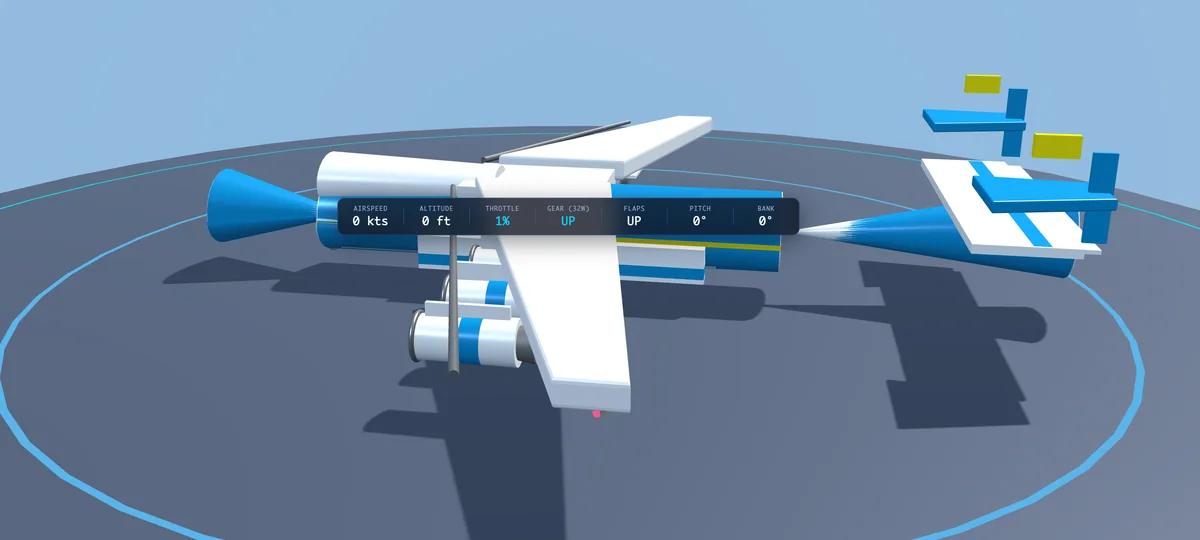
Quick Start & Flight Fundamentals
SimPlane runs directly inside any modern web browser without downloads, plug-ins, or compilation steps. Follow this six-step walkthrough to configure your aircraft, execute a textbook runway takeoff, pilot through the procedural terrain, and grease your touchdown on Runway 18.
Launch into Plane Selection / Showcase Mode 1. Browse the 15 authentic fleet models using the top-docked carousel or P to cycle aircraft. Engage turntable auto-rotation T, inspect mechanical subsystems with component hotspot buttons, or toggle the cargo visor door / supersonic droop nose V on heavy transports and Concorde.
Switch to Runway Lineup Mode 2 to place your aircraft on active Runway 18. Release the parking brake with . (hold Space to brake), set takeoff flaps to 15° with F, and test ground steering using the rudder pedals Q / E or aileron steer keys A / D.
Hold Shift to advance the engine throttle to 100%. High-bypass turbofan engines follow authentic spool-up inertia lag (1.8s time constant). The roll takes as long as the real aircraft's: about 30–50 seconds and 1–2 km for an airliner, under 20 seconds for the X-59. Maintain runway centerline alignment during the acceleration roll using differential rudder steering taps.
When airspeed accelerates past rotation velocity V_R (announced by avionics chime tones and HUD cue), pull back gently on the flight stick with S or down arrow. Establish an 8° to 10° climb pitch attitude, and retract landing gear with G upon positive rate of climb.
Enter In-Flight Mode 3 for free 3-axis aerodynamic flight. Bank into coordinated turns with A / D, explore the 20km procedural terrain, alpine peaks, and river valleys, or engage the Autopilot Master with Z for altitude and wings-level cruising.
Align with Runway 18 on a 3° descent path using the 4-light PAPI visual guidance system (2W2R indicates on-slope). Deploy flaps with F and landing gear with G. Slow down early: with the power off, an airliner loses only 1–3 knots a second. Flare over the threshold and touch down with wheel smoke; with the Landing Assist on (Flight Settings), the throttle comes back to idle as the wheels touch. Then engage reverse thrust with B and apply wheel brakes with Space.
Operational Modes & Camera Perspectives
SimPlane features three dedicated simulation modes and four modular camera perspectives designed for pre-flight mechanical inspection, precision runway operations, and full 3-axis aerobatic flight dynamics:
An interactive 3D showroom mounted on a circular reflective turntable platform. Features concentric distance guide rings at 100ft, 200ft, 300ft, and 400ft for visual scale comparison, component hotspot inspection cameras (Cockpit, Engines, Tail, Gear, Cargo Visor), and full technical specification dialogs.
Active runway threshold alignment with approach lighting systems, parallel taxiway turnoffs, Antonov barrel-vault hangars, and a 55m Air Traffic Control tower with a rotating beacon. Supports manual throttle spooling, ground nosewheel steering, and an automated one-click takeoff sequence button.
Unrestricted 3-axis flight across procedural mountain ranges, patchwork agricultural valleys, and river networks. Includes dynamic airspeed tape, stall recovery physics, over-speed aerodynamic buffeting, and an automated glideslope landing sequence button.
Switch camera viewpoints instantly with C: Dynamic Chase (speed-scaled trailing anchor behind empennage with coordinated roll lag), Orbit / Turntable (360° touch/mouse orbital inspection) and Overhead (looking down on the aircraft from a few hundred metres, nose up the screen; scroll or pinch to raise or lower it, for the terrain).
Master Key Commands & Touch Controls
SimPlane supports full dual-mode keyboard controls alongside responsive on-screen mobile virtual touch controls. Every flight control is mapped to standard ergonomic keybindings:
36 COMMANDS
Pilot Flight Controls & Shortcuts Table
| Command / Action | Keyboard Shortcut | Operational Context | Subsystem Category |
|---|---|---|---|
| Pitch Nose Down | W or ↑ | In Flight / Runway Roll | Pitch & Roll |
| Pitch Nose Up (Rotate) | S or ↓ | In Flight / Takeoff Rotation | Pitch & Roll |
| Bank Left (Roll) | A or ← | In Flight / Ground Taxi | Pitch & Roll |
| Bank Right (Roll) | D or → | In Flight / Ground Taxi | Pitch & Roll |
| Rudder Yaw Left | Q | In Flight / Runway Taxi | Yaw & Steering |
| Rudder Yaw Right | E | In Flight / Runway Taxi | Yaw & Steering |
| Increase Engine Throttle | Shift (Hold) | All Modes | Throttle & Spool |
| Decrease Engine Throttle | Ctrl or X | All Modes | Throttle & Spool |
| Toggle Thrust Reversers | B (rolling) | Runway Roll / Touchdown | Reverse Thrust |
| Pushback Tug (steer the tail with A / D; B, brakes or throttle stop it) | B (stopped) | Ground Taxi / Ramp | Ground Handling |
| Engage Wheel Brakes | Space (Hold) | Runway / Landing Rollout | Wheel Brakes |
| Toggle Parking Brake Latch | . | Ground Taxi / Ramp | Wheel Brakes |
| Cycle Wing Flap Detents | F | UP → 15° → 30° → FULL | Flight Surfaces |
| Toggle Landing Gear | G | All Modes | Gear Kinematics |
| Autopilot Master Toggle | Z | In Flight Mode | Avionics Suite |
| Autopilot Wing Leveler (LVL) | Y | In Flight Mode | Avionics Suite |
| Autopilot Altitude Hold (ALT) | K | In Flight Mode | Avionics Suite |
| Autopilot Heading Hold (HDG) | N | In Flight Mode | Avionics Suite |
| Flight Controls & Settings Dialog (Landing Assist, stick feel, units) | O | All Modes | Avionics Suite |
| Cycle Camera View | C | Orbit → Chase → Overhead | Camera Systems |
| Toggle Turntable Rotation | T | Showcase Mode | Showcase Hangar |
| Toggle Visor / Droop Nose | V | Showcase Mode (An-225, C-5, Concorde) | Showcase Hangar |
| Inspect Cargo Hold Interior | I | Showcase Mode (An-225) | Showcase Hangar |
| Cycle Active Aircraft | P | All Modes (Fleet Cycle) | Fleet Selector |
| Toggle Active Flight HUD | H | In Flight / Runway | Display Overlay |
| Toggle HUD Style (Traditional / Bar) | U | In Flight / Runway | HUD Systems |
| Go-To Coordinates & Waypoints | J | In Flight / All Modes | Navigation |
| Toggle Day / Night Lighting | L | All Modes | Environment |
| Pause | ` | All Modes | Flight Controls |
| Toggle Sound On / Off | M | All Modes | Environment |
| Keyboard Shortcuts (this list, in the app) | ? | All Modes | Avionics Suite |
| Close Dialog / Dismiss Menu | Esc | All Modes | Avionics Suite |
| Plane Selection Mode | 1 | All Modes | Mode Switcher |
| Runway View Mode | 2 | All Modes | Mode Switcher |
| In-Flight View Mode | 3 | All Modes | Mode Switcher |
| Take to Runway & Fly | Space / Enter / R | Plane Selection | Mode Switcher |
Mobile Virtual Touch Controls
On touchscreen devices or whenever activated via H, SimPlane presents dual ergonomic virtual quadrants:
- Virtual Flight Stick Quadrant: Located on the lower-left, featuring spring-to-center physics providing proportional 2-axis pitch and roll deflection. Let go and the aircraft keeps the bank and pitch you left it in; light
LVLto have the wings come level by themselves. - Progressive Throttle Slider Quadrant: Located on the lower-right, featuring continuous 0% to 100% thrust adjustment with visual N1 spool indicators.
- Quick-Action HUD Bar: Touch-friendly tactile buttons for Flaps, Gear, Camera, Brakes, and Autopilot positioned along the viewport margins.
Avionics HUD & Flight Mode Annunciation (FMA)
SimPlane provides two selectable HUD presentation formats (toggle with U) with comprehensive autopilot state annunciations:
- Top-Bar Autopilot HUD Buttons: Interactive cluster with clickable status buttons for
AP(Master Autopilot, hotkey Z),LVL(Wing Leveler),ALT(Altitude Hold), andHDG(Heading Hold). Active modes illuminate with vivid green avionics glow. - Traditional Flight Mode Annunciator (FMA): When using the traditional collimated flight HUD, a top FMA status bracket displays active guidance modes across three channels: Speed (
MCP SPDorMANUAL), Lateral (HDG SEL,LVL HOLD, orROLL HOLDwith no lateral mode;LVLwhile the wing leveler works without the master), and Vertical (ALT HOLDorG/S), alongside a masterAP/FDannunciator box. - Flight Director Guidance Overlay: Dynamic horizontal pitch bar and rotating roll bar provide precision steering cues to satisfy active target heading and target altitude bugs.
- Pilot Safety Override: Applying manual pitch or roll stick input greater than 25% deflection immediately disengages autopilot master control to ensure instantaneous pilot takeover.
LVLstays lit: it only pauses while you steer.
Aerodynamic Physics & Flight Dynamics
SimPlane implements a deterministic flight simulation engine delivering continuous aerodynamic flight physics without external physics libraries:
Calculates dynamic lift, drag, and thrust vectors per frame. Coordinated turn kinematics automatically couple roll angle with yaw rate (Δψ = +sin(θ_z) × 0.85 × Δt), eliminating slip/skid tendencies during steep banks.
Engines do not respond instantly to throttle commands. Core rotational spooling follows an asymptotic lag curve with a 1.8-second acceleration time constant (τ_spool = 1.8s). Effective thrust scales quadratically with N1 rotational speed.
Flying within one wingspan of the ground plane traps trailing wingtip vortices, reducing induced drag by up to 35% and boosting lift by 15%. This provides an authentic aerodynamic cushion during the final landing flare.
Calculates takeoff decision speeds (V_1), rotation velocity (V_R), and safety climb speed (V_2) derived from airframe mass and flap setting, announced with dual-tone audio chimes and HUD cue banners.
Runway 18 features a calibrated 4-light Precision Approach Path Indicator array calibrated for a standard 3.0° descent slope (4W high, 2W2R on-slope, 4R low) paired with cockpit ILS crosshairs.
Wheel brakes Space stop an airliner from touchdown in about 15–20 seconds and 500 m. Thrust reversers B add to them: a little at idle, more as you add throttle. They stow by themselves at 20 knots with the throttle back at idle. With neither, idle thrust and the ground spoilers alone take about a minute and most of the runway.
Toggle master autopilot with Z or the top-bar HUD button (AP). Supports three automated sub-modes: Wing Leveler (LVL, hotkey Y, off at the start) brings the wings level whenever you let go of the stick, and works on its own without the master; with it off, the aircraft keeps whatever bank you leave it in; Altitude Hold (ALT / ALT HOLD) holding target altitude AGL (default 1,500 ft) via proportional elevator commands; and Heading Hold (HDG / HDG SEL) executing coordinated turns up to ±25° bank. Moving pitch or roll controls beyond 25% deflection triggers an instant manual safety override. In addition, collimated Flight Director crossbars (FD) provide dynamic pitch and roll steering cues. The nose stays where you put it: under power, a climb trades speed for height, so level off before the speed runs out.
1kx Terrain Procedural Engine
SimPlane features the in-house procedural 1kx Terrain engine, shared with the root visualizer's Earth Observation system. The world generates concentric LOD terrain rings directly on the GPU without streaming external satellite imagery:
Multi-stage WebGL fragment compute shaders pipeline heightmaps, normal gradients, and landcover masks directly into GPU textures with persistent buffer recycling, eliminating frame budget latency spikes.
The celestial dome and landscape dynamically reflect the time of day and calendar season: the sun and moon follow astronomical orbits with real lunar phases, 4 Keplerian planets and 5,044 catalog stars map the night sky, while ground lighting, street lamps, city window glow, tree foliage colors, and mountain snowlines shift continuously with the clock and season.
River networks emerge as sub-metre threads inside wooded hollows and mountain ravines. Narrowing V-notch valley floors ensure water stays inside its bed, while steep-slope gating eliminates unnatural water on slopes over 35°.
Rural highways and section roads are modeled as real 3D ribbon meshes that follow natural terrain grades, complete with straightened bridge spans over rivers and roadside lamp posts spaced every 36m.
World-keyed city lattices place low-rise residential and commercial buildings with gabled roofs and window bays. At night, lit windows cast warm radial light spills onto streets and surrounding yards.
Eight authentic tree models (birch, willow, spruce, pine, oak, columnar, shrubs) placed from landcover masks with distinct canopy geometries, species-specific height profiles, and procedural forest distribution across biomes.
Continuous aerodynamic atmospheric timeline modeling barometric pressure lapse rate, dynamic wind vectors, gust turbulence, rain streaks, snow flakes, localized fog banks, and synchronized lightning flashes with acoustic thunder roll.
Multi-layered procedural cloud systems featuring billowy puff meshes, ground-projected cloud shadows matching the astronomical sun vector, high-altitude cirrus veil, and smooth in-cloud fogging transitions upon penetration.
Aircraft Fleet Registry & Specifications
Every aircraft in SimPlane is modeled with standardized aeronautical specifications, capturing authentic airframe dimensions, operational mass, rated engine thrust, flight envelopes, and landing gear kinematics across the 15 fleet models:
15 AIRCRAFT
Complete Aircraft Fleet Specifications & Profiles Table
| Aircraft Model | Role & Operator | Powerplant & Rated Thrust | Wingspan & Length | MTOW | Cruise & Top Speed | Landing Gear |
|---|---|---|---|---|---|---|

Antonov An-225 "Mriya"
MRIYA
|
Strategic Airlift Cargo Antonov Airlines |
6× Progress D-18T Turbofans (51,600 lbf each) |
88.40 m 84.00 m |
640,000 kg (1,410,958 lb) |
432 kts 459 kts |
32 Wheels (4 Nose + 28 Main) |

Boeing 747-8 Intercontinental
QUEEN
|
Flagship Quadjet Airliner Commercial Flagship |
4× GEnx-2B67 Turbofans (66,500 lbf each) |
68.40 m 76.30 m |
447,700 kg (987,000 lb) |
493 kts 530 kts (Mach 0.90) |
18 Wheels (2 Nose + 16 Main) |
Boeing 777-300ER
FLAGSHIP
|
Long-Range Wide-Body Twinjet Air Canada Livery |
2× GE90-115B Turbofans (115,300 lbf each) |
64.80 m 73.90 m |
351,533 kg (775,000 lb) |
490 kts 510 kts (Mach 0.89) |
14 Wheels (2 Nose + 12 Main) |

Boeing 787-10 Dreamliner
DREAMLINER
|
Wide-Body Composite Twinjet Air France Livery |
2× GEnx-1B76 Turbofans (76,100 lbf each) |
60.12 m 68.28 m |
254,000 kg (560,000 lb) |
488 kts 511 kts (Mach 0.90) |
10 Wheels (2 Nose + 8 Main) |

Airbus A340-600
QUADJET
|
Ultra-Long-Range Quadjet Flagship Commercial |
4× RR Trent 556 Turbofans (56,000 lbf each) |
63.45 m 75.36 m |
368,000 kg (811,300 lb) |
482 kts 500 kts (Mach 0.86) |
14 Wheels (2 Nose + 12 Main) |

Airbus A330-200F
FREIGHTER
|
Long-Range Dedicated Freighter Delta Cargo |
2× RR Trent 772B Turbofans (71,100 lbf each) |
60.30 m 58.82 m |
233,000 kg (513,670 lb) |
470 kts 496 kts (Mach 0.86) |
10 Wheels (2 Nose + 8 Main) |

Airbus A350-1000
AIRLINER
|
Long-Range Widebody Airliner Delta Flagship |
2× RR Trent XWB-97 Turbofans (97,000 lbf each) |
64.75 m 73.79 m |
319,000 kg (703,270 lb) |
488 kts 510 kts (Mach 0.89) |
14 Wheels (2 Nose + 12 Main) |
Boeing 737 MAX 8
AIRLINER
|
Narrow-Body Airliner Southwest Livery |
2× CFM LEAP-1B28 Turbofans (29,300 lbf each) |
35.92 m 39.52 m |
82,190 kg (181,200 lb) |
453 kts 470 kts (Mach 0.82) |
6 Wheels (2 Nose + 4 Main) |
Lockheed C-5 Galaxy
GALAXY
|
Strategic Heavy Military Airlifter USAF Strategic Transport |
4× GE TF39-GE-1C Turbofans (43,000 lbf each) |
67.89 m 75.31 m |
381,018 kg (840,000 lb) |
462 kts 485 kts (Mach 0.79) |
28 Wheels (4 Nose + 24 Main) |

Lockheed KC-135R Stratotanker
STRATOTANKER
|
Aerial Refueling Tanker USAF Strategic Command |
4× CFM56-2B-1 Turbofans (21,630 lbf each) |
39.88 m 41.53 m |
146,284 kg (322,500 lb) |
465 kts 500 kts (Mach 0.84) |
10 Wheels (2 Nose + 8 Main) |
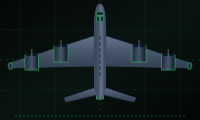
Boeing B-52H Stratofortress
BUFF
|
Long-Range Heavy Strategic Bomber USAF Global Strike |
8× P&W TF33-P-3 Turbofans (17,000 lbf each) |
56.40 m 48.50 m |
221,353 kg (488,000 lb) |
442 kts 520 kts (Mach 0.84) |
10 Wheels (8 Main + 2 Outrigger) |
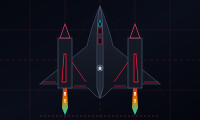
Lockheed SR-71 Blackbird
BLACKBIRD
|
Supersonic Strategic Reconnaissance USAF Reconnaissance |
2× P&W J58 Afterburning Turbojets (32,500 lbf each with AB) |
16.94 m 32.74 m |
78,000 kg (172,000 lb) |
1,880 kts (Mach 3.2) 2,193 kts (Mach 3.3+) |
8 Wheels (2 Nose + 6 Main) |
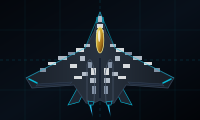
Dassault/Airbus NGF 6th-Gen
STEALTH
|
Next-Generation Stealth Fighter European FCAS Concept |
2× Next-Gen Afterburning Turbofans (26,000 lbf each with AB) |
15.20 m 18.50 m |
32,000 kg (70,550 lb) |
1,450 kts (Mach 2.2) 1,580 kts (Mach 2.4) |
4 Wheels (2 Nose + 2 Main) |
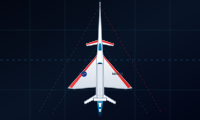
NASA X-59 QueSST
QUESST
|
Quiet Supersonic Experimental NASA Low-Boom Flight Demo |
1× GE F414-GE-100 Afterburning Turbofan (22,000 lbf with AB) |
9.00 m 29.50 m |
14,700 kg (32,400 lb) |
814 kts (Mach 1.42) 946 kts (Mach 1.60) |
3 Wheels (1 Nose + 2 Main) |
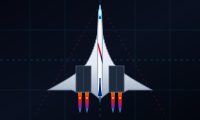
Aérospatiale / BAC Concorde
SPEEDBIRD
|
Supersonic Passenger Transport (SST) British Airways Chatham Dockyard |
4× RR/Snecma Olympus 593 Turbojets (38,050 lbf each with Reheat) |
25.56 m 61.66 m |
185,070 kg (408,000 lb) |
1,176 kts (Mach 2.04) 1,195 kts (Mach 2.04) |
10 Wheels (2 Nose + 8 Main) |
3D Model Credits
Most of SimPlane's models began as the work of other 3D artists, used under the licences below and converted for the simulator. The Boeing 777-300ER, 787-10, Airbus A330-200F, Antonov An-225, Lockheed C-5 Galaxy and SR-71 Blackbird are converted from FlightGear's open-source aircraft; their authors and licences are being confirmed and will be listed here. The NGF is built in-house. Thank you to every artist listed here.
| In SimPlane | Original Model | Artist | Licence |
|---|---|---|---|
| Boeing 737 MAX 8 | "Boeing 737 MAX 8 Southwest" (Sketchfab) | Dave Love | CC BY 4.0 |
| Boeing 747-8 Intercontinental | "Boeing 747-8i" (Sketchfab) | OUTPISTON | CC BY-NC-SA 4.0 |
| Airbus A340-600 | "Lufthansa Airbus A340-600" (Sketchfab) | Dave Love | CC BY 4.0 |
| Airbus A350-1000 | "Airbus A350-1000" (Sketchfab) | OUTPISTON | CC BY-NC-SA 4.0 |
| Aérospatiale / BAC Concorde | "Concorde 3D Model" (Sketchfab) | thomas333 | CC BY 4.0 |
| Boeing B-52H Stratofortress | "Boeing B-52 Stratofortress" (Sketchfab) | bohmerang | CC BY 4.0 |
| Boeing KC-135R Stratotanker | "Boeing KC-135R Stratotanker" (Sketchfab) | Muhamad Mirza Arrafi | CC BY 4.0 |
| NASA / Lockheed Martin X-59 QueSST | "X-59 QueSST Supersonic Aircraft 3D Model" (FetchCFD) | Max Payne | Not stated by the source |
| Container ship (in development) | "Container Ship" (Sketchfab) | RM02 | CC BY 4.0 |
Release History & Changelog
- Bottom HUD Heading Dial Instrument: Circular compass card rotating under a fixed lubber line with 3-digit heading readout (
000°–359°), shortest-way rotation through North, and cyan heading bug tracking the autopilot HDG hold target. - Flown Heading Capture Fix: Engaging HDG hold captures the current heading flown rather than defaulting to North (000°).
- Manual Stick Attitude Hold Dynamics: Pitch and bank hold exactly where the stick leaves them hands-off, eliminating artificial auto-centering.
- Independent Wing Leveler (LVL): Toggleable with Y without the AP master; pauses while steering and levels wings upon release.
- Climb Airspeed Physics: Climbing under power realistically bleeds airspeed proportional to climb angle.
- Dynamic Weather Engine: Continuous aerodynamic weather timeline with real-time wind vectors, turbulence, rain, snow, fog, lightning flashes, and directional thunder audio.
- Weather Settings Card: Selectable in Settings under Date, Time & Weather. Live mode plus 10 presets (Clear, Fair cumulus, Towering cumulus, Stratocumulus, Overcast, Rainy, Windy, Stormy, Foggy, Snowy).
- Volumetric Clouds & Shadows: Procedural billowy puff cloud layers, ground-projected solar shadows, high-altitude cirrus veil, and smooth in-cloud fogging.
- Concorde Supersonic Transport: Delta-wing SST with articulating droop nose (V), Olympus 593 reheat afterburners, Mach 2.0 flight physics, and sonic boom acoustics.
- LaGuardia Airport (LGA): Detailed Flushing Bay airfield layout with Runways 04/22 and 13/31, ALS lighting systems, PAPI glideslope lights, and terminal buildings.
- Overhead Inspection Camera: Top-down camera view cycled with C (Orbit → Chase → Overhead) with scroll/pinch zoom for terrain and runway inspection.
- Jet Reheat Plumes: Incandescent exhaust shock diamonds on Concorde and supersonic military interceptors.
- Living Waterfronts & Hydrology: Shoreline wave physics, river deltas, and realistic waterline glints.
- Contrails & Wingtip Vortices: High-altitude condensation plumes and wingtip vortex streamers generated dynamically based on aerodynamic G-loading, altitude, and ambient humidity.
- Night Landing & Taxi Lights: Forward ground projection light cones and taxi illumination dynamically casting light on runways and terrain at night, interlocked with landing gear state.
- Fleet Finish Standard: Unified role-named material architecture (
PAINT,GLASS,GLOSS,METAL,TIRE,CHROME,EMISSIVE) enforced across all 13 fleet models with automated material test suites. - Fleet Smoothing & Geometry: X-59 wing/intake smoothing pass, B777 helper mesh deduplication, and B-52 turbofan rebuild.
- Turbofan Anti-Strobing: Fleet-wide half-pitch spin rate capping eliminating visual strobing artifacts during high-RPM flight regimes.
- Living Water Optics: Surface wave ripples, sun specular glints, and sky Fresnel reflections on inland lakes, reservoirs, and river corridors.
- Plane Selection Cards Polish: Model credits attribution, unique livery highlight colors per aircraft, and clean card thumbnails.
- Deterministic Re-Bakes & Pipelined Roads: Bit-for-bit reproducible terrain re-bakes and non-blocking asynchronous road job pipelining.
- Graduating Out of Beta: SimPlane is officially promoted from stealth/beta (
v0.*) to Version 1 (v1.01.001). - Airbus A350-1000: High-detail 3D airframe, aerodynamic wing flex, high-res livery, and custom Rolls-Royce Trent XWB acoustics.
- Binary Mesh Streaming: Instant zero-stutter aircraft swaps powered by pre-packed
.bingeometry streaming. - Traditional Flight HUD: Collimated HUD with airspeed/altitude roller tapes, pitch ladder, bank angle scale, and velocity vector.
- Night Traffic System: Dynamic road traffic with projected headlights, taillights, deceleration physics, and anti-strobing.
- Terrain & Hydrology Realism: Gully farm shader, living sea wave speeds & wind streaks, shore margins, deltas, waterfalls, sports fields, and landmarks.
- Ride-Along Camera: Interactive camera seat on SimPlane's cars and river barges.
- Fewer Rivers: Dry Washes: Only channels whose catchment can keep water all year carry it; the rest are dry sand-and-gravel washes in the same valleys, with no waterfalls or deltas, and roads ford them.
- Streams Follow the Seasons: Small streams and some waterfalls run only with the spring melt and are dry by late summer; channels that never run are grassy, wooded, stony or sandy swales, and snow lies on them in winter.
- Streams Start Thin: Every stream emerges as a thread where its water starts and widens over ~400 m.
- HUD Toggle Pinned; Spotter Camera Retired: The HUD-style toggle sits in the pinned top-right bar and the telemetry bar's HUD/BAR switch is gone (U still switches it); C alternates Orbit and Chase.
- Map Button Carries Time and Season: SimPlane's map button passes the clock hour and day to the Sim view.
- Rivers End Like Rivers: Gorges and flat backwaters carry big rivers to the sea at sea level; every mouth swells into a rounded funnel, and the biggest rivers build marsh-and-mudflat deltas with meandering channels and silt plumes.
- Natural Shorelines: Wet-soil margins, beaches on gentle shores, rocky cliff edges, reed marsh with standing pools, and pale sandy shallows offshore.
- A Sea That Reads as Water: Fresnel sky reflection toward the horizon, a broken sun-glitter path, and wind streaks — dark from straight above like real satellite imagery, with zero added shimmer.
- Rivers & Fields Interlock: Riparian woodland sized by each stream, fields ending at fences and buffer strips, meadows, shelterbelts, farmstead woodlots, ragged clearing edges, and woods in canopy clumps with glades.
- Flora Stands on the Ground: Trees, rocks and buildings sit on the drawn terrain with tilt, settle, contact shadows and a ground grain — no more floating.
- Aircraft Shadow: The sun's shadow follows the aircraft everywhere, crisp at touchdown and softening with height.
- A World With Life In It: Sailboats, barges and cargo ships with wakes; cars and trucks on the roads; soccer pitches; churches, mosques, hospitals, water towers, grain elevators and lighthouses.
- Cockpit & Navigation: Collimated HUD with roller tapes, Washington Dulles (IAD) airport, smooth keyboard ramping, go-to dialog and map round trips.
- Alpine Mountain Ranges & Snow Caps: Procedural alpine relief, craggy ridges, snowline coverage, talus slopes, and distant mountain backdrops extending terrain past 10 km.
- Sky & Terrain Settings Tabs & Celestial Tracking: Astronomical ephemeris for true sun, moon phases, Yale star catalog (5,044 stars), Milky Way, 4 Keplerian planets, shooting stars, and seasonal meteor showers.
- Banded Chunk Painting (Zero Stutter): Multi-frame banded chunk baking with cached roof masks eliminating frame stutters.
- Swirled River Mouth Sediment Plumes: Flow-advected silt plumes and continuous thalweg transitions across river confluences.
- Night Road & Highway Lighting: Street and highway illumination, lit building windows, and headlight glow synchronized with the simulated hour.
1 PATCH
Patch Updates (v0.11.002)
- Mobile Orientation & Viewport Resize Engine: Instantaneous 3D camera projection, aspect ratio, and buffer resolution adaptation on mobile screen rotations without letterboxing or stretch.
- Mobile Telemetry HUD De-Cluttering: Streamlined top telemetry bar on mobile screens by hiding secondary mechanical indicators (throttle, gear, flaps) while retaining airspeed, altitude, and brakes.
- 1kx Terrain 1.7 Hydrology & Water Bed Alignment: River heads taper to sub-metre sources in wooded hollows. Channel beds and water surfaces share consistent width thresholds, eliminating bank-climbing at bends. Wide rivers and lake shorelines transition to smooth distance curves, eliminating staircase edges. River rendering smoothly fades out on steep cliff faces exceeding 35°.
- 3D City Grid Geometry & Road Cleanup: City streets generate as true 3D ribbons following the urban street grid, complete with residential building layouts with yards and parks. Closed dirt-track gaps, prevented underwater road routing, and aligned bridge deck lanes.
- Terrain Generation Retention: Landscape features are smoothly preserved where terrain elevation is stable during real-time generation, eliminating visual re-flashing across near landscape tiles.
9 OLDER RELEASES
Older Release History (v0.01.001 – v0.09.001)
- Night City Illumination & Bridge Guardrails: Lit building windows maintain visible brightness scaling at distance horizons with warm ground light spills. Subtle bridge guardrail heights and chord straightening between river banks.
- Flight Pause Controls & UI Polish: Added flight pause controls on supported sessions with a dedicated HUD pause banner, mobile portrait rotate-to-landscape prompt, and dirt-track clay color tuning.
- Ribbon Roads as Geometry & Crash Debris: Procedural 3D ribbon road meshes with roadside lamp posts every 36m, dirt-track rural networks, clustered driveways, and contextual aircraft crash debris.
- Seasons, 3D Cities & Airline Liveries: 8-species procedural tree generator, calendar day-of-year seasonal palettes, 3D low-rise city buildings, Air France Boeing 787-10 livery, and Delta Airbus A330-200F freighter livery.
- Procedural Farmland Flora & Boeing 777-300ER: Instanced procedural trees along agricultural corridors, Boeing 777 GE90-115B 3D intake cowls, and Air Canada maple leaf livery.
1 PATCH
Patch Updates (v0.06.002)
- Mobile Header Docking & PWA Support: Device-aware header collapse states, web app manifest, and 777 Sutherland-Hodgman polygon clip waterline precision.
- NASA X-59 QueSST & Top Speed Calibration: 13th fleet aircraft with Mach shock diamonds, real-world top speed calibration, and enhanced wheel hub assemblies.
1 PATCH
Patch Updates (v0.05.002)
- Pipelined Sea-Mask Readback: Sliced sea-mask WebGL readback into 8 yielded strips, eliminating 20ms frame latency spikes.
- Fleet Datum Realignment (-6.10m) & Autopilot HUD: Airframe root alignment across all fleet models, Autopilot Master engagement, and cockpit telemetry indicators.
- Heavy Fleet Expansion: Added Airbus A340-600, Boeing 747-8 Intercontinental, Boeing B-52H Stratofortress, and Lockheed KC-135R Stratotanker to the simulator.
- Initial Fleet Expansion: Added Airbus A330-200F, Boeing 777-300ER, Boeing 737 MAX 8, and Airbus/Dassault Next Generation Fighter (NGF) stealth concept.
- Initial Release & WebGL Flight Simulator Core: Three.js WebGL flight simulation architecture, Antonov An-225 Mriya procedural airframe, 32-wheel landing gear kinematics, and 3 operational flight modes.
1 PATCH
Patch Updates (v0.01.002)
- Flight Physics Constants & Bogie Kinematics: Replaced magic numbers with named aerodynamic constants and extracted 32-wheel landing gear builder.